
Independent MDF jumpering · Not NBN Co, not an ISP
Socket still dead after the jumper? MDF jumpering that finds your pair, tests it and tags it.
The line is fine to the building and dead at your socket, nothing downstairs is tagged, and nobody knows which pair is yours. One MDF jumpering visit identifies your pair from your cable details or by toning it, jumpers it on the frame, and proves it at your socket before anyone leaves. Residential jobs are the $250 inc. GST service call; commercial work is priced on enquiry.
Book a residential jobGet a commercial quote Play the 1 min SECURE A COM film (opens in a new tab)


Trusted by 1,000+ businesses
-
Kofi Duah
★★★★★We've been having issues for over 6 months with FTTB in our apartment. We've had electricians come out twice and done nothing but charge us. Jason rocked up, within 5 minutes diagnosed the problem and had our system up and running in 20 minutes total. A real professional. I reccomend skipping the other con artists out there and we will only be contacting Jason relating to our NBN needs.
Read more Show less
-
Leon Griffin
★★★★★Great speedy service. Jasen was easy to deal with and Peter came on time and did a great job fixing my issue efficiently. Would use again for sure.
-
Paris M
★★★★★Jason is a God send! I have dealt with many technicians both in my work offices and home office., but Secure A Com IS the best I have ever dealt with. He is Professional, prompt , reliable and a doctor in this field of work. Thanks so much and I will be referring Jason to many of my clients!!
Read more Show less
-
D&K McInnes
★★★★★A professional outfit. A good communicator who turns up when he says he will and provides a quality service with a minimum of fuss at a good price. Definately recommended.
Read more Show less
-
Gary Rockliff
★★★★★Jason is a true professional. A former highly skilled Telstra technician, Jason has wealth of knowledge and he understands the frustrations of both residential and business users. He knows the network inside out, thats why I refer my clients with network issues to Jason. Cheers Gary
Read more Show less
-
Samantha Getty
★★★★★Top service! Fast response to my enquiry, excellent customer service and follow up. Highly recommended!
-
wayne fogg
★★★★★We cannot recommend these guys enough! The service was perfect....on time, polite and explained in plain English. The issue was quickly found and resolved immediately. no muss, no fuss.
Read more Show less
-
David White
★★★★★Outstanding service! After waiting for even a call back from another service, tried these guys and had an appointment for the following day organised straight away. Came on time and fixed the problem in half an hour. Highly recommended.
Read more Show less
Sound familiar?
It goes to the MDF room, and from the MDF room to your apartment or your shop. That’s the issue.
Downstairs it's all spaghetti, nothing's tagged, and three organisations each say it isn't theirs.
The provider's done their side and the landlord won't touch the frame. We find your pair, jumper it, test it at your socket and tag it, for units, shops and offices across Sydney.
Read moreShow less
The provider has done everything on their side, and from the street to the frame downstairs the line is fine. The landlord says they are not touching it because they do not know which one is yours. Downstairs it is all spaghetti and nothing is tagged. You have moved into a new suite, signed up, and there is no little telephone wire to plug into the box.
That is the job this page is for, and the person ringing is nearly always a shop or office tenant, a unit tenant, a building manager or an agent, in a multi-storey building, who has already had someone out. If the fault is on the line before it ever reaches the frame, the NBN Technician page is the one; if you are not yet sure it is the frame at all, start with the Internet Technician page. We work across Sydney from the Sutherland Shire, and we travel to buildings further out. The extra travel is charged, and the rates are in our terms and conditions.
Free advice
Before you book: get your cable details first
Every one of these is something we say on the phone, for nothing, on the calls that come to this page. The first one is the most repeated piece of advice in the whole archive for this service, and it is the difference between a twenty minute visit and a two hour one.
Keep this list handy
Get all six checks as a one-page PDF before anyone opens the frame.
Send me the free guide- Get your cable details from your provider first. Ring them and ask for the channel pair or the vertical and pair for your MDF, and have the reference number ready. Without it we are toning a frame with hundreds of pairs on it, and you pay for that time. This is the most repeated piece of advice on these calls.
- Find out who owns the problem. Street to the MDF is NBN’s. MDF to your door is the building’s or yours, depending on the lease. Ask the building manager before you book, because strata may pay.
- Don’t run a new cable yet. Most of the time the existing cable is fine and is sitting on the wrong pair, or on no pair. Check before you spend.
- Ask the building manager where the IDFs are. In a big building the MDF is in the basement and there is a smaller frame on your floor. A toner from your socket finds which one your line reaches.
- If the NBN tech said it’s inside the building, get that in writing. If we find it is NBN’s after all, the full escalation report is what you send your provider, and some providers refund the call-out when that happens.
- On FTTP in a new building, it may not be jumpering at all. It may be a patch lead from the IDF to your socket. Photos tell us which.
Recognise it?
What it looks like from inside your unit or suite
New suite, and there is no line to plug into
New suite, signed up, and nothing to plug into. The service sits at the frame downstairs and was never carried the rest of the way to you.
Usually points to: a jumper never run, or a run that stops at the floor frame.
Read moreShow less
You have moved into a new office or shop, signed up, and there is no little telephone wire to plug into the box. Your provider's system says the service is on. The NBN website says you already have it. You do not already have it.
Nothing here is broken. The service arrives at the frame downstairs and has never been carried the rest of the way to your suite, which is the last physical step in almost every commercial connection and the one nobody arranges.
What it usually points to. The building's side of the frame: either a jumper that was never run, or a run to your suite that stops at the floor frame.
What the visit actually does ›When the run to the suite does not exist ›
It is all spaghetti down there and nothing is labelled
It's all spaghetti downstairs and nobody knows which pair is yours. Nothing's faulty. Your cable details from your provider turn it into a twenty minute job.
Usually points to: a record problem, not a cable problem.
Read moreShow less
It is in the MDF room, mate, and it is just all spaghetti. The landlord says they are not touching it because nobody knows which one is yours. The line is live somewhere on that frame and there is no way to tell which pair it is.
This is the version where nothing is faulty at all. A frame carries hundreds of pairs, tagging is the first thing that stops happening in a busy building, and after that every visit starts from nothing.
What it usually points to. Your side of the frame, and a record problem rather than a cable problem. Your cable details from your provider turn it back into a twenty minute job.
What cable details are, and how to get them ›Who owns which part of the path ›
Someone else is active on my line
Your service goes on and a neighbour's goes off. A jumper is on the wrong pair, and nobody should move it until both pairs are identified.
Usually points to: a jumper on the wrong pair. Both are identified first.
Read moreShow less
Your service goes on and a neighbour's goes off, or the other way about. A technician has been out and the line is still not yours. The provider's own records may name a pair that is not the one your service is sitting on.
On a frame with hundreds of unlabelled pairs this happens more than it should, and it is why nobody should move a jumper they have not identified first: the wrong move takes somebody else's service down as well as leaving yours dead.
What it usually points to. A jumper on the wrong pair, on the building's side of the frame. Both pairs have to be identified before either is touched.
What is usually wrong at the frame ›How the pair gets identified ›
It has been jumpered twice and it is still dead
Fine to the frame, jumpered twice, still dead. In a multi-storey building there's usually a floor frame too, and the pair can stop anywhere between them.
Usually points to: the run between the basement frame and your floor.
Read moreShow less
From the street to the MDF is good, and they believe the problem is inside. The line has been jumpered twice. The provider has done everything on their side and there is still nothing at your socket.
In a multi-storey building the jumper in the basement is not the end of the path. There is usually a smaller frame on your floor, and a pair can be live downstairs and never carried up, or carried up and cut somewhere in between.
What it usually points to. The run between the basement frame and your floor: never terminated, pulled, or broken by water or vermin in the cupboard it passes through.
The frames between the basement and your door ›Where a line stops, and what each one looks like ›
The usual suspects
What’s usually wrong at the frame
- On the wrong pair.
Your line on someone else's pair, or your neighbour live on yours.
Read moreShow less
The NBN tech or the last installer put your line on someone else’s pair, or your neighbour is live on yours.
- Not tagged.
Live at the frame, and nobody knows which pair is yours.
Read moreShow less
The line is active at the MDF and nobody knows which pair is yours. Nothing is wrong except that nothing is labelled.
- Not terminated at the IDF.
Active in the basement, never carried up to your floor or your suite.
Read moreShow less
Active at the MDF in the basement, never carried up to the floor frame or the suite.
- Open circuit between the MDF and the unit.
A pulled pair, a leak, rodents in the cupboard, or a cable lost when a wall came down.
Read moreShow less
A pulled pair, water from an air-conditioner leak, rodents in the fire cupboard, a cable lost when a wall came down between two shops.
- A bridge tap on the run.
Old sockets chained on the way up, splitting the signal.
Read moreShow less
Old sockets daisy-chained on the way up.
- An old phone system in the way.
A dead PABX still wired through the building, blocking the sockets.
Read moreShow less
A dead PABX still wired through the building, blocking the sockets.
- The socket itself.
Pushed into the wall, wires adrift, or ten sockets and none of them the right one.
Read moreShow less
Pushed back into the wall, wires adrift, or a ten-socket rental where none of them is the right one.
- The provider’s records.
The wrong cable details on file, so the last technician worked from the wrong sheet.
Read moreShow less
They have the wrong cable details on file, so the NBN tech worked from the wrong sheet.
Down in the basement
What is the MDF room, and what happens in it
The MDF room is where every line enters the building. The provider's side of the frame is the network's; the side running up to each unit is the building's. A few centimetres of jumper wire joins them, and that jumper is the whole job.
Read moreShow less
The MDF room is where every phone and internet line enters the building: a frame in the basement, the car park or a fire cupboard, with the street cable on one side and the building’s own pairs on the other. The side where the provider’s service arrives is the A side and belongs to the network. The side that runs up the risers to each unit or suite is the B side and belongs to the building.
A jumper wire across the frame joins the two, one pair to one pair, and that jumper is the whole job. It is a few centimetres of wire, it takes a minute to run once the right pair is known, and a service can sit dead behind it for weeks while three organisations each explain that it is not theirs.
Bigger building?
IDFs, fibre to the building and fibre to the premises
A bigger building has a frame on each floor too, so a service can be live in the basement and never carried up. On fibre to the premises the last step may be a patch lead, not a jumper, and a photo of the cupboard says which.
Read moreShow less
A bigger building adds a smaller frame on each floor, an IDF, between the basement and your socket, so a service can be live in the basement and never carried up. That is why the question “where are the IDFs” is worth asking the building manager before anybody comes: in a tower it decides where the tracing starts.
In an older block on fibre to the building, NBN’s equipment sits at the frame and the copper pair from there to your door still does the work; the building’s side of that is the fibre to the building page. In a newer building on fibre to the premises, the last step is often a patch lead from the floor frame to your socket rather than a copper jumper at all, and a photograph of your comms cupboard is usually enough to say which of the two you have.
How it works
What we actually do: identify, trace, jumper, test, report
Five steps, in this order, and the order is the point: nothing is moved before the pair is identified. We test from the frame in. Street to the MDF is NBN’s, and we do not work on their side of it, which is the boundary an independent technician works to rather than a gap in the service. Building managers and strata who also look after the lift emergency phone are the same people, and the same visit can cover both.
-
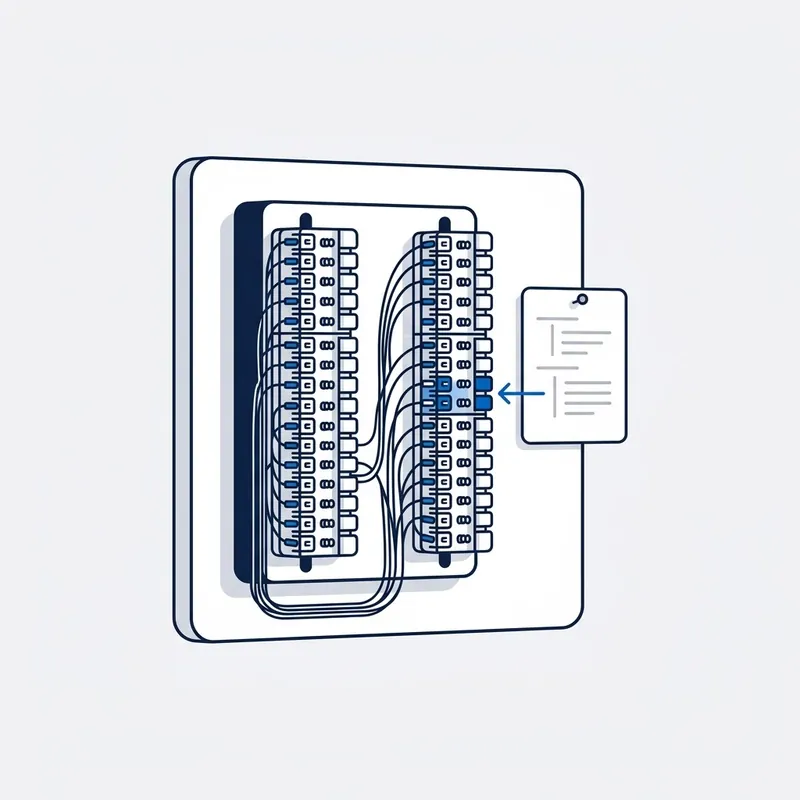
Identify the pair.
From your provider's channel pair, or by toning from your socket back to the frame when they will not give it. Nothing is moved before this step is finished, because a jumper moved on a guess takes a neighbour's service down with it.
-
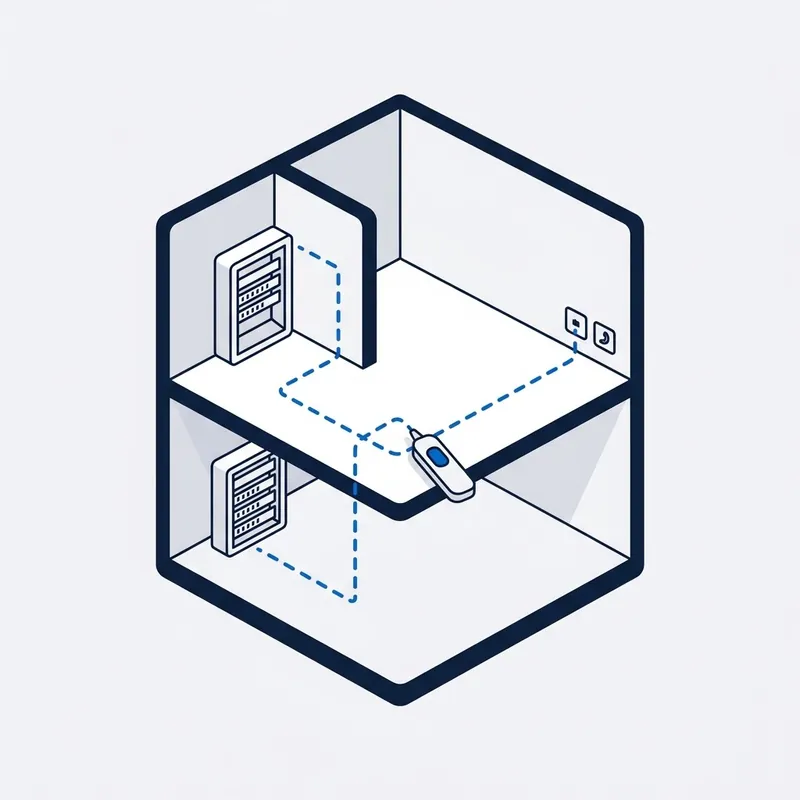
Trace it.
MDF to IDF to socket, and find where it stops. In a building with several frames that is the whole diagnosis, and it is the step a jumper-only visit skips.
-
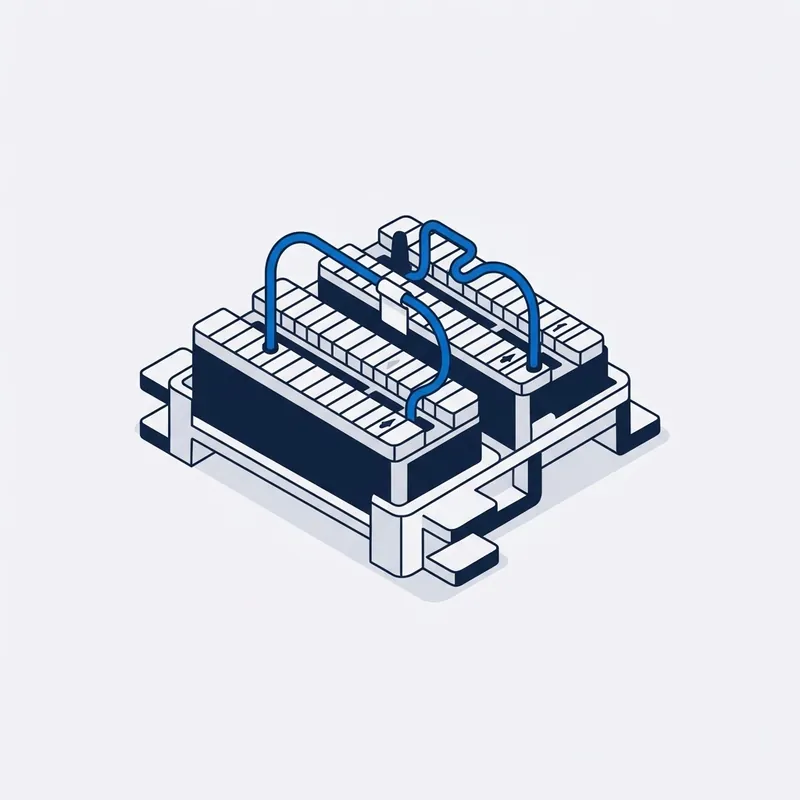
Jumper it.
A side to B side, on the right pair, and tagged so the next person who opens that cupboard can read it. The tag costs nothing and it is the reason the next fault is twenty minutes rather than two hours.
-

Test it.
Sync at the socket, a laptop on the line, in your premises rather than at the frame. Not a jumper and a wave goodbye: some operators run a jumper and leave, and that is the difference.
-
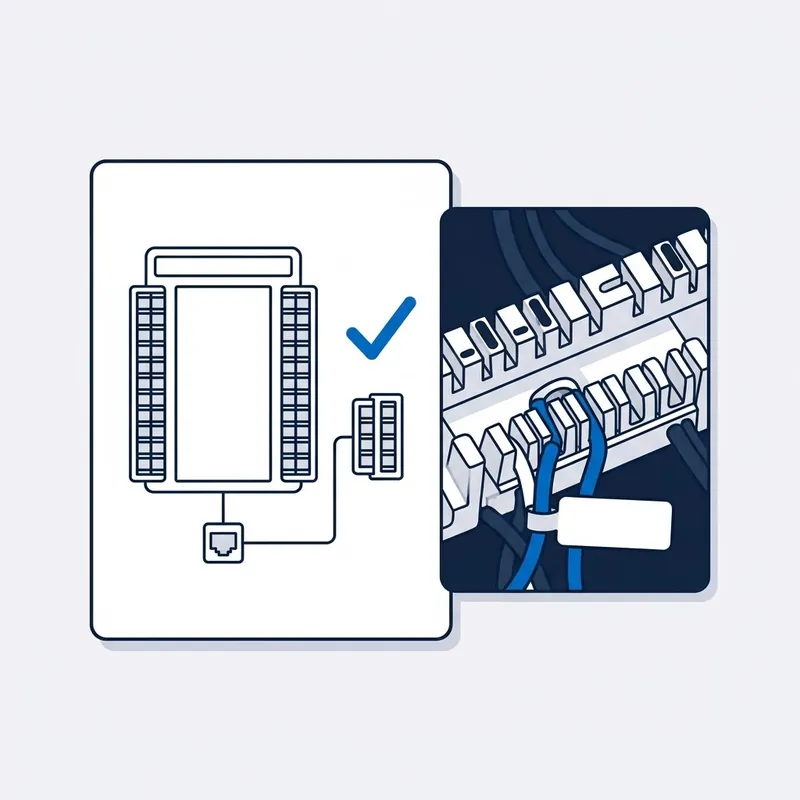
Report it.
On the network side after all? A written report for your provider. No run to your suite? Quoted before anything starts.
Read moreShow less
If it is on the network side of the frame after all, a written report for your provider with what was measured. If the run from the frame to your suite does not exist, that is a data cabling job and it is quoted before anything starts.


Written by customers on Google. None are paid for, and every word here is theirs.
Read all reviews on Google › (opens in a new tab) Leave a review (opens in a new tab)
Reviews
What people say after the job.
“Jason was able to immediatley identify abnormal interference across our MDF. Part of persistent issue we've had with our FTTB connection for several years now. Highly recommended, especially where other technicians have failed.”
A real job from the field
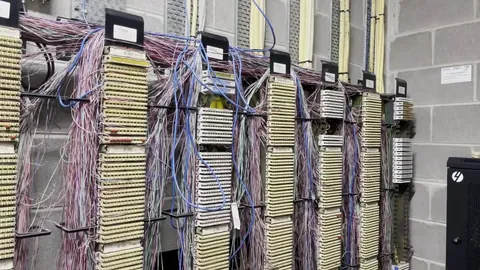
Bondi Junction, NSW · Copper pair through a building's frames · Filmed on site, 12 min
Months of dropouts at a medical practice, and its pair couldn't be found.
Several technicians had been out, and the practice had been told the fault wasn't on the network side. The pair couldn't be found at the floor frame and its tone never reached the MDF, so a spare pair was jumpered, toned up and the service moved onto it. Seven days later, no dropouts.
Read moreShow less
Bondi Junction, a medical practice in a shopping centre, on a copper pair through the building’s frames. The phones and the internet had been dropping out for months. Several technicians had already been out, and the practice had been told the fault was not on the network side.
The pair the practice was on could not be found at the floor’s distribution frame, and its tone never reached the MDF. So a spare pair was jumpered at the MDF, toned back up to the floor, and the service moved onto it. On the way, a pair at the practice’s own frame was found punched down without the proper tool.
At the seven-day follow-up there had been no dropouts and the phones were fine. One caveat, because it is on the video: the router lead had been replaced a week before the visit and the dropouts had already eased, so the new pair is not claimed as the whole cause.
Price
What does MDF jumpering cost?
From $250 inc. GST
What's included
- First hour on site
- Travel up to 40 km
- Testing and diagnosis
- Free basic report by email
- Free speed test on the day
- 90-day warranty on the fix
Free Spaces account with every job, if you want one. What's Spaces?
Residential jobs are the service call. With your cable details most of the work is twenty minutes at the frame; without them it's toning, and you're told before it runs over.
Read moreShow less
A unit, a shop or a single-frame job is generally the $250 service call. Past the first hour, our hourly rate applies, and you are told before it starts.
We are a specialised service, so we may not be local to you. If you are outside Sydney or more than 40 km from our office, we can still come to you, but the extra travel means an extra travel charge. All travel charges are set out in our terms and conditions.
Commercial buildings are different. Several frames, inductions, security escorts and waiting for access can make a job a half day or a full day, so commercial customers get in touch first and the job is quoted before anyone attends.
What you get in writing
| Report | Price | What it contains |
|---|---|---|
| Basic report | Free | A short written summary by email: what we tested, what we found, and whose side of the boundary it is on. |
| Standard report | $55 | A detailed PDF with the findings, the test results and our recommendations. No photos or video. |
| Escalation report | $185 | Everything in the standard report, plus photos and video of the testing. The report for proving the fault is on NBN's side: written for escalation to your provider or the carrier, a refund claim, or a TIO complaint. |
Trusted on site by
Commercial fault and cabling work, done by the same technician who comes to your house.











Your options
Where a line stops between the street and your socket, and what each one looks like
| What you see from inside | Whose part of the path it is | What the visit does about it | |
|---|---|---|---|
| The street to the A side | Nothing at the socket, and your provider can see the service is not reaching the building at all. | The network. It arrives at the A side of the frame and no further, and nobody else may work on that side of it. | Tested from the frame in, so the reading either clears the building or does not. Where it is on their side you get that in writing for your provider. |
| The jumper across the frame | The service is active in the provider’s system and dead at your wall. It is the commonest version of this call. | The building’s, or yours, depending on the lease. It is why nobody wants to own it. | Your pair identified from the cable details or by toning, jumpered A side to B side, and tagged so the next person can read it. |
| A jumper on the wrong pair | Somebody else is live on your line, or a neighbour loses theirs the day yours starts working. | The same side of the frame, and usually the last technician’s work rather than anybody’s asset. | Both pairs identified before anything is moved, because a wrong jumper takes a neighbour’s service down as well as yours. |
| The riser up to your floor | Live in the basement, nothing on your floor. A building manager can usually confirm it was never carried up. | The building’s. The risers are common property in most leases, which is why strata often pays for this one. | Traced frame to floor to find where it stops, and terminated at the floor frame where the pair is there but never landed. |
| The run into your suite | A new suite with no telephone wire to plug into anything, or a shop where a wall came down and the old connection went with it. | Yours in most commercial leases, and the part a fit-out is most likely to have disturbed. | Tested first, because the cable is usually there. Where it genuinely is not, a new run is quoted before anything starts. |
| The socket itself | Ten sockets in the rental and none of them does anything, or one pushed back into the wall with its wires adrift. | Yours. It is the cheapest part of the path and the last one anybody checks. | Proved at the socket with a laptop on the line rather than at the frame, which is what separates a finished job from a jumper and a wave goodbye. |
SourcesHide sources
Sources: our own MDF and IDF jobs across Sydney (the rows are the calls we take), and the standard division of a building into network, common property and tenancy that the leases on these buildings use. Who pays in your building is your lease and your strata, not something this table can decide. Our own fees and reports are in our terms and conditions.
Whoever your provider is, the answer is the same.













Questions
Frequently asked questions
Something not covered? Call 02 9188 1577 and ask, or send it through the contact form and you get the answer in writing.
What is MDF jumpering?
Connecting your line across the building's main distribution frame: a short jumper wire from the pair where your provider's service arrives, the A side, to the pair that runs up to your socket, the B side. Without it the service can show as active in the provider's system and still be dead at your wall. It is the last physical step in most unit and office connections.
What is the MDF room, and where is it in my building?
The room or cupboard where every phone and internet line enters the building, usually in the basement, the car park or a fire cupboard on the ground floor. The frame inside carries hundreds of pairs; a bigger building has smaller frames, called IDFs, on each floor feeding it. The building manager holds the key, and that access has to be arranged before we come.
My provider says the line is fine to the building. Whose problem is it?
From the street to the A side of the frame, NBN's. From the frame to your door, the building's or yours, depending on the lease, and that is where most of these faults sit. Ask the building manager before you book, because strata often pays for the run between the frame and your unit. If it turns out to be NBN's after all, the report goes back to your provider.
What are cable details, and why do you need them before you come?
The reference that says which pair on the frame is yours. Ring your provider and ask for the channel pair or the vertical and pair for your MDF, and have your account reference ready. With it the visit is twenty minutes at the frame. Without it we are toning a frame with hundreds of pairs on it, and you pay for that time.
The landlord won't touch the MDF. Can you?
Yes. Work on the frame has to be done by a registered cabler, which is why the landlord and the building's electrician will not touch it, and it is what we do. We need the key or an escort arranged with the building manager, and your cable details from your provider. A wrong jumper can take a neighbour's service down, which is the other reason nobody else touches it.
I've moved into a new office and there's no phone socket. Is that jumpering?
Often, yes, plus a cable. The service arrives at the frame in the basement and has to be carried to the IDF on your floor and then to a socket in your suite. If the cabling to your suite exists, it is a jumper and a socket. If it does not, it is a data cabling run from the IDF. Photos of the comms cupboard tell us which.
Someone else is live on my line. How does that happen?
The last technician put your service on the wrong pair, or a neighbour's on yours, and nobody tagged either. On a frame with hundreds of unlabelled pairs it happens more than it should, and your provider's records may show the wrong pair too. We identify your pair from the cable details or by toning it, move the jumper, and tag it so the next person can read it.
Does FTTP still need jumpering?
Sometimes, and sometimes it is a patch lead instead. In a newer building with fibre to the premises, the fibre arrives at a frame or IDF on your floor and the last step is a patch lead from there to your socket, not a copper jumper. In an older block on fibre to the building, the copper pair still matters. Photos tell us which.
How long does it take?
With your cable details and the key arranged, about twenty minutes at the frame plus the test at your socket. Without the cable details it can be two hours of toning a frame with hundreds of pairs, longer in a building with several frames. Time beyond the first hour is at the hourly rate in the terms, and you are told before it starts.
What if it turns out to be NBN's fault?
You get a written report. Some providers refund the call-out when the full escalation report shows the fault was on NBN's side; that is their decision, so we cannot promise it. Street to the frame is NBN's, and if the pair is dead on their side of it we say so with the readings; the full escalation report adds photos and video for the provider or the Ombudsman. We do not work on NBN's side of the frame.
Do you do whole buildings and multi-floor offices?
Yes. Several frames, inductions, security escorts and waiting for access can turn a job into a half day or a full day, so commercial and multi-frame customers get in touch first for a price rather than booking online. Building managers with a fibre-to-the-building service, a tired frame or an old phone system in the way: send photos of the frame and we start there.
Are you licensed to work on the MDF?
Yes. Our technician is an Open Registered Cabler, registered through ASIAL, an ACMA-accredited cabling registrar. Open registration is what the law requires for anyone working on customer cabling, and the B side of the frame is customer cabling. Licence and insurance details go to the building manager or facilities team on request. The registration number is in the footer of every page.
Dig deeper
Guides for this fault
5 guides
- 16Oct
Guide
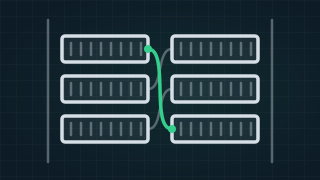
What Is MDF Jumpering? A Guide From an MDF Technician
MDF jumpering joins your provider's line to your unit's own cable at the building's main frame. What the MDF room is, what goes wrong there, and how to prepare.
Read the guide › - 02Jan
Guide
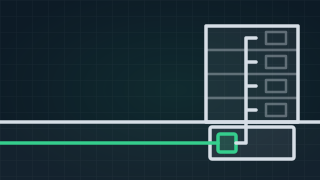
FTTB Meaning: NBN Fibre to the Building, and Is It Any Good?
Fibre to the building (FTTB) explained: how NBN reaches a unit, who owns which part of the line, whether it is any good, and what to check when it is slow.
Read the guide › - 21Aug
Guide
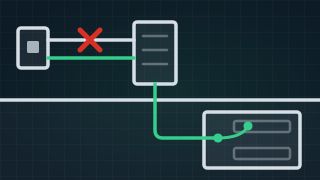
No Internet in a New FTTB Apartment: A Short and Moved Pairs
No internet in a new apartment on fibre to the building: a short on the unit's cable, pairs moved between the frames, and the wrong pair details.
Read the guide › - 17Dec
Guide
What Is a Bridge Tap? Meaning, NBN Dropouts and the Fix
A bridge tap is an old phone socket still connected to your internet line. What it means, what it does to NBN on FTTC, FTTN and FTTB, and how it is fixed.
Read the guide › - 16Oct
Guide
What Is an Internet Technician, and Who Tests What?
What an internet technician does, the cabling registration they need, and what your provider, NBN's technician and an electrician each test.
Read the guide ›
MDF Jumpering
Trusted by 1,000+ businesses