
Independent smart TV setup · Not NBN Co, not an ISP
The new TV is on the wall and nothing on it works yet. Smart TV setup gets it online, signed in and explained.
The home screen wants a wifi password, an account and a postcode, the catch-up apps sit there loading, and the family's still watching whatever came up first. One smart TV setup visit tunes the channels, signs in the apps you pay for and shows everyone how it works. $250 inc. GST service call, first hour on site and travel up to 40 km included.
Book a technicianContact us Play the 2 min SECURE A COM film (opens in a new tab)


Trusted by 1,000+ businesses
-
Massimo Kiri Kiri
★★★★★Highly recommend Secure A Com. They are very helpful and prompt.
-
Maria Gonzalez
★★★★★Great and fast service from Jason. Highly recommended
-
Yian Lu
★★★★★We have had a wonderful experience with secure a com. We couldn't be more pleased with the service. Jason is so professional, knowledgeable, and incredibly efficient with his work! HIGHLY RECOMMENDED!
Read more Show less
-
Greg Fisher
★★★★★Jason was incredible / patient with my lack of tech savvy and supportive in talking with my carrier for me. Once the problem was diagnosed he fixed it in minutes. Love the on line booking. Turned up exactly on time. Very grateful
Read more Show less
-
Juliette Larion
★★★★★Excellent service! I needed help setting up my new computer and extending my wifi signal all through my home. Jason from SECURE A COM showed up on time and completed all the tasks I needed fast, and at a good price. Highly recommended.
Read more Show less
-
Dianne Brown
★★★★★Jason did a great job in relocating our NBN and various boxes today. He was of great assistance in setting the boxes up in the new location and was polite and very knowledgeable and fixed up your issue with the NBN location. Thanks Jason
Read more Show less
-
u no
★★★★★Jason is friendly, patient and easy to talk to. He is competent and willing to address all our concerns and questions. Highly recommend. From Anthony H.
Read more Show less
-
Melissa Weir
★★★★★My Mum and Dad were over the moon with the work Jason did at their home today. The NBN set up wasn't ideal for their telephone requirements, and he sorted it out quickly and efficiently. Jason is friendly, polite, patient and helpful. 100% recommendation.
Read more Show less
Sound familiar?
A smart TV is only smart once it is online, signed in and explained
Three weeks after the TV came home, everyone's still watching whatever came up first.
The TV is only part of it: the wifi has to reach it, the aerial lead has to be in, and every box has to agree on inputs. That's all one visit.
Read moreShow less
The television came home in a box the size of a door. It is on the cabinet now, it turns on, and the first screen wants the wifi password. Then an account. Then a postcode. Somewhere behind those screens are the catch-up apps, the streaming services already being paid for and the channel guide, and three weeks later the family is still watching whatever came up first.
Setting a television up properly is an hour of patient work, and the television is only part of it. It depends on the wifi reaching it, on the aerial or Foxtel lead behind it, and on every other box plugged into it agreeing about which input is which. This page is all of that in one visit, by the same technician who can fix the wifi or run a cable if that turns out to be the real problem. Computers, phones, tablets and printers are on the home tech support page. We come to homes across Sydney and beyond; past the distance the service call includes, the extra travel is charged, and the rates are in our terms and conditions.
Free advice
Before you book: what to check first
Ten minutes of gathering things up saves time on the day, and the last row is worth doing even if you never book.
Keep this list handy
Get all seven checks as a one-page PDF before anyone touches the remote.
Send me the free guide- Find the wifi password. It is normally on a sticker on the back or the base of the router. A photo of the sticker is enough.
- Have your streaming logins ready. The email address and password for each service you pay for. If you are not sure which ones you pay for, a bank statement will tell you.
- Round up every remote. The television’s, the set-top box’s, the soundbar’s, and the one nobody can identify. Fresh batteries help.
- Check the aerial lead is plugged in. Free-to-air channels need a cable from the wall plate to the back of the TV. If the old television had one and the new one does not, that is the missing channels.
- See what the wifi is like where the TV sits. Stand at the television with a phone and load a video. If the phone struggles there, the TV will too.
- Count the boxes plugged into the television. Foxtel, a streaming box, a console, a soundbar. Tell us how many, because each one is part of the job.
- Photograph any message on the screen. An error code or a no-signal notice, exactly as it appears. It often says which side the problem is on before anyone visits.
Sound like you?
Which TV problem is yours, and what you end up with
A new TV that has never been set up
It turns on, then wants a wifi password, an account, a postcode and several pages of terms. Many stop at free-to-air and never switch the rest on.
Usually points to: the TV online, the channels in order, and your apps installed and signed in.
Read moreShow less
It is plugged in and it turns on. Past that, the screen wants a wifi password, an account with the maker, a postcode, and agreement to several pages of terms, and the remote has forty buttons and no numbers.
A new television often gets as far as the free-to-air channels and stops there, with the catch-up apps, the streaming services and the voice remote never switched on.
What you end up with. The TV online, the channels tuned and in order, the catch-up and streaming apps installed and signed in, and the home screen cleared down to the things you actually watch.
The catch-up or streaming apps will not load
The catch-up app opens and sits there, or a stream stops to think every evening. Very often it's the signal reaching the TV, not the screen.
Usually points to: each app working, or a plain answer and a streaming box where the TV is the limit.
Read moreShow less
The ABC and SBS apps open and then sit there. A commercial channel's app says it is not available in your area. One service plays for ten minutes and stops to think, every evening, at the same time.
Sometimes it is the app, sometimes the television is too old for it, and very often it is the signal reaching the TV rather than anything on the screen.
What you end up with. Each app either working, or a plain answer about why it cannot on that set, with a streaming box fitted as the way round where the TV itself is the limit.
When it is the wifi, not the TV ›Test your connection speed ›
Foxtel, or the free-to-air channels, have stopped
The picture breaks up when it rains, or the channels went the day the internet was installed. It's usually the cable, not the box.
Usually points to: the cabling tested from the wall plate back and the faulty part replaced.
Read moreShow less
The picture breaks into squares when it rains. There is a no-signal message where the channels used to be. Or everything worked until the day the internet was installed, and somebody left a cable unplugged behind the cabinet.
A set-top box gets blamed first, and it is usually not the box. It is the cable, a connector, a splitter or the wall plate between the box and the outside of the house.
What you end up with. The cabling tested from the wall plate back, the faulty part replaced, and a clear statement of anything that is Foxtel's own to fix rather than ours.
Three boxes, four remotes and a soundbar nobody can work
A TV, a streaming box, a set-top box and a soundbar, and only one person knows which buttons to press. The equipment is fine; it's never been made one system.
Usually points to: the inputs named, the sound in the right place, and everyone shown how.
Read moreShow less
The television, a streaming box, a set-top box and a soundbar, each with its own remote and its own idea of which input is which. Watching the news means pressing six buttons in the right order, and only one person in the house knows the order.
The equipment is fine. It has never been made to behave as one system.
What you end up with. The inputs named, the sound coming from the right place, one remote doing the everyday jobs where the equipment allows it, and everyone in the house shown how.
The usual suspects
Why a smart TV will not do what the box promised
Televisions rarely arrive faulty. What stops them is nearly always around them.
- It was never connected to the internet.
Or it was, to a wifi name and password that have since changed.
Read moreShow less
Or it was, to a wifi name and password that have since changed.
- The wifi is weak where the TV is.
The router's at the other end of the house, and video suffers first.
Read moreShow less
The router is at the other end of the house, and video is the first thing to suffer.
- The location was never set.
The catch-up apps need a postcode, and without one they show nothing.
Read moreShow less
The catch-up apps need a postcode to know which channels to show, and without one they show nothing.
- The software is years out of date.
An update is waiting, and the apps won't run until it's done.
Read moreShow less
An update is waiting, and the apps will not run until it is done.
- The set is too old for the app.
The maker's stopped supporting it, and a small streaming box takes over.
Read moreShow less
The maker has stopped supporting it, and a small streaming box takes over.
- The aerial lead or the wall plate has failed.
A loose or corroded connector, or a cable never plugged back in.
Read moreShow less
A loose connector, a corroded one, or a cable that was never plugged back in.
- A splitter is in the way.
One cable shared three ways through a part that isn't up to it.
Read moreShow less
One cable shared between the internet box, Foxtel and the television, through a part that is not up to it.
- Each box was set up on its own.
Nothing is broken, and nothing works together.
Read moreShow less
Nothing is broken, and nothing works together.
Picture breaking up?
Foxtel and TV cabling: the box, the wall plate and the cable between
When the picture breaks up or says no signal, the cause is usually between the wall and the box: a corroded connector, a damaged cable, a failed splitter. It's tested from the wall plate back. Anything on Foxtel's side, you're told plainly.
Read moreShow less
Foxtel cable repairs are cabling work, and cabling is what we do. When the picture breaks up, freezes or shows a no-signal message, the cause is usually between the wall and the box: a connector that has corroded, a cable damaged by sun or water, a splitter that has failed, or a wall plate that has worked loose. Each is tested from the wall plate back towards where the cable enters the house, and the faulty part is replaced there and then where it can be.
The same visit covers moving a Foxtel or aerial point to another room, adding one, and setting up a new set-top box so it is activated on your account and working with the television. Free-to-air or Foxtel can also stop on the day the internet is installed on the same cable, because a lead was left unplugged or the wrong splitter was fitted; that is found and put right on the visit. What we cannot do is anything on Foxtel’s side: your account, a faulty box they supplied, or an outage. If that is where the problem is, you are told plainly, with what to ask them for.
Fine for a week?
When it is the wifi, not the TV
A TV is the hardest thing in the house to stream to, so the signal is tested at the TV first. If it's weak, the fixes go cheapest first: move the router, add a mesh unit, or run one cable to the TV.
Read moreShow less
A television is the most demanding thing most houses ask their wifi to feed, and it is usually as far from the router as it can be. So a setup that stops at the screen often fails a week later, when the picture drops to a blur every evening. Testing the signal at the television is the first step of this visit, not an afterthought.
Where the signal is good, nothing more is needed. Where it is not, there are three honest fixes, cheapest first: move the router, add a mesh unit in the right place, or run one cable to the TV so it never depends on wifi again. The first is done on the day. The other two are explained on the WiFi technician and data cabling pages, and where a cable is the answer it is quoted before anything is run.
How it works
Smart TV setup: what we actually do
Four steps, the same on any brand of television. The visit ends when the people who watch it can work it, not when the installer can.
-
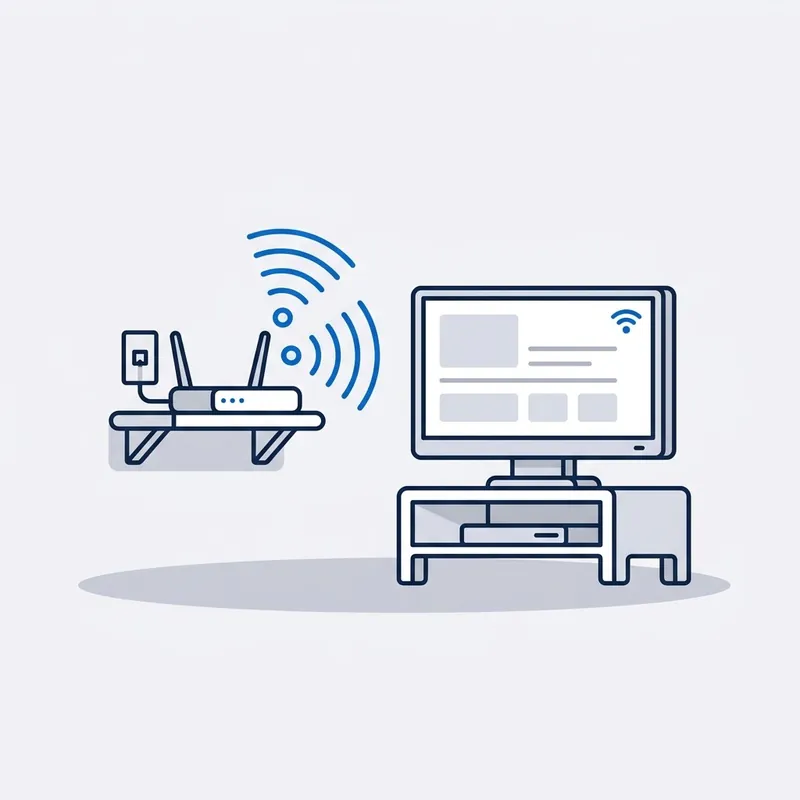
Get it online, and check the signal.
The TV joins the wifi, and the strength of the signal where the TV sits is tested before anything is installed. A television is the hardest thing in the house to stream to, so a weak signal is dealt with now, with a cable to the TV where that is the honest fix.
-
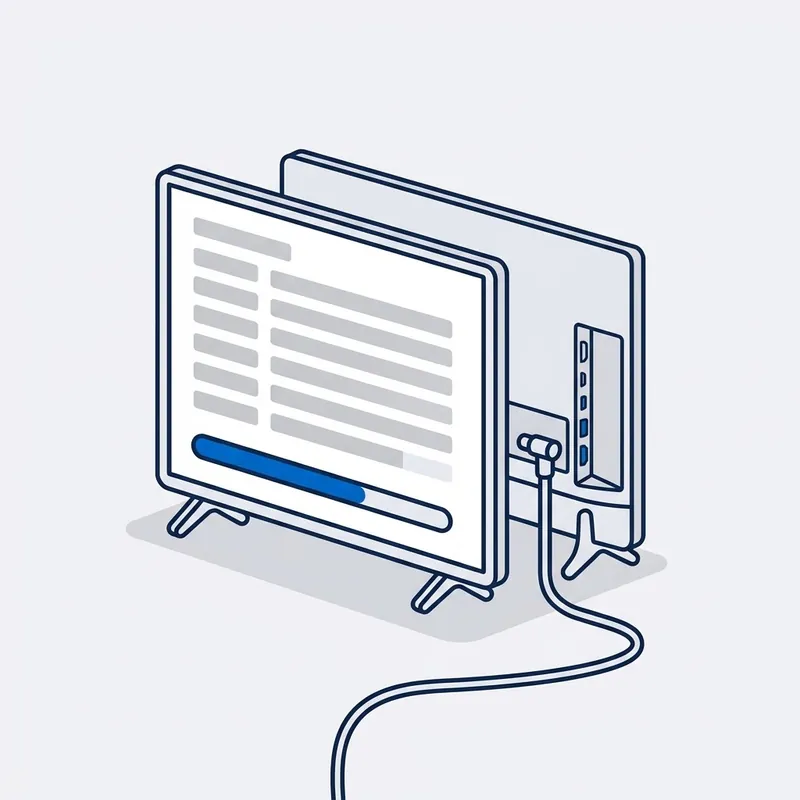
Tune it and install the apps.
A full channel scan off the aerial, with the channels put in a sensible order. Then the five free-to-air catch-up apps and the streaming services you subscribe to, each installed, signed in by you, and played to prove it works.
-
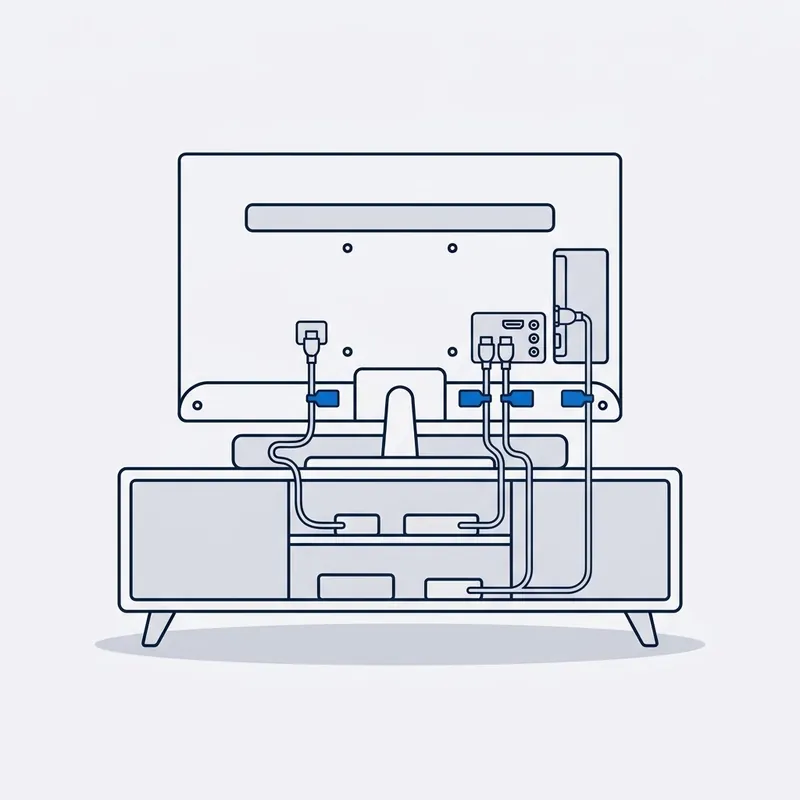
Connect everything else to it.
The set-top box, the streaming box, the games console and the soundbar are connected and each input is given a name you will recognise. Sound is sent to the speakers you want, and picture settings are set for the room. Foxtel and aerial leads behind the cabinet are checked while it is pulled out.
-
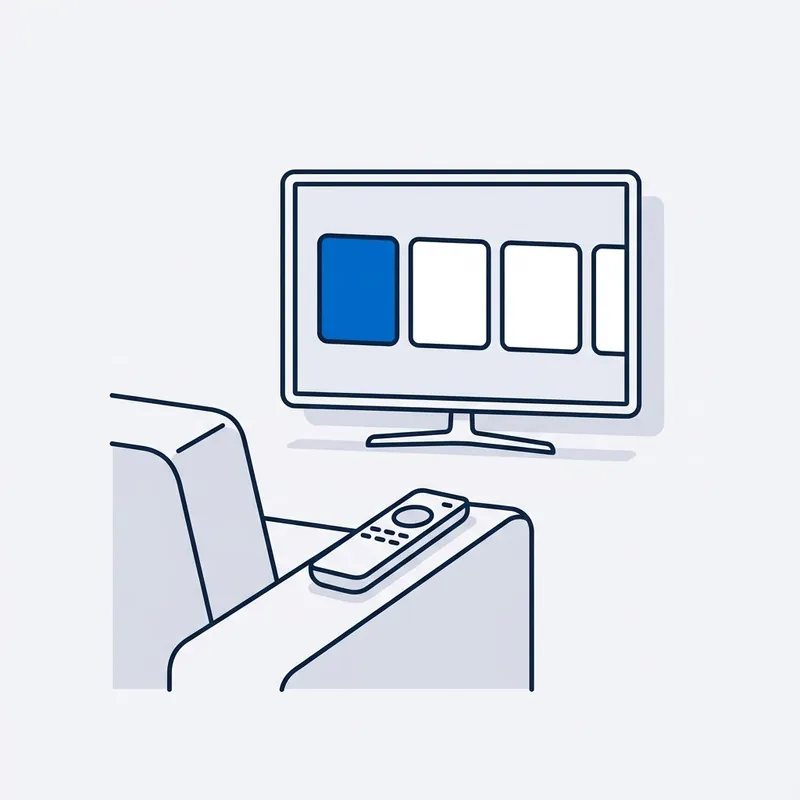
Show everyone how it works.
Each person who watches it changes channels, finds the apps and turns on captions themselves, so nothing is left that only one person understands.
Read moreShow less
Changing channels, finding the apps, switching to Foxtel and back, turning on captions. Each person who will use it does it themselves, at their own pace, and the home screen is cut down to what they watch. Nothing is left that only one person understands.


Written by customers on Google. None are paid for, and every word here is theirs.
Read all reviews on Google › (opens in a new tab) Leave a review (opens in a new tab)
Reviews
What people say after the job.
“We had so many issues - telephones, NBN, internet & International streaming systems. He FIXED EVERYTHING! He was so kind and patient with my elderly parents.”
A real job from the field
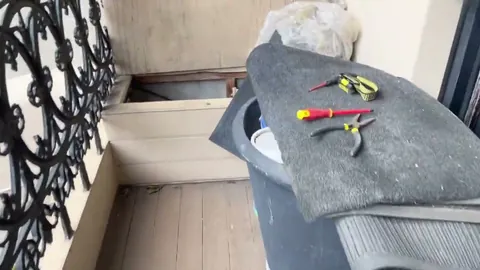
Paddington, NSW · HFC · Filmed on site, 3 min
The free-to-air channels went the day the internet was connected on the same cable.
Paddington, on the cable network. The installer had left, the channels had stopped, and nobody would come back. Behind the equipment, leads had been left unplugged, and one cable now had to feed the NBN box and the TV. We fitted a splitter and reconnected the leads, and the TV came back alongside the internet.
Read moreShow less
Paddington, free-to-air television gone on the day the internet was connected. The home’s television ran through its pay TV cabling, and an HFC internet connection, the kind that arrives on that same cable, had just been installed. When the installer left, the free-to-air channels had stopped, and the customer could not get anyone back to look at it.
Behind the equipment, leads had been left unplugged. The one cable now had two things to feed, the NBN box and the television. We fitted a splitter and reconnected the leads, and the television came back alongside the internet.
The whole fix was a splitter and the leads that were already there.
Price
How much does smart TV setup cost?
$250 inc. GST
What's included
- First hour on site
- Travel up to 40 km
- Estimate before extra time
- Parts priced up front
Free Spaces account with every job, if you want one. What's Spaces?
Extra, only if you need it: more time on site, travel past 40 km, parts.
It's the service call, for the whole setup: the TV, the apps and every box plugged into it. Subscriptions, and any cable or streaming box you need, are yours to buy, and you're told first.
Read moreShow less
Past the first hour, our hourly rate applies, and you are told before it starts.
We are a specialised service, so we may not be local to you. If you are outside Sydney or more than 40 km from our office, we can still come to you, but the extra travel means an extra travel charge. All travel charges are set out in our terms and conditions.
Setup and help are charged by time, not quoted. Give us the whole list when you book, every device and every account, so the visit is planned for all of it and nothing is left half done.
What you get in writing
A short written note of what was set up, what was changed and where your passwords are now kept, left with you at no charge. If the visit finds a fault in the internet connection itself, the fault reports in our pricing apply.
Trusted on site by
Commercial fault and cabling work, done by the same technician who comes to your house.











Your options
What is plugged into the TV, what has to be ready, and what the visit sets up
| What has to be ready | What gets set up | What is not ours to do | |
|---|---|---|---|
| The television itself | The wifi password and the TV's own remote. | Wifi, a full channel scan, the software update, picture and sound for the room, captions if wanted. | Mounting it on the wall, or repairing a set that has a fault. |
| Catch-up and streaming apps | The email and password for each service you pay for. | Each app installed, signed in by you and played, with the location set so the right channels appear. | Choosing or paying for a subscription. Those are yours and stay in your name. |
| A streaming box or stick | The device, its remote and the account it belongs to. | Connected, signed in, and its remote set to work the TV's power and volume where it can. | Supplying the device. We will say which kind suits your set before you buy one. |
| Foxtel | The box, any error message on the screen, and access to your account for a new box. | The cable, connectors, splitter and wall plate tested and repaired; a new box connected and activated. | Your account, a faulty box they supplied, or an outage. Those are Foxtel's. |
| A soundbar or speakers | The soundbar, its remote and its leads. | Connected by the best lead the two devices share, the TV's own speakers turned off, and the lip-sync checked. | Running speaker cable through walls, which is a separate, quoted job. |
SourcesHide sources
Sources: The free-to-air broadcasters' own published device requirements, which decide which televisions each catch-up app will run on. Our own fees and reports are in our terms and conditions.
Whoever your provider is, the answer is the same.













Questions
Frequently asked questions
Something not covered? Call 02 9188 1577 and ask, or send it through the contact form and you get the answer in writing.
What does a smart TV setup include?
The TV connected to your wifi and tested, a full channel scan, the free-to-air catch-up apps and your own streaming services installed and signed in, every box plugged into the TV connected and named, the sound and picture set for the room, and a walk-through for everyone who will use it. Any brand of television.
What do I need to have ready?
The wifi password, usually on a sticker on the router. The email address and password for each streaming service you pay for. Every remote, including the ones in the drawer. And the account details for a streaming box if you have one, because it will ask for them. If something is missing, we work through the recovery steps with you.
Which apps do you install?
The five free-to-air catch-up apps, ABC iview, SBS On Demand, 7plus, 9Now and 10 Play, and whichever streaming services you already subscribe to. We do not choose services for you or sell any. If an app will not run on an older set, a small streaming box usually solves it, and we say so before you buy one.
How much does smart TV setup cost?
It is the service call shown on the card at the top of this page and set out again in the cost section: the first hour on site, with travel included up to a set distance, and time after that. One television is usually inside the first hour. More sets, a soundbar or a cabling fault take longer, and you are told before the time runs on.
Can you fix Foxtel that is pixelating or showing no signal?
If the cause is the cabling in your home, yes: a corroded connector, a failed splitter, a damaged cable or a wall plate. That is tested from the wall plate back. If the cause is your Foxtel account, their box or their network, that is theirs to fix, and you will be told exactly what to ask them for.
Can you move Foxtel or the aerial point to another room?
Yes. The cable is extended or a new one run to the new position, a wall plate is fitted and the signal is tested there before the cabinet goes back. It takes longer than a setup, so mention it when you book and the visit is planned for it.
Do you wall-mount televisions?
Not at present. This page is the setup: getting the television online, tuned, signed in and working with everything plugged into it. If your TV is already on the wall, or is going onto a cabinet, that is all we need. If it needs mounting, have that done first and book the setup for afterwards.
The TV keeps buffering. Is it the TV or the internet?
Usually the path to the TV rather than the TV. The set is tested on the wifi and then on a cable, and the difference between the two is the answer. A weak signal at the television is fixed with a better-placed router, a mesh unit or a cable run, and the choice is explained with what each one involves.
Can you set it up so my parents can use it?
Yes, and it is a large part of what this visit is for. The home screen is cut down to the handful of things they watch, captions and larger text are switched on if they help, and they are shown each step themselves, without hurry. It helps if a family member can be there or on the phone for the account passwords.
Dig deeper
Guides for this job
5 guides
- 10Nov
Guide
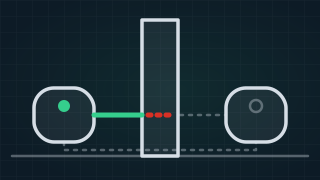
Why Does My Mesh WiFi Keep Disconnecting? Causes & Fixes
Why mesh WiFi keeps disconnecting: a weak link between the units, placement, interference or the modem's own WiFi. Common problems and the fixes, in order.
Read the guide › - 12Nov
Guide
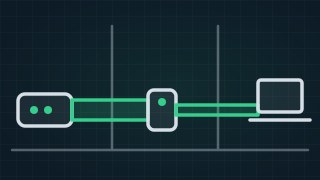
Do WiFi Range Extenders Really Work? Extender, Mesh or Cable
Do WiFi extenders work, are they worth it and are they safe? What an extender can and cannot do, when mesh is better, and when a cable beats both.
Read the guide › - 12Nov
Guide
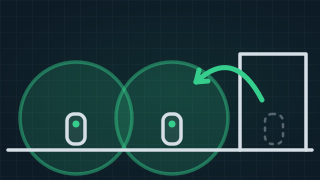
How to Boost a Mesh WiFi Signal: 8 Things That Work
How to boost a mesh WiFi signal: where to put the units, thick walls and older houses, linking units by cable, and the settings that make mesh stronger.
Read the guide › - 23Oct
Guide
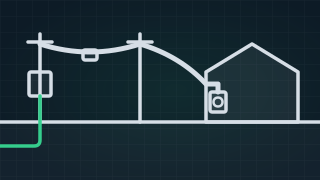
What Is HFC? NBN Hybrid Fibre Coaxial Explained
NBN HFC (hybrid fibre coaxial) explained: how it works, what the HFC box and the isolator do, why it drops out, and what to check before you ring anyone.
Read the guide › - 29Nov
Guide
Speed Test: Check Your NBN and Internet Speed
Free NBN and internet speed test. Check your download, upload and ping, see what a good result is for your plan, and what to do when the speed falls short.
Read the guide ›
Smart TV Setup
Trusted by 1,000+ businesses