
Independent WiFi technician · Homes across Sydney
Upstairs is fine, downstairs gets nothing. A WiFi technician who fixes the house, not the plan.
Fine next to the router, nothing in the back room, and the extender hasn't helped. One visit from a WiFi technician works out whether it's the NBN or the WiFi, then puts the signal where the rooms are: the router moved, mesh wired in, or a cable run. $250 inc. GST service call, first hour on site and travel up to 40 km included.
Book a technicianContact us Play the 1 min SECURE A COM film (opens in a new tab)


Trusted by 1,000+ businesses
-
Massimo Kiri Kiri
★★★★★Highly recommend Secure A Com. They are very helpful and prompt.
-
Maria Gonzalez
★★★★★Great and fast service from Jason. Highly recommended
-
Yian Lu
★★★★★We have had a wonderful experience with secure a com. We couldn't be more pleased with the service. Jason is so professional, knowledgeable, and incredibly efficient with his work! HIGHLY RECOMMENDED!
Read more Show less
-
Teresa Temme
★★★★★Very prompt and effective service! Highly recommend
-
Juliette Larion
★★★★★Excellent service! I needed help setting up my new computer and extending my wifi signal all through my home. Jason from SECURE A COM showed up on time and completed all the tasks I needed fast, and at a good price. Highly recommended.
Read more Show less
-
Greg Fitzgerald
★★★★★We were highly recommended to Secure A Com and was serviced by Jason, and could not be happier with his professionalism and work.
-
Alex X.
★★★★★Fantastic Service. Quick and easy job well done
-
Andrew Katramados
★★★★★All I can say is if you need a job done correctly, call Jason at Secure A Com. As I am working from home like many these days, and in preparation for the NBN cut over in my area I needed some connection issues and advice on the best way to set my home up to enable me to work and also have my young family connected with all their wifi needs. Jason provided professional and unbiased advice, whilst also finding the most cost effective solution for me. I highly recommend Secure A Com and Jason - 100%
Read more Show less
Sound familiar?
“Upstairs is fine, where the modem is. Downstairs we don’t get any WiFi”
Fine next to the router. Nothing in the back room, upstairs or out in the granny flat. And the extender made it worse.
A faster plan won't fix that. Putting the signal where the rooms are will: the router moved, mesh wired in, or a cable run, cheapest first. We do it for homes right across Sydney.
Read moreShow less
We both work from home and it is just not good enough. Constantly dropping out, constantly freezing. The extender does not really help. The call breaks up and the people on the other end say they can barely hear you. The cameras and the doorbell go offline during the day. Seventy megabits on the phone, one megabit on the laptop. The spinning wheel when the TV comes on.
Not one person who rings says “WiFi technician”. They say the symptom, and half of them have the best NBN connection available and cannot use it in the back room. That is what a home network installer is for: not a faster plan, a house where the signal reaches. If you searched for WiFi repair near me, this is the page. We work across Sydney from the Sutherland Shire, and further out too. Past the distance the service call includes, the extra travel is charged, and the rates are in our terms and conditions.
Free advice
Before you book: is it the NBN or the WiFi?
Each of these is advice we give on the phone at least ten times a year. Do them first and you may not need us.
Keep this list handy
Get all seven checks as a one-page PDF before you buy anything.
Send me the free guide- Find out if it’s the NBN or the WiFi. Plug a laptop into the router with a cable and run a speed test while the problem is happening. Fast on the cable, slow on WiFi: it is the WiFi, and we can fix it. Slow on the cable too: it is the connection, and that is the NBN Technician page. Here is how to test your NBN speed properly.
- Reboot everything once, properly. Router off, mesh units off, thirty seconds, router on first, then the units. Factory reset the mesh if it will not rejoin.
- A faster plan won’t fix coverage. Upgrading from 50 to 100 does nothing for a bedroom the signal cannot reach.
- Extenders halve your speed. Mesh doesn’t. A three-pack of mesh units fixes most double-storey houses; we have had better results with TP-Link mesh than with some others. If you have bought an extender that did not work, return it. More in why mesh WiFi keeps disconnecting.
- Try the router in the middle of the house before you buy anything. A long network cable from a hardware shop, run along the floor from the NBN box to where the router ought to be, for a day. If the house works with the router there, the fix is that cable made permanent, not a mesh system.
- Look for data points already in the walls. Many newer houses have them, often wired for phones and never used, and we have found a cable to the living room sitting unused behind the cupboard the router was locked in. A mesh unit plugged into one, or the router moved to one, beats anything talking over the air, and checking costs nothing.
- Send photos first. Where the router is, the rooms that drop out, and anything between them. We can often tell you what you need from the photos without a visit.
Recognise it?
WiFi not reaching upstairs, the back room or the granny flat
Upstairs is fine, where the modem is. Downstairs we don't get any WiFi
Fine around the router, nothing on the other level. It's rarely a weak router and never a slow plan: it's a floor, a brick wall or a distance the signal was never going to cross.
Usually points to: where the router sits, and what's between it and the dead room.
Read moreShow less
Fine around the router, nothing on the other level or at the far end of the house. The TV in the back room shows the spinning wheel, the bedroom the kids study in has one bar, and the garage where the NBN box landed is the only place the speed test looks right.
WiFi not reaching upstairs, or downstairs, is the shape of most of the calls we get. It is rarely a weak router and never a slow plan: it is a floor, a brick wall or a distance the signal was never going to cross from where the router sits.
What it usually points to. Where the router is, and what is between it and the dead room: a floor, double brick, a slab, or the garage at one end of the house.
Why the signal stops in brick and double-storey homes ›A double-storey house: router, mesh or cable ›
70 megabits on the phone, 1 megabit on the laptop
Seventy on the phone, one on the laptop. Fast on a cable and slow on WiFi is the signal, and that's this page. Slow on the cable too is the connection, and that's a fault call.
Usually points to: fast on a cable, the WiFi. Slow on a cable too, the NBN.
Read moreShow less
The speed test beside the router is fine and the laptop three rooms away crawls. Video calls break up, the people on the other end say they can barely hear you, and everything struggles when everyone in the house is on at once.
One test tells the two apart. Fast on a cable plugged into the router and slow on WiFi from the same spot is the signal, and that is this page. Slow on the cable as well is the connection itself, and that is a fault call, not a WiFi one.
What it usually points to. Fast on a cable, slow on WiFi: the signal, so the router's position, the walls or the extender. Slow on the cable too: the NBN, which is the fault-finding page.
Slow on the cable too: the NBN Technician page ›How to test your NBN speed properly ›
The extender doesn't really help. The cameras and doorbell go offline during the day
The doorbell, the back camera and the PS5 drop off first. The extender bought to fix it drops out too. Sometimes a surge killed the devices and the WiFi is fine.
Usually points to: the extender, or the edge of the router's reach.
Read moreShow less
The devices at the edge of the house fall off first: the doorbell at the front, the camera on the back fence, the printer, the PS5 that says it cannot find the router. An extender was bought to fix it, and now that drops out too and cannot be got going again.
An extender repeats a signal that is already weak, halves the speed on the way through, and drops every device on it each time it loses the router. Nearly everyone who rings has one. Sometimes the devices themselves are gone, after a power surge from a new solar or battery install, while the network underneath them is fine.
What it usually points to. The extender, or the edge of the router's reach. Sometimes the devices after a surge, with the WiFi itself working.
Why mesh WiFi keeps disconnecting ›What's usually wrong, the extender included ›
The granny flat's not connected, but it's meant to be
Twenty metres of yard and a concrete wall is more than a router in the house will cross. Whether the flat shares the house's connection or gets its own is the first question.
Usually points to: the distance and what's between the buildings, not the plan.
Read moreShow less
A flat, a studio, a shed or a home office out the back, the extender in the kitchen window, and the reception in the flat still bad enough that calls drop. Or a new flat with no connection at all, and a tenant who expected one.
Twenty metres of yard, a retaining wall or a concrete flat is more than a router in the house was ever going to cross, and powerline adapters on a different circuit are worse. Whether the flat shares the house's connection or needs its own is the first question; the distance and what stands between the buildings decide the rest.
What it usually points to. The distance and what is between the buildings. Not the plan, and not the router in the kitchen.
NBN and internet for a granny flat ›House plus a flat: what works across the yard ›
The usual suspects
WiFi dead spots: what’s usually wrong
From the diagnoses we give on the phone, the same handful of causes come up on nearly every WiFi call.
- The router is in the garage, the cupboard, or at one end of the house.
In the garage or a cupboard at one end of the house, because that's where NBN put the box.
Read moreShow less
Because that is where NBN put the box. One caller had the router locked in a hallway cupboard with a data cable to the living room already in the wall and unused.
- Double brick, concrete slab, sandstone.
Double brick, a concrete slab, sandstone. The walls that keep a house quiet stop WiFi too.
Read moreShow less
Or a new apartment block next door soaking up the signal. The walls that make a house quiet make it hard for WiFi.
- An extender.
It halves the speed and drops every device each time it loses the router. It comes out.
Read moreShow less
It is halving throughput and dropping devices every time it loses the router. It comes out, and what replaces it is usually the cheapest part of the job.
- Too many devices on one old router.
An old router choking on every phone, TV and camera in the house.
Read moreShow less
The old router is choking under the load, and the colorbond roof and the distance to the shed finish it off.
- A granny flat, studio or shed twenty metres or more away.
Twenty metres of yard and a concrete wall. Mesh won't cross it on its own.
Read moreShow less
With concrete in between, mesh will not cross it on its own.
- Powerline adapters.
Unreliable, and worse when the flat is on its own circuit.
Read moreShow less
In a basement or on a different circuit: very unreliable, and worse for a flat on its own circuit.
- Not enough mesh, or mesh that can’t hear itself.
Two units for a big double-storey, or units that can't hear each other: an expensive extender.
Read moreShow less
Two units for a large double-storey house, three left to relay each other wirelessly across three floors, a unit that never stays connected. Mesh placed where the units cannot hear each other is an expensive extender.
- The device, not the WiFi.
An old laptop's adapter, a printer that won't pair, or devices killed by a surge.
Read moreShow less
An old laptop’s WiFi adapter, a printer that will not pair with one brand of mesh, cameras and a doorbell killed by a surge from a new solar or battery install while the network kept working. A cabled test tells the device from the network before anyone buys anything.
No mobile signal in the back room either? WiFi calling only works where the WiFi reaches, so the dead spot is costing you calls as well.
Two storeys?
Brick, double brick and double storey: why the signal stops
Most WiFi calls come from double-storey homes. A floor, double brick or a slab takes most of the signal, and the router usually sits where the NBN box landed. The fix is rarely more power. It's a unit on each level, or the router moved to the middle of the house.
Read moreShow less
Two houses in three that ring about WiFi are double storey, and the shape of the complaint is always the same: fine near the router, nothing on the other level. WiFi loses more crossing a floor than crossing a room, and a concrete floor, a double-brick wall or a rendered one takes most of what is left; a house on a slab has no cavity to run a cable through later, so the fix has to go along a wall or through the ceiling. The signal spreads better from the bottom level up than from the top down, which is why a router upstairs, where the NBN box landed, leaves the living room dead. The fix is rarely more power. It is putting the signal where the rooms are: a mesh unit on each level, placed above one another near the stairs where they can hear each other, plugged into a data point wherever there is one; or the router itself moved on one cable to the middle of the house. Where the NBN box was put somewhere that makes all of this harder, moving the box is its own job: see NBN box relocation.
Thinking mesh?
Mesh WiFi installation: wired in, not talking over the air
Mesh isn't magic, it's a few small radios placed where the house needs them. Left to talk to each other through a concrete floor, it's an expensive extender. Plugged into data points, with the old router's WiFi off, it covers a two-storey brick house without a drill.
Read moreShow less
Mesh is not magic; it is several small radios placed where the house needs them. Placed badly, or left to relay each other wirelessly across three floors, it is an expensive extender. Placed well, one unit on each level, plugged into a data point wherever there is one, the old router’s WiFi turned off and one new network set up, it covers a two-storey brick house without a drill. Backhaul is what decides it: a unit plugged into a data point carries the full speed to its room, and a unit that has to hear the others through a concrete floor does not, however many of them there are. A rental, a slab, a house with no cavities: mesh first. A house that already has cable in the walls: the same units, wired in, and the difference is night and day. Where a cable has to be run to make that possible, it is a data cabling job and it is quoted before anything is bought. We supply and place the units, or tell you what to buy and where to put it if you would rather do it yourself. We have had better results with some brands than others and will say which, but we do not promise a brand; we promise the rooms work.
How it works
What a WiFi installer actually does: the four fixes, cheapest first
One visit, four steps, and the rooms that were dead working before we leave, or a quote for the cheapest thing that will make them work. The connection is tested only as far as the network boundary, because we are not NBN and their side is theirs to fix; everything from the NBN box to the back room is ours.
-
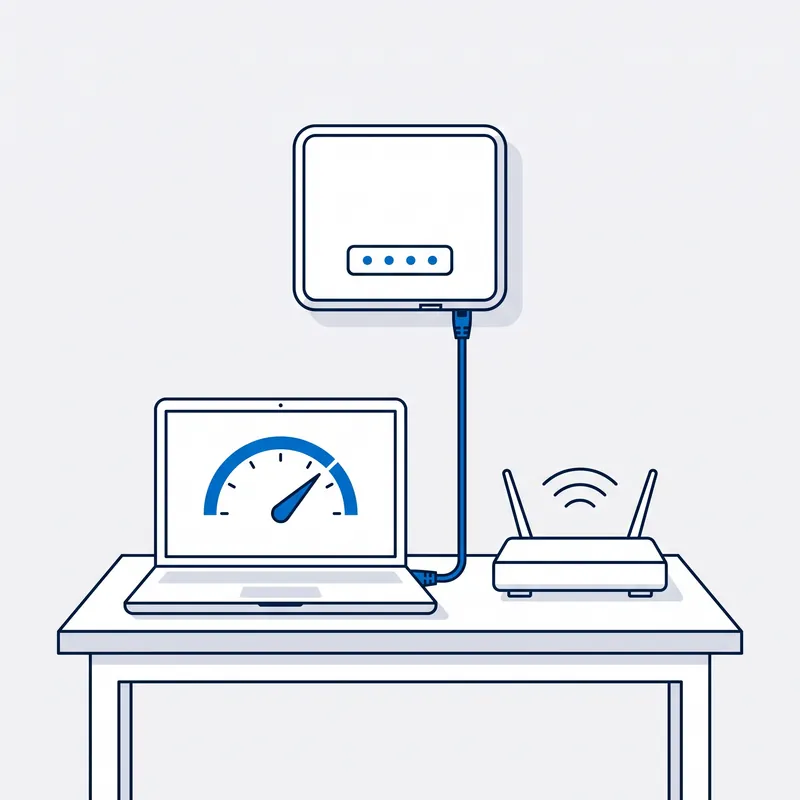
Find out if it's the NBN or the WiFi.
A laptop on a cable into the router, a speed test, then the same test on WiFi from the room that drops out. If the cable is slow too, the visit becomes a fault call and the connection is tested to the boundary. If only the WiFi is slow, the connection is cleared and the house is the job.
-
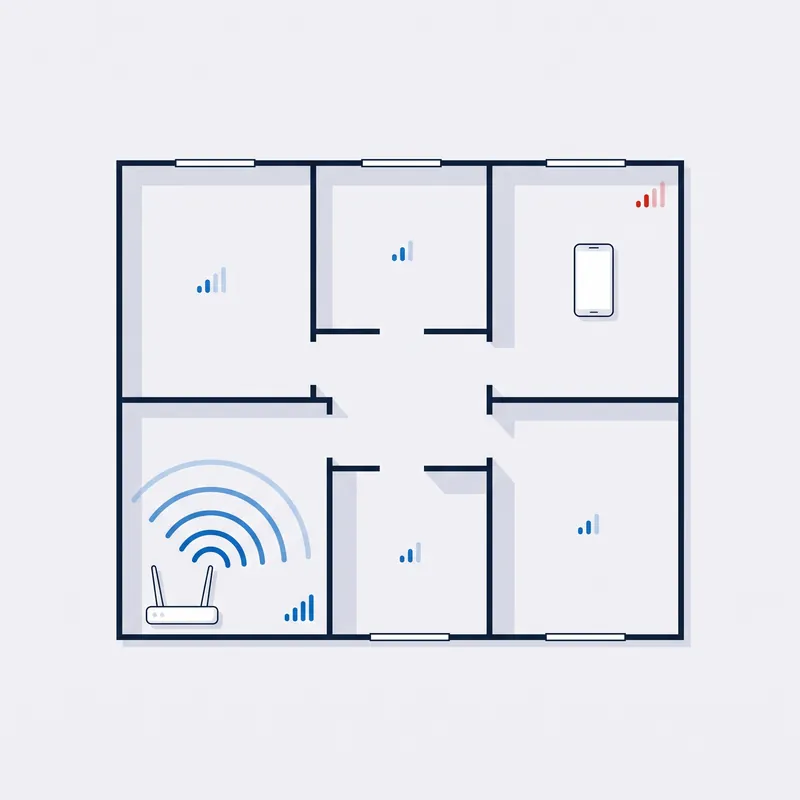
Walk the house and find where it stops.
Room by room with the signal on a phone, noting where it falls away and what is in the way: the floor, a double-brick wall, the slab, the distance to the flat. Then the cabling the house already has, because a data point the builder left in the wall is the cheapest fix there is.
-
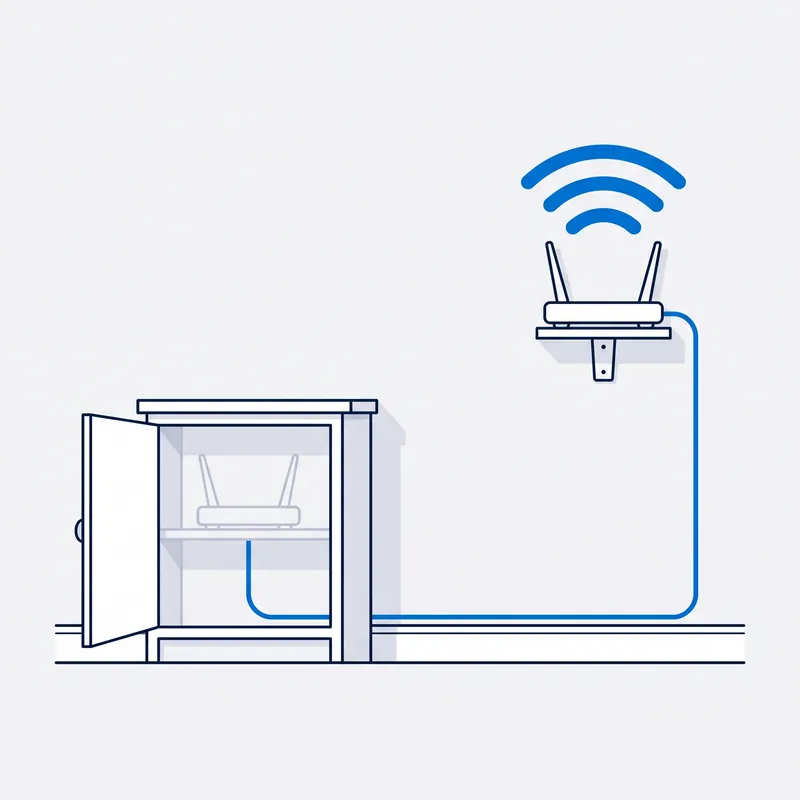
Pick the cheapest fix that works.
Move the router: one cable from the NBN box to the centre of the house fixes more houses than anything else we do. Mesh with wired backhaul where the house has data points. A cable to an access point on each level for big houses and three-level townhouses. Two wireless bridge dishes on the roofs for a flat or a shed.
-

Do it on the spot, or quote it as two options.
A router moved or a mesh unit set up, done in the visit. Cabling or mesh to buy, quoted as two options first.
Read moreShow less
Where the fix is the router moved onto a cable that already exists, or a mesh unit placed and set up, it is done in the visit. Where cabling or mesh has to be bought, the quote comes as two options, mesh only or mesh plus cabling, so you choose on price; the cable runs are a data cabling job. Every fix is tested from the rooms that were dead before we leave.


Written by customers on Google. None are paid for, and every word here is theirs.
Read all reviews on Google › (opens in a new tab) Leave a review (opens in a new tab)
Reviews
What people say after the job.
“We had problems with our wifi in our brick home. Jason suggested a cheaper and better solution than I thought and it has worked perfectly. Excellent service.”
A real job from the field

Vaucluse, NSW · Home network · Filmed on site, 18 min
Paying for 100/20, getting 5 megabits in the rumpus room.
Three ceiling access points, all lit up, so nothing looked broken. The tester said otherwise: an open circuit on the rumpus room cable, a second run through an old Hills Hub, and a patch panel terminated to the wrong pin order. Fixed run by run, and every level now runs at the speed the plan allows.
Read moreShow less
Vaucluse, a large house paying for 100/20 and getting about 5 megabits in the rumpus room. Three access points, the ceiling units that give each level its WiFi, all had their lights on, so nothing looked broken.
The tester said otherwise. The cable to the rumpus room had an open circuit, a break in one of its pairs, so the lit access point was passing nothing. A second cable ran through an old Hills Hub in the basement; bypassing it onto a proper data socket brought that level back to 109 Mbps. In the gym, the power the access point draws down the cable had dropped too far over the distance, so a powered switch went in.
The patch panel had been terminated to the wrong pin order. Every level now runs at the speed the plan allows.
Price
What does a WiFi technician cost?
$250 inc. GST
What's included
- First hour on site
- Travel up to 40 km
- Testing and diagnosis
- Free basic report by email
- Free speed test on the day
- 90-day warranty on the fix
Free Spaces account with every job, if you want one. What's Spaces?
Extra, only if you need it: more time on site, travel past 40 km, parts, and the $55 and $185 reports.
The service call finds out what's wrong, and fixes it on the spot where a cable already allows. Mesh and cabling are quoted from your photos before anything is bought.
Read moreShow less
Past the first hour, our hourly rate applies, and you are told before it starts.
We are a specialised service, so we may not be local to you. If you are outside Sydney or more than 40 km from our office, we can still come to you, but the extra travel means an extra travel charge. All travel charges are set out in our terms and conditions.
Fault work is diagnostic. You are paying for the testing and the answer, not for a repair that may not be needed, so the fee is payable whether the fault is inside the premises or on the network side.
What you get in writing
| Report | Price | What it contains |
|---|---|---|
| Basic report | Free | A short written summary by email: what we tested, what we found, and whose side of the boundary it is on. |
| Standard report | $55 | A detailed PDF with the findings, the test results and our recommendations. No photos or video. |
| Escalation report | $185 | Everything in the standard report, plus photos and video of the testing. The report for proving the fault is on NBN's side: written for escalation to your provider or the carrier, a refund claim, or a TIO complaint. |
Trusted on site by
Commercial fault and cabling work, done by the same technician who comes to your house.









Your options
What your home needs: one router, a mesh, or a cable
| What one modem-router usually manages | What a wireless mesh usually manages | When a cable run is the only thing that works | |
|---|---|---|---|
| A one or two bedroom unit | Usually the whole place, if the router is out of the cupboard the NBN box was put in. A router shut in a hallway cupboard is the most common reason a unit has a dead bedroom. | Two units, one at the router and one in the far bedroom, cover almost any apartment, need no drilling and go with you when you move. | Rarely. Where the unit already has a data point in the living room, the router moves to it on the cable the builder left, and no mesh is needed. |
| A single-storey house, two or three bedrooms | Most of it when the router is in the middle of the house. Almost none of the far end when the router is in the garage or at one end, which is where the NBN box usually landed. | Two or three units on one level, each hearing the next through timber and plaster, cover the house. Brick internal walls cut that reach, so the units sit in doorways and hallways, not behind walls. | When the router is in the garage: one cable from the box to the centre of the house and the router moved there fixes more of these houses than anything else. |
| A double-storey house | One level. WiFi loses more crossing a floor than crossing a room, so the router's own level is fine and the other is not, whichever level it is on. Most of the calls we get are this house. | One unit on each level, placed above one another near the stairwell where they can hear each other, covers most double-storey houses. Signal spreads better from the bottom level up than from the top down. | When the floor between is concrete, or the house is long as well as tall: a cable from the router to a data point on the other level, and the mesh unit there plugged into it, so nothing has to cross the floor over the air. |
| Double brick, rendered, or on a slab | One or two rooms. Double brick, sandstone and rendered walls soak up the signal, and a slab means there is no floor cavity to run a cable through later. | Units placed in doorways and windows where they can see each other, more of them than a timber house needs. Left to talk through the brick, they drop out and the house looks worse than before. | Whenever the walls beat the mesh. A cable in conduit along the wall or through the ceiling to an access point on the far side is what holds in these houses, and it is quoted from photos before anything is bought. |
| A house with a studio, granny flat or garage out the back | The house only. Twenty metres of yard, a retaining wall or a concrete flat between the buildings is more than a router in the kitchen was ever going to cross. | Sometimes: a unit in the back window of the house and one in the flat's window facing it, with nothing solid between them. Concrete or distance defeats it. | A cable underground in conduit with its own router in the flat is the permanent answer; where the ground or a wall is in the way, two small wireless bridge dishes on the roofs facing each other carry the connection across without a trench. |
Node count is not what decides it, backhaul is. Three mesh units that cannot hear each other through a concrete floor are worse than two placed properly, and two plugged into data points beat both.
SourcesHide sources
Sources: our own WiFi jobs across Sydney (the rows are the homes we are called to), and the manufacturers' published documentation of wireless mesh backhaul and access point mode. No coverage figures are quoted, because the metres-squared numbers on a box are laboratory numbers. Our own fees and reports are in our terms and conditions.
Whoever your provider is, the answer is the same.













Questions
Frequently asked questions
Something not covered? Call 02 9188 1577 and ask, or send it through the contact form and you get the answer in writing.
Is it my NBN or my WiFi?
Plug a laptop into the router with a cable and run a speed test while the problem is happening. Fast on the cable and slow on WiFi means it is the WiFi, and this page is the right one. Slow on the cable too means it is the connection, which is a fault call, and the NBN technician page is where to book. Do the test before you book either.
Will a WiFi extender fix it?
Rarely for long. An extender repeats a signal that is already weak, halves the speed on the way through, and drops devices when it loses its link to the router. Nearly everyone who rings has already tried one. A mesh system, or a mesh unit plugged into a data point, does the same job without the halving. If you bought an extender that did not work, return it.
Mesh or cable, which should I get?
If the house already has data cable in the walls, mesh units plugged into those points as access points beat mesh units talking to each other over the air. If it has no cable and you rent, or the house is on a slab with no cavities, mesh on its own is usually the answer. If you own and the walls allow it, one cable to the middle of the house often fixes everything. The quote shows both.
Why is upstairs fine and downstairs dead?
Because the router is upstairs, usually where the NBN box landed, and the floor between is timber, concrete or brick. WiFi loses more crossing a floor than crossing a room. The fix is either a mesh unit downstairs plugged into a data point, or the router moved on one cable to a spot that reaches both levels. Double-storey houses are most of the calls we get about this.
Can you get WiFi to my granny flat?
Yes, and not with an extender. Three ways, depending on the distance and what is between the buildings: a cable underground in conduit with its own router in the flat; a mesh unit in the back window of the house and one in the flat's window facing it; or two small wireless bridge dishes on the roofs, which work over far more than a backyard. Photos and a distance tell us which.
Will a faster NBN plan fix my WiFi?
No. A faster plan changes how much comes into the router; it does nothing for a bedroom the signal cannot reach. If the speed test is fine next to the router and poor in the back room, the plan is not the problem and upgrading it wastes money. Spend it on coverage instead: a moved router, a mesh unit, or a cable to that room.
My cameras and doorbell keep going offline. Is that WiFi?
Usually, yes. Cameras and doorbells sit at the edges of the house, where the signal is weakest, and they are the first things to fall off when it drops. Sometimes it is not the WiFi at all: a power surge from a new solar or battery install has damaged the devices while the network kept working. A cabled test tells the two apart before anyone replaces anything.
I'm renting. Can I still fix this?
Yes. Mesh needs no drilling and no landlord: units plug into power, and you take them with you when you move. If the place already has data points in the walls, we can use them without touching the building. Cabling inside walls is the landlord's call, so for a rental we quote mesh first and cabling only if the owner wants it.
Do you install mesh systems, or do I buy my own?
Either. If you are comfortable with an app, buy a three-pack and set it up yourself; we will tell you which one and where to put the units. If you would rather it were done, we supply the units, place them, wire them into any data points you have, turn the old router's WiFi off and set the new network up. We have had better results with some brands than others and will say which.
How much does a WiFi technician cost?
The service call is the fee to come out, test and find what is wrong, and it includes the first hour. If the fix is a cable run or a mesh system, that is quoted from your photos and answers before anything is bought, usually as two options so you choose on price. The full figures are in the cost section and the terms.
Dig deeper
Guides for this fault
5 guides
- 15Sept
Guide
Granny flat NBN: your own service, or share the house's?
Can a granny flat have its own NBN? How your provider gets the flat onto nbn, sharing the house's service over a cable, and what to lay before the slab.
Read the guide › - 10Nov
Guide
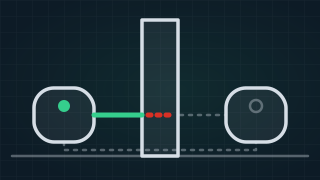
Why Does My Mesh WiFi Keep Disconnecting? Causes & Fixes
Why mesh WiFi keeps disconnecting: a weak link between the units, placement, interference or the modem's own WiFi. Common problems and the fixes, in order.
Read the guide › - 12Nov
Guide
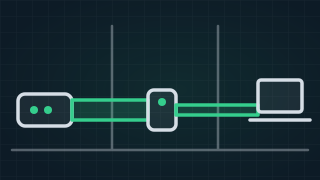
Do WiFi Range Extenders Really Work? Extender, Mesh or Cable
Do WiFi extenders work, are they worth it and are they safe? What an extender can and cannot do, when mesh is better, and when a cable beats both.
Read the guide › - 29Nov
Guide
Speed Test: Check Your NBN and Internet Speed
Free NBN and internet speed test. Check your download, upload and ping, see what a good result is for your plan, and what to do when the speed falls short.
Read the guide › - 15June
Guide
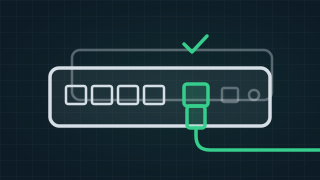
Best Modem for NBN and Best NBN Router: 12 Picks by NBN Type
The best modem for NBN and the best NBN router, with a pick for every NBN type: a DSL modem router for a phone socket, a WAN router for an NBN box.
Read the guide ›
WiFi Technician
Trusted by 1,000+ businesses