
Guides
Internet fault finding and troubleshooting guides
When the internet drops out, slows down or stops, the first question is where the fault is. It sits in one of three places: the WiFi in the house, the wiring and equipment on your side, or the network outside. Each has a different fix and a different person responsible for it.
These guides help you answer that before you ring anyone. They start from what you can see, walk through the checks in the order we do them on a job, simple ones first, and tell you plainly when the problem is not yours to fix.
- Guides24 guides in this topic
- Last updated31 Oct 2026
- Written byA technician, 31 years in the field
Need this fixed rather than explained?
These guides are written from the field. When the job needs a technician on site, this is where to go next.
Start here
 Start here
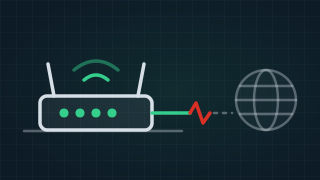
 Why are my modem lights on but I have no internet?
Lights on means the modem has power and can see something. It does not mean the internet is getting through. Which light is off, flashing or red tells you whether the problem is the line, the modem's settings or your own WiFi, and that decides who you ring. Need it fixed?Internet Technician23 more guides on this
-
 New
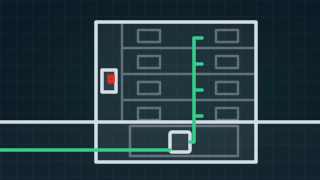
New Why apartment internet breaks, and what the building manager can do about it
A guide for strata and building managers: where apartment internet and lift phones fail, who owns each part, and a free comms room checklist to print. -
 New
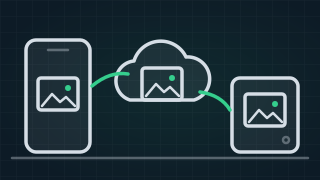
New How to back up the photos on your phone: iCloud or Google Photos, then a computer or a drive
Back up your phone photos to iCloud or Google Photos, then a computer and a drive, and sort out iCloud storage full or iPhone storage full safely. -
 New
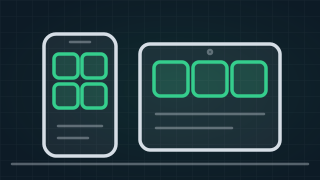
New Choosing a phone or tablet for an elderly parent: what to look for
Choosing a phone or tablet for an elderly parent: what to look for, the 4G check after the 3G shutdown, and the simple modes Apple and Samsung build in. -
 New
New BitLocker recovery key: where to find it, step by step
Computer asking for a BitLocker recovery key? Where Microsoft keeps it, how to match the key ID on the screen, and what to do if you can't find it. -
 New
New Do you need antivirus on a Windows computer or a Mac?
What Windows and macOS already include, how to check Microsoft Defender is on, what antivirus can't do, and what to know before you pay for a security suite. -
 New
New Is it my computer or my internet? How to tell in two minutes
Is your slow computer the computer or the internet? A two-minute test to tell, the signs on Windows and Mac, and which checks to run next. -
 New
New Locked out of your Apple Account or Microsoft account? The official way back in
Locked out of your Apple Account or Microsoft account? Apple's and Microsoft's own reset steps, how long recovery takes, and how to stop it happening again. -
 New
New How to check your Mac: Disk Utility First Aid, Apple Diagnostics and safe mode
Check a Mac step by step: back up, run Disk Utility First Aid, Apple Diagnostics and safe mode, with the keys for Apple silicon and Intel Macs. -
 New
New The password manager already on your phone, and how to use it
Use the password manager already on your phone: Apple's Passwords app or Google Password Manager. See, change, check and share passwords, in plain steps. -
 New
New SFC /scannow, DISM and CHKDSK: how to check and repair Windows, step by step
How to run sfc /scannow, DISM and CHKDSK on Windows 11 and 10: open Command Prompt as administrator, copy each command, and what every message means. -
 New
New Think you've been hacked? What's usually ordinary, and what to do now
Think you've been hacked? Which signs are usually ordinary, and the official steps to secure your email, Facebook, Apple Account and phone, in order. -
 New
New What is a passkey? Signing in with your face or fingerprint instead of a password
What a passkey is in plain words, why a fake website can't use it, and how to set one up for your Apple, Google or Microsoft account, step by step. -
 New
New Still on Windows 10? What end of support means for you
Windows 10 support has ended. What it means for your PC, how to check it can run Windows 11, the extra security updates to October 2027, and what to do. -
 New
New Selling or giving away an old phone or laptop? Back it up, sign out and wipe it first
How to factory reset an iPhone, Android phone, Windows laptop or Mac before you sell or give it away, and where to recycle it free in Australia. -
 New
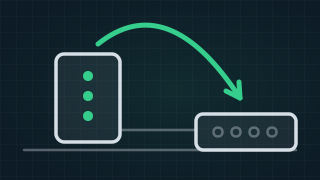
New How to restart your modem and NBN box, in the right order
How to restart your modem and NBN box in the right order, how long to wait, and why a factory reset wipes the settings your provider put in. -
 New
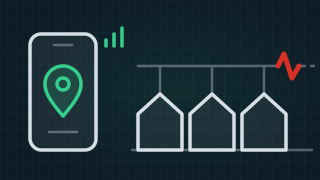
New Is the NBN down, or is it just you?
How to check for an NBN outage at your address, which status page to trust, what to do while you wait, and what it means when no outage is showing. -
 New
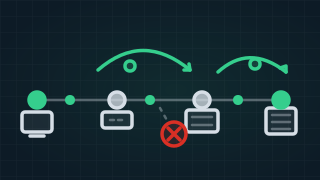
New What is ping?
Watch ping, latency, jitter and packet loss happen on a live model of a connection, then find out if the trouble is your WiFi, your NBN line or your provider. -
 New
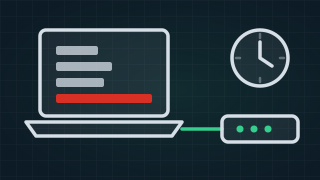
New How to prove your NBN dropouts with PingPlotter
How to use PingPlotter to prove NBN dropouts: what to install, how long to run it, how to read the trace, and what to send your provider as evidence. -
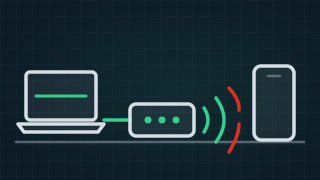
Why is my internet connection unstable?
Why is your internet unstable? One cable test tells WiFi from wiring from the network, then the causes of each, at night or when it rains, and the fixes. -
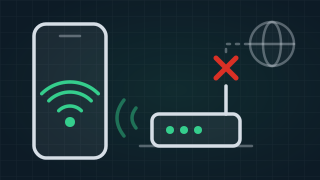
Why is my WiFi connected without internet?
Connected without internet means your phone is on your home WiFi but the internet into the house is out. The printer still prints. What to check first. -
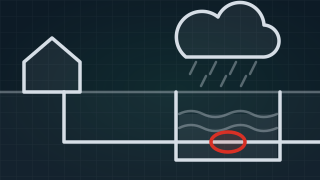
Does weather affect your internet connection?
Why your internet drops out when it rains, how wind, heat and lightning affect each type of NBN, and what to do about a fault that follows the weather. -
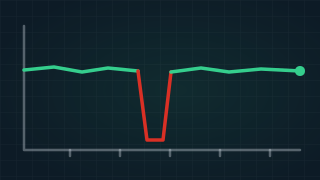
Is your NBN dropping out?
Why your NBN keeps dropping out: old phone sockets on the line, 610 sockets and adaptors, old leads, power boards, network faults and WiFi, and the fixes. -

Why is my NBN so slow?
Why your NBN is slow: how to tell WiFi from evening congestion from a line fault, what your provider controls, and what to do when it slows suddenly.