
Independent NBN repair · Not NBN Co, not an ISP
Dead, dropping out, slow, or the cable's hanging out of the wall. Independent NBN repair, fault by fault.
No internet since yesterday, the NBN box not working, or dropouts every hot afternoon, and the modem's already been swapped twice. One visit tests the line to the boundary, repairs the cabling on your side there and then, and puts anything beyond it in writing. $250 inc. GST service call, first hour on site and travel up to 40 km included.
Book a technicianContact us Play the 2 min SECURE A COM film (opens in a new tab)


Trusted by 1,000+ businesses
-
Melinda Spencer
★★★★★After recently moving into a new home Jason did an excellent job sorting out our comms. He did some initial testing and set things up correctly. He then came back for a full day to do some fault finding, repairing and finding solutions for our needs. Some of the work was quite challenging but he sorted it all out for us. I would definately recommend as he is highly experienced. I also had previously used this company years before and was very happy with the work then as well.
Read more Show less
-
Shang
★★★★★Jason is a truly friendly telecom professional. The kind of competent technician one hopes for when the internet breaks down. He was quick to diagnose a bridge tap fault and resolved the internal issue swiftly. He also gave me solid advice on making the switch from FTTN to FTTB. Glad i came across Secure A Com on YouTube and booked in a session. Highly recommended!
Read more Show less
-
Tamsin Johnston
★★★★★Very happy with the service provided by Jason. So knowledgeable and was able to sort out the nbn issue that nbn itself could not fix. He also did it during a power cut! Highly recommended and will definitely use him again.
Read more Show less
-
Scott Roberts
★★★★★Thanks Jason, sorted out my NBN issue in no time, and provided some really useful information regarding my setup. Highly recommended, Jason provided a very professional, knowledgeable and courteous service.
Read more Show less
-
Creative Learning Preschool
★★★★★We were thrilled with the service that Jason provided us with. We had been struggling with our new NBN set up and were a bit worried that it was going to be an issue to fix, but Jason was able to fix everything quickly without any fuss, allowing us to go on with our day-to-operations. Would very much recommend!
Read more Show less
-
Nick Stelter
★★★★★Jason was friendly and extremely professional - he fixed all issues we had after our switch to NBN. Would highly recommend Secure a Com!!
-
Jason Persson
★★★★★Jason was a great help with a difficult intermittent problem. I appreciated how he clearly explained what he was doing, and further steps to take if the problem persisted. He was also very thorough and took his time to fix properly, unlike the previous 5 NBN technicians we had out.
Read more Show less
-
Thang Le
★★★★★Jason is an awesome technician, I'd recommend him to everyone. He spent hours to troubleshoot every single pair of cable in my apartment and finally fixed my 2-week-down internet connection :)
Read more Show less
Sound familiar?
No internet since yesterday. It works and it doesn’t. The wire’s hanging out of the wall.
No internet since yesterday. A box swapped last week that's gone again. The wire hanging out of the wall where the dog got to it.
Whichever it is, an NBN repair starts the same way: the line tested to the boundary, your side repaired there and then, and anything past it put in writing.
Read moreShow less
No internet since yesterday, or a box that was swapped last week and has gone off again. It works and it doesn’t, four or five times a day, worse on hot afternoons. The modem has been replaced twice and nothing changed. The wire is hanging out of the wall where the dog got to it. Whichever one is yours, an NBN repair starts the same way: the line is tested to the network boundary, the cabling on your side of it is repaired, and anything beyond it goes in writing for whoever has to fix it.
Everything below is organised by the fault, in the words people use when they ring: nothing at all, dropping out, slow, a damaged cable or socket, and a home phone that has gone quiet. If the connection is fine and the wifi will not reach the back room, that is a signal problem, not a repair, and it is the WiFi Technician page.
Free advice
Before you book: one check per fault
One check for each fault, the same ones we give on the phone for nothing. Do yours first: it may settle it, and if it does not, it tells us where the repair starts.
Keep this list handy
Get all seven checks as a one-page PDF, one per fault, for the next time it stops.
Send me the free guide- Dead: read the lights on the NBN box first. Power only and nothing else means the box is not seeing the network, which is not a cabling fault inside the house. On fibre, a red optical light points at the fibre lead or the lead-in. Start with what the lights on the NBN box mean.
- Dead: plug a laptop straight into the box with a cable. Works on the cable and not through the modem: it is the modem. Nothing on the cable either: the line or the box, or a box still locked to the old router until your provider clears it, or a provider login (PPPoE) the laptop has not got. So that alone is not an NBN fault, and it is where the testing starts.
- Dead: ask the neighbours. If they are down too, it is the street. Ring your provider, not us; nothing in your house will fix it.
- Dropping out: log it for a day before anyone comes. Run PingPlotter, or a repeating ping, on a laptop plugged into the box with a cable, or into the modem if the box will not give a laptop a connection, and keep the log. It shows whether the line, the box or the router is losing the connection, and when. Testing your NBN properly explains how.
- Slow: run the speed test on a cable, not on wifi. Slow on the cable means the line, the socket or the box, and this page. Fast on the cable and slow on wifi means the signal, which is the WiFi Technician page.
- Damaged: photograph it, and don’t touch a cut fibre. Take the photos before anyone moves anything. If a contractor did it, their insurer wants the photos too, and so does the report.
- No phone: check the handset is in the modem’s phone port. On the NBN the home phone runs through the modem, so a dead phone with the internet up is the modem’s phone port or your provider’s voice service, not the line.
Recognise it?
Which NBN fault is it? In the words people use on the phone
NBN box not working: no internet since yesterday
No internet since yesterday, with only the power light on. That means the box can't hear the network: the lead-in, the box or the street, not a cable in a wall. Box lit and nothing connects? It's the modem.
Usually points to: the lead-in, the box or the network. The modem if the box is happy.
Read moreShow less
No internet since yesterday. Only the power light showing on the box, or a box that was replaced last week and has gone off again. Nothing in the house connects, and every device says the same thing.
A dead service looks the same from inside on every technology, and the box is what says where to look. Power alone means the box is not hearing the network, so the fault is the lead-in, the box or the street, not a cable in a wall. A box lighting up normally while nothing connects points at the modem, or at the line between the two.
What it usually points to. The lead-in, the box or the network before it when only power is lit; the modem when the box is happy; in a unit, the pair at the MDF.
What gets repaired when the box is dead ›What each light on the box means ›
Internet keeps dropping out, worse on hot days
Four or five drops a day, worse when it's hot or wet. On copper it's usually your side, an old socket or a joint. On HFC it's the isolator or the tap. A day's ping log says which.
Usually points to: on copper, your side. On HFC, the isolator or the tap.
Read moreShow less
It works and it doesn't. Four, five, six drops a day, mini freezes while you teach online, the line gone mid-call with a patient. Hotter days are worse, and so is rain.
Internet that keeps dropping out to a pattern is the fault that gets a box replaced and comes back the next day. On fibre to the curb and fibre to the node the pattern usually comes from the copper on your side: an old phone socket still connected to the line, or a joint that opens up in the heat. On HFC it is the isolator or the tap. A drop only on wifi, with a cable steady, is not the NBN at all.
What it usually points to. Copper: your side, an old socket or a joint. HFC: the isolator or the tap. A day's ping log says which.
What gets repaired for dropouts ›Log the dropouts before you ring anyone ›
Slow NBN: fine on the phone, useless for working from home
Fast down and almost no upload? That's a line fault, not your plan. Slow on a cable too: the socket, a lead or the router. Slow only on wifi isn't the NBN.
Usually points to: no upload, the line. Slow on wifi only, not the NBN.
Read moreShow less
Download over a hundred and upload basically nonexistent. Slow in the day, worse at night. Fine on the phone beside the modem, and not good enough to work from three rooms away.
Slow NBN is two faults that feel the same. Fast down with almost no up is a line fault, in the copper on your side or in the lead-in, and it is not a plan problem. Slow on a cable as well as on wifi is the line, the socket, a bad patch lead or a router whose wired speed has collapsed. Slow only on wifi, with a cable at full speed, is the signal.
What it usually points to. No upload: the line, your side or the lead-in, settled at the boundary. Slow on a cable: the socket, the lead or the router. Slow on wifi only: not the NBN.
What gets repaired for a slow line ›When it is the wifi, not the line ›
A cut, chewed or damaged NBN cable, socket or box
A contractor, the dog, a renovation, a socket ripped off. The lead-in to the boundary is NBN's, reported through your provider. From the boundary in, it's yours, and we repair it. Photograph it first.
Usually points to: the lead-in is NBN's. Everything inside the boundary, we repair.
Read moreShow less
The wire's hanging out of the wall. A contractor went through the fibre in the front yard, the dog shredded the cable where it comes out of the ground, the socket's ripped off. From inside it looks like no service at all, and it is the biggest category of repair we are asked for.
Which side it points to depends on which cable was hit. The lead-in from the street to the boundary is NBN's, so damage there is reported through your provider. From the boundary in it is yours: the socket, the wall plate, the lead between the outside box and the inside one. An NBN wall socket pulled off the wall is a repair; a cut fibre lead-in is a report.
What it usually points to. The lead-in: NBN's, through your provider. Everything from the boundary in: yours, and repaired.
What gets repaired when a cable is cut ›NBN wall socket repair ›
The usual suspects
What’s usually wrong, by fault, and what gets repaired
The same handful of causes, sorted by the fault they produce and by what the repair turns out to be.
- The lead-in, when it is dead.
Water, a rodent or a shovel. NBN's up to the boundary, ours from there in.
Read moreShow less
Water in the conduit, a rodent, a shovel, internal-grade cable buried where gel-filled cable should have been. From the street to the boundary it is NBN’s and goes through your provider; from the boundary in, it is replaced.
- Old phone sockets, when it drops out or runs slow.
On copper, old sockets still on the line split the signal. The most common thing we find.
Read moreShow less
On fibre to the curb and fibre to the node, the sockets left over from the old phone line, still connected to the copper and splitting the signal. The most common thing we find on copper. They come off the line, and the line runs direct to the one socket you use.
- A wet or heat-affected joint.
A corroded joint that's worse in rain, or one that opens up on a hot afternoon.
Read moreShow less
A corroded joint in the lead-in or at the street tap, worse when it rains; a marginal joint on copper that opens up on hot afternoons. On your side it is re-terminated; on NBN’s, the readings go in the report.
- The isolator or the tap on HFC.
A surge, a storm or a corroded tap. The isolator is bypassed to prove it, then swapped.
Read moreShow less
A surge, a storm, corrosion at the tap, a wrong-value splitter left from pay TV. The isolator is bypassed to prove it, then swapped.
- The socket, the wall plate or the patch lead.
A cheap socket, a ripped-off plate, a crushed cable or a bad patch lead. Replaced.
Read moreShow less
A cheap socket, a brittle copper termination, a wall plate ripped off, a cable flattened under carpet, a bad lead between the socket and the modem. Replaced. See NBN wall socket repair and replacement.
- The pair at the MDF, in a unit.
In a unit, your pair on the wrong apartment, or pulled out during someone else's job.
Read moreShow less
Jumpered to the wrong apartment, pulled out during work on a neighbour’s line, or open between the frame and your socket. Traced and re-jumpered: see MDF jumpering.
- The modem, the router or its phone port.
A router cooking in a cupboard, the lead in the wrong port, or a phone port never set up.
Read moreShow less
A router cooking in a cupboard, one whose wired speed has collapsed while wifi looks normal, the cable in the wrong port, a phone port never set up after an equipment change. Proven with a laptop on a cable, then replaced or set up again.
- Not a cable at all.
The wrong address on file, a plan cap, a crowded band. You're told in writing, and nobody sells you a cable run.
Read moreShow less
NBN’s records with your service on the wrong address, the provider’s voice service switched off, a plan cap, a crowded 2.4 GHz band. We say so and put it in writing, and nobody quotes you a cable run that would fix nothing.
Fibre connection?
On fibre, the repair is a replacement, never a splice
On fibre, the first thing read is the optical light. Green, and the fibre's alive and the fault is after the box. Red, and it's in the glass, which isn't joined, it's replaced. Whose lead it is decides who replaces it.
Read moreShow less
On fibre to the premises the first thing read is the optical light on the box. Lit green, the fibre is alive all the way to the box, so what is left to test is the lead to the modem and the modem. Red, or nothing, and the fault is in the glass: the short lead between the box outside and the box inside, or the lead-in under the lawn. Glass is not repaired by joining it. Splicing needs equipment and testing that cost more than a new lead, so a cut fibre is replaced, once any crushed conduit has been. Whose lead decides who replaces it: from the street to the boundary it is NBN’s, through your provider; on your side, it is ours to do. A box in the wrong place is a different job, FTTP upgrade cabling, not a repair.
Copper connection?
On copper, the repair starts with the old sockets
Fibre to the curb, the node and the building all finish on the old phone copper, and that's where most repairs happen. Old sockets come off the line, a wet joint is re-terminated, and the line runs direct to the socket you use. In a unit, the pair is fixed at the frame.
Read moreShow less
Fibre to the curb, fibre to the node and fibre to the building all finish the last stretch on the copper that was the house’s phone line, and that copper is where most repairs happen. The lead-in is measured at the boundary first, then every socket but one is disconnected and the line measured again; the difference between the two readings is the fault. The old sockets come off the line, a wet joint is re-terminated, a cheap socket or a crushed run is replaced, and the line runs direct from the lead-in to the socket you use. In a unit the copper meets the building at the MDF, the main distribution frame in the basement or a fire cupboard, and a pair jumpered to the wrong apartment or pulled out during work on someone else’s line looks like a dead service from inside; the pair is traced and re-jumpered at the frame. The detail is on the MDF jumpering page; building managers on fibre to the building start at fibre to the building.
How it works
What we actually do, and what the repair is
One visit, four steps, and the repair or the report at the end of it. The network boundary is where the repair stops and the report starts: we test to it and repair the cabling on your side of it, and what lies beyond it is NBN’s, proven in writing rather than touched.
-
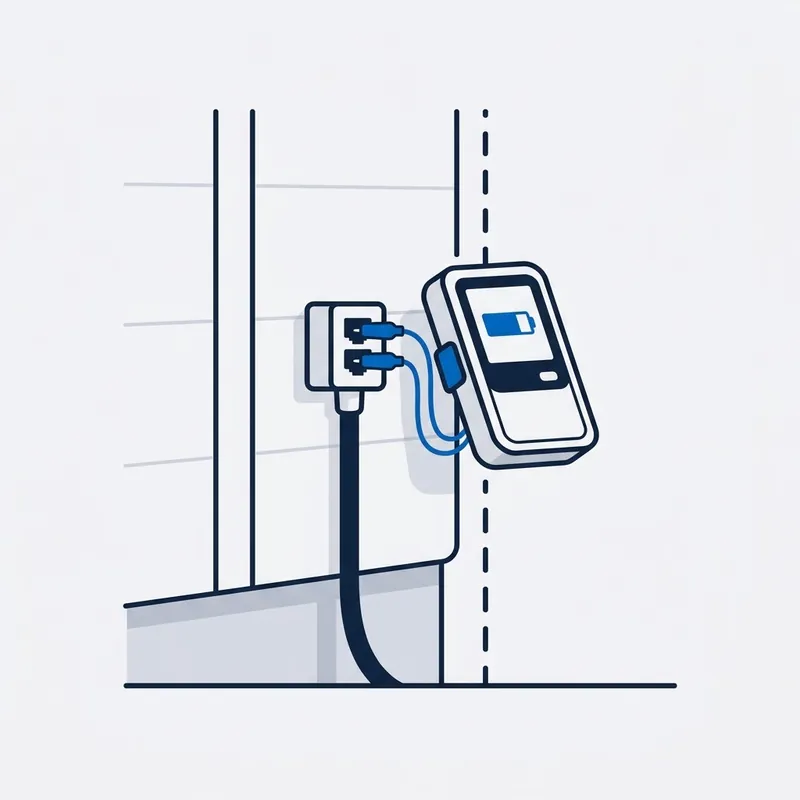
Test at the boundary.
The lead-in point, the MDF pair, or the NBN box, depending on your technology. That one measurement settles whether the fault is inside the property or not.
-
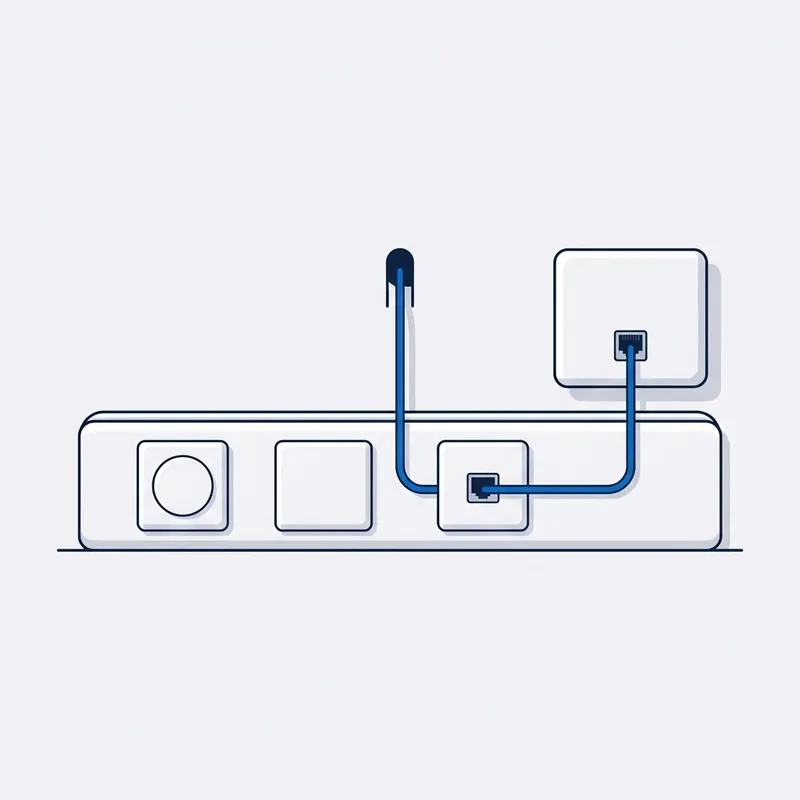
Isolate.
Disconnect everything but one socket, or bypass the isolator, or plug direct into the box. Compare.
-
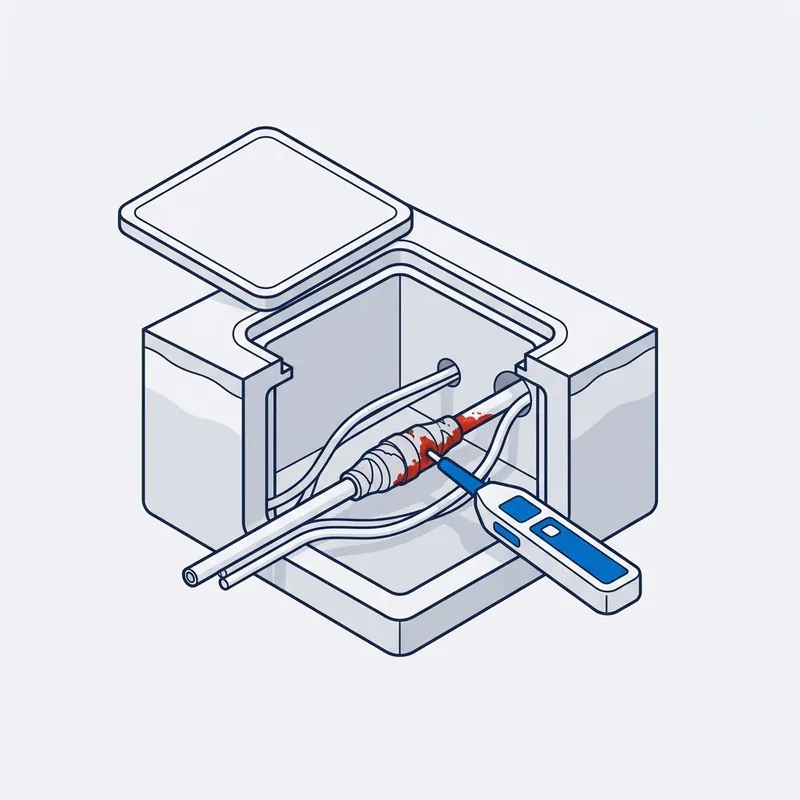
Find it.
The cabling toned and tested, bridge taps removed, the pair traced, the socket replaced.
-
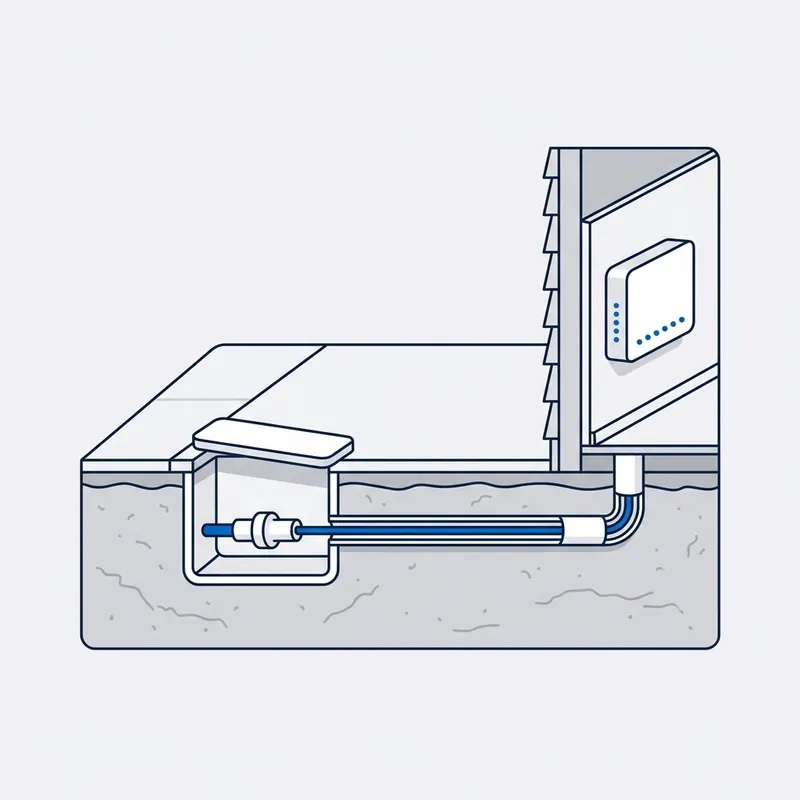
Repair it, or report it.
Your cabling, repaired there and then. Past the boundary, a written report for your provider.
Read moreShow less
Dead: a lead-in replaced on your side, or the pair re-jumpered at the frame. Dropping out: the old sockets off the line, the joint re-terminated. Slow: the socket replaced, the line run direct. Damaged: the cable or the lead replaced from the boundary in. No phone: the sockets wired back to the modem. Beyond the boundary, you get the written report for your provider, with video in the full escalation report; we cannot make them fix their side, but if you want us with you all the way, we do everything in our power to get you a result.


Written by customers on Google. None are paid for, and every word here is theirs.
Read all reviews on Google › (opens in a new tab) Leave a review (opens in a new tab)
Reviews
What people say after the job.
“I contacted SECURE A COM because I was having drop-outs on my nbn FTTC connection. It was identified that they were caused by joins in the copper wiring in my roof space. Jason arrived punctually, identified the cause of the problem and resolved it in 30 minutes.”
A real job from the field
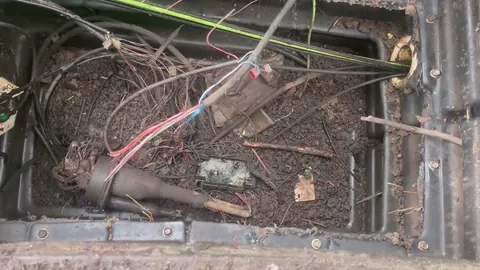
FTTC · Filmed on site, 8 min
A month with no service since it was connected. The fault was at the lead-in.
Two contractors had been out without finding it. At the lead-in, the new NBN pair was wired straight onto a second lead-in pair, in from the street and back out again, never reaching the socket. A tone found the right pair. When the box still wouldn't sync, the fault was past the boundary, and the report went to the provider.
Read moreShow less
Fibre to the curb, a month with no service since it was connected, and two contractors already out without the fault being found. Everything was at the lead-in downstairs.
Beside an old phone system and old phone sockets still connected to the line, the new NBN lead-in pair had been wired straight onto a second lead-in pair: in from the street and back out to the street, never reaching the socket. The pair feeding the NBN box was an old temporary pair, and a tone found the pair that actually ran to the socket.
Re-terminated onto that pair, the box still would not sync after twenty minutes. That put the fault past the boundary, and the written report went to the provider.
Price
What does an NBN repair cost?
$250 inc. GST
What's included
- First hour on site
- Travel up to 40 km
- Testing and diagnosis
- Free basic report by email
- Free speed test on the day
- 90-day warranty on the fix
Free Spaces account with every job, if you want one. What's Spaces?
Extra, only if you need it: more time on site, travel past 40 km, parts, and the $55 and $185 reports.
You're paying for the testing and the answer, so it's payable whether the fault turns out to be in your cabling or past the boundary.
Read moreShow less
Past the first hour, our hourly rate applies, and you are told before it starts.
We are a specialised service, so we may not be local to you. If you are outside Sydney or more than 40 km from our office, we can still come to you, but the extra travel means an extra travel charge. All travel charges are set out in our terms and conditions.
Fault work is diagnostic. You are paying for the testing and the answer, not for a repair that may not be needed, so the fee is payable whether the fault is inside the premises or on the network side.
What you get in writing
| Report | Price | What it contains |
|---|---|---|
| Basic report | Free | A short written summary by email: what we tested, what we found, and whose side of the boundary it is on. |
| Standard report | $55 | A detailed PDF with the findings, the test results and our recommendations. No photos or video. |
| Escalation report | $185 | Everything in the standard report, plus photos and video of the testing. The report for proving the fault is on NBN's side: written for escalation to your provider or the carrier, a refund claim, or a TIO complaint. |
Trusted on site by
Commercial fault and cabling work, done by the same technician who comes to your house.









Your options
By fault: what it usually means, what gets checked first, and what the repair normally is
| What it usually means | What gets checked first | What the outcome normally is | |
|---|---|---|---|
| Nothing at all | The box is not hearing the network (power light only), the modem has stopped talking to a working box, or, in a unit, your pair has been jumpered to someone else at the MDF. A street outage looks the same from inside. | The lights on the box, then a laptop on a cable straight into it, then the neighbours. That order separates the box, the modem and the street before a single wall is opened. | A dead lead-in on your side is replaced; a pair at the frame is traced and re-jumpered; a modem at fault is proven with the laptop. A dead lead-in from the street, or a dead box, goes to your provider in writing with the readings. |
| Dropping out | Something marginal on the line opening and closing: an old phone socket still on the copper, a joint that moves with heat or rain, the isolator on HFC. A box that was swapped and made no difference was never the cause. | The day’s ping log, then the line measured at the boundary and again with every socket but one disconnected. The difference between the two readings is the fault. | The old sockets come off the line and the line runs direct to the one socket you use; a wet joint on your side is re-terminated; an isolator is bypassed to prove it and swapped. A drop that is there at the boundary too is documented for your provider. |
| Slow | Fast down and almost no up is a line fault, not a plan. Slow on a cable as well as on wifi is the socket, a patch lead, a crushed run or a router whose wired speed has collapsed. Slow only on wifi is the signal, not the NBN. | A speed test on a cable, not wifi. Then the speed arriving at the boundary compared with the speed at your socket. | A difference between the two speeds is on your side and is repaired: old sockets removed, the socket or the lead replaced, the run replaced where it is flattened. No difference means the line is delivering what the network sends, and the report says so with the numbers. |
| Damaged | An excavator, a stormwater trench, a renovation, the dog, a car into a pit cover, a wall plate pulled off. Which cable was hit decides whose repair it is. | The photos, before anything is moved. Then which side of the boundary the damage is on, because that decides who touches it. | On your side the socket or wall plate is replaced, a cut copper run is replaced with gel-filled cable where it is in the ground, and a cut fibre lead is replaced rather than joined, after any crushed conduit. A cut lead-in from the street is NBN’s: reported through your provider, with the photos and the report for whoever has to pay. |
| No dial tone | Almost never the line. On the NBN the phone runs through the modem, so with the internet up it is the modem’s phone port, the provider’s voice service, or a handset still plugged into a copper socket that carries nothing now. | Where the handset is plugged in, and whether the internet is up at the same moment. | A voice service that is switched off is your provider’s to fix, and we say so on the phone rather than send an invoice. Where you want the old wall sockets ringing again, they are wired back to the modem’s phone port and tested socket by socket. |
SourcesHide sources
Sources: the network boundary point in the Telecommunications Act 1997 (Cth), which is what decides whose lead-in it is; our own call records, 2015 to 2026, read by symptom. Our own fees and reports are in our terms and conditions.
Whoever your provider is, the answer is the same.













Questions
Frequently asked questions
Something not covered? Call 02 9188 1577 and ask, or send it through the contact form and you get the answer in writing.
My NBN is dead. What's the first thing to check?
The lights on the NBN box. Power only and nothing else means the box is not seeing the network, which is not a cabling problem in the house. Then plug a laptop straight into the box with a cable: if that works, it is the modem. If it gets nothing, that alone is not proof of an NBN fault: the box can stay locked to the router that was plugged in before until your provider clears it, and some providers need a login (PPPoE) that a laptop on its own has not got. Then ask the neighbours. If they are down too, it is the street, so ring your provider, not us.
Why does my internet drop out at the same time every day?
Because something is changing at that time, and the pattern is the clue. Dropping out on hot afternoons points at a marginal copper joint or a router cooking in a cupboard, since heat opens up a bad connection. Mornings and evenings point at the household's own load, or a neighbour's. Log it with a repeating ping for a day and the timing tells us where to test first.
My NBN is slow but the speed test on my phone is fine. Why?
Because the connection is delivering and the slow device is not getting it. A phone tested beside the modem sees the full speed; a laptop three rooms away on wifi, or one with a tired wifi adapter, does not. Test the laptop on a cable. Fast on the cable means the wifi, which is the WiFi technician page. Slow on the cable too is the line: this page.
A contractor cut my NBN cable. Who pays to fix it?
Whoever cut it, or their insurer, and the repair is done by whoever owns that cable. The lead-in from the street to the boundary is NBN's: it is reported through your provider, NBN repairs it, and NBN may charge for the work, which is passed to the contractor. Cabling on your side of the boundary is yours, and we replace it. Photograph the damage before anyone touches it.
Can a cut fibre cable be repaired?
Not by splicing, in practice. The equipment and testing cost more than a new lead, so a cut fibre lead is replaced, not joined. If it is the lead-in from the street, NBN replaces it, through your provider. If it is the lead between the outside box and the inside box, a new lead is pulled through, after any crushed conduit is replaced. Do not touch the cut end.
My internet works but my home phone doesn't. Is that an NBN fault?
Almost never the line. On the NBN the home phone runs through the phone port on the modem, so if the internet is up and the phone is dead, it is the modem's phone port, the provider's voice service, or a handset still plugged into a copper socket that carries nothing now. Check the handset is in the modem, then ring your provider about the voice service.
What is the network boundary point, and why does it matter?
The network boundary point is where NBN's network ends and your cabling begins. On FTTP and HFC it is the NBN box; on FTTC and FTTN, the first socket or the lead-in point; in a unit, the NBN side of the MDF. It decides who owns the fault, who pays, and who may touch it. We test at it.
NBN replaced the box and it still drops out. What now?
Then the box was not the fault, and something the technician did not test still is: an old phone socket still on the internal wiring, a wet joint in the lead-in, the pair at the MDF, the isolator on HFC, or the router. Get that finding in writing, log the dropouts for a day, and book. If our testing shows it is NBN's side, the report goes back to your provider.
How do I prove my dropouts to my provider?
Run a repeating ping, or PingPlotter, on a laptop plugged into the box with a cable, for a day, and keep the log. If the box will not give the laptop a connection at all, run it from the modem instead: the box can stay locked to the old router until your provider clears it. It shows when the connection drops and whether the box, the modem or the line is losing it. Note the box lights when it happens. For something the provider cannot argue with, the full escalation report adds our test readings, photos and video.
Do you repair the NBN network itself?
No. We test to the network boundary and repair the cabling on your side of it: the socket, the internal wiring, the lead on your side of the box, the MDF pair. The network beyond the boundary is NBN Co's and only its contractors work on it. What we give you is proof of where the fault is, so your provider raises it with NBN. Some providers also refund the call-out when that happens; that is their decision, so we cannot promise it.
Dig deeper
Guides for this fault
5 guides
- 20Aug
Guide
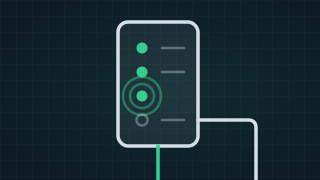
NBN Box Lights Explained: Flashing Blue, Red or Clicking
What the lights on your NBN box mean on fibre, HFC and fibre to the curb: why it clicks, flashes blue or shows red, and what to do before you ring anyone.
Read the guide › - 30Sept
Guide
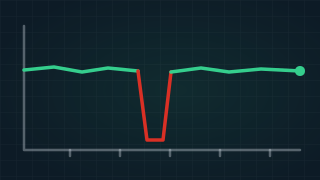
NBN Dropping Out? Common Causes and How to Fix Them
Why your NBN keeps dropping out: old phone sockets on the line, 610 sockets and adaptors, old leads, power boards, network faults and WiFi, and the fixes.
Read the guide › - 17Dec
Guide
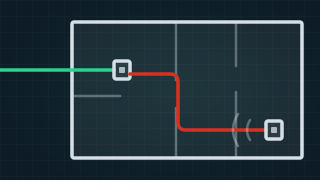
What Is a Bridge Tap? Meaning, NBN Dropouts and the Fix
A bridge tap is an old phone socket still connected to your internet line. What it means, what it does to NBN on FTTC, FTTN and FTTB, and how it is fixed.
Read the guide › - 24Aug
Guide
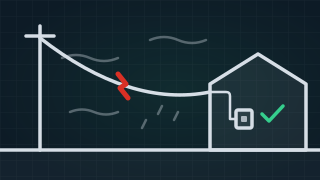
NBN Dropouts When It's Windy or Raining: An FTTC Job
Why NBN drops out when it's windy or raining: a fibre to the curb job where the wiring inside tested clean and the old overhead lead-in was the fault.
Read the guide › - 16Dec
Guide
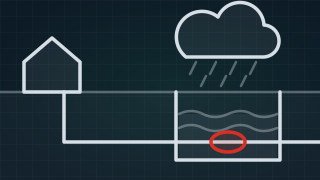
Does Weather Affect Your Internet? Rain, Wind and Heat
Why your internet drops out when it rains, how wind, heat and lightning affect each type of NBN, and what to do about a fault that follows the weather.
Read the guide ›
NBN Repair
Trusted by 1,000+ businesses