
MESH WI-FI
SYDNEY
Wrong Nodes. Wrong Placement. Still No Coverage.
Assessment First.
Right System Second.
Most mesh Wi-Fi problems aren't solved by adding another node. The right system depends on the number of floors, wall construction, and exact layout of your property — and getting that right starts with a proper on-site assessment before any equipment is purchased or ordered.
WHY YOUR MESH WI-FI ISN'T WORKING —
AND WHY ANOTHER NODE WON'T FIX IT
Buying an extra mesh node rarely solves poor wireless coverage. The real causes are almost always node placement, backhaul type, too few nodes for the building construction, or a misconfigured ISP modem creating conflicts. Here's what we find in Sydney homes and offices every week.
Mesh Nodes Placed Too Far Apart or in the Wrong Locations
Wireless Backhaul Reducing Mesh Performance
Mesh System Purchased and Set Up — Still Not Working
ISP Modem Conflicting With Your Mesh System
Too Few Nodes for the Property Size and Construction
WE ASSESS.
WE DESIGN.
WE INSTALL.
Every mesh Wi-Fi solution starts with an on-site assessment — not a guess from a product brochure. We attend your property, measure signal throughout, assess wall construction and floor layout, and only then determine the right mesh system, node count, placement, and backhaul type for your specific building.
WATCH OUR MESH WI-FI INSTALLATIONS IN ACTION
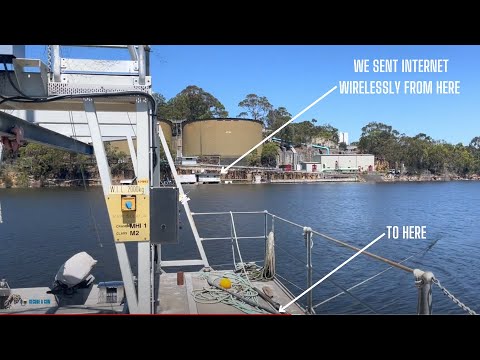
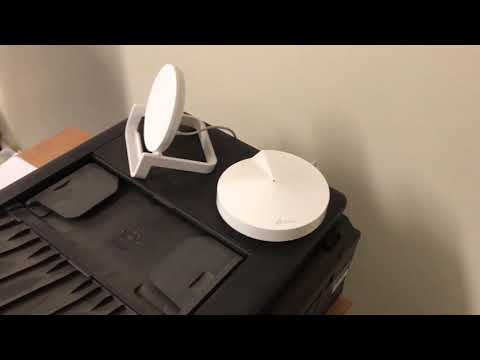
These aren't product demos or showroom walkthroughs. Every video documents a real mesh Wi-Fi installation we completed across Sydney — from a residential home and granny flat to a factory office with zero coverage to a multi-hop wireless mesh system for the Australian Department of Defence. See exactly how we design, deploy, and verify mesh Wi-Fi systems that deliver whole-property coverage.

MESH WI-FI & NETWORKING SERVICES SYDNEY
Mesh Wi-Fi installation is one part of what SECURE A COM does. Whether you need a structured cabling run for wired backhaul, an independent NBN fault check before investing in mesh, or a full wireless network across multiple buildings, we handle it all.
Wi-Fi Solutions Sydney
The broader Wi-Fi solutions service — covering every wireless coverage problem from single-room dead zones to multi-building deployments. All solutions start with an on-site assessment using professional network analysers before any product is recommended or purchased.
Full Wi-Fi solutions serviceInternet Fault Finding Services
Before investing in a mesh system, we can confirm whether slow internet is actually an NBN fault — not a Wi-Fi issue. If your NBN modem isn't delivering full speed wired, a mesh system won't fix it. We test the full signal chain from the street.
Internet fault findingPrivate NBN Technician Sydney
If your ISP says nothing is wrong but your internet remains slow with or without mesh, an independent NBN technician can diagnose the real cause — separating infrastructure faults from Wi-Fi performance problems and eliminating guesswork.
Independent NBN diagnosisData Cabling Installation Sydney
For best mesh performance, nodes should be hardwired with ethernet rather than using wireless backhaul. We run structured Cat5e/Cat6 data cabling to each mesh node location, eliminating backhaul congestion and delivering maximum throughput to every part of the property.
Data cabling servicesNBN Internal Cabling Installation
Outdated or daisy-chained internal cabling limits both NBN performance and mesh Wi-Fi design options. We recable homes with modern star-wired infrastructure, giving you the backbone needed to place mesh nodes correctly and run wired ethernet backhaul where required.
NBN cabling servicesInternet Cable Solutions
Once mesh Wi-Fi is installed, ethernet cabling to TVs, gaming consoles, and desktop computers removes devices from the wireless network — reducing congestion on your mesh system and delivering faster, more consistent speeds to devices that benefit from a direct wired connection.
Cable solutionsSmart TV Setup Sydney
Once your mesh Wi-Fi network is correctly set up, we can connect and configure your smart TVs, streaming devices, and entertainment systems — ensuring they connect to the nearest mesh node and deliver reliable streaming from day one.
Smart TV setupComputer Setup & Installation
Computers, laptops, and workstations connected to your new mesh network. We configure network drives, printers, and shared folders so every device on the network communicates correctly — taking full advantage of the whole-home coverage your mesh system delivers.
Computer setup servicesFROM INSPECTION TO FULL MESH COVERAGE
Getting reliable mesh Wi-Fi throughout your home or office starts with understanding your building — not guessing at products or node counts. Here's exactly what happens when you book a mesh Wi-Fi assessment with SECURE A COM.
Book Your Mesh Wi-Fi Inspection
Book an inspection and we'll attend your property with professional network analysers. We map the layout of your home or office, take Wi-Fi signal readings at multiple locations throughout every level, identify dead zones, and check the inter-node signal paths to understand where mesh nodes can and cannot be placed. We also check whether your ISP modem is in bridge mode or routing mode — this affects everything. No products are installed on this visit. The purpose is to gather the data we need to design the right mesh system for your specific building.
Mesh System Design and Product Research
Back at the office, we use the site data to design the right mesh system for your property. This means determining the correct number of nodes, their exact placement positions, whether wired ethernet backhaul is required between nodes, and which mesh product will perform reliably in your specific wall construction — brick, concrete, and timber frame all attenuate wireless signal differently. We research products based on what we've seen work in the field, not what's currently promoted by manufacturers. We do not recommend products before we've measured your building.
Written Quote — Before Any Equipment Is Ordered
We email you a detailed written quote covering the recommended mesh system, the number of nodes, any ethernet backhaul cabling runs required, installation labour, configuration, and app setup. We do not provide specific product recommendations over the phone — the right mesh solution depends entirely on your building, and purchasing equipment before an assessment almost always results in the wrong product, the wrong quantity, or incorrect placement. The written quote gives you the exact scope and cost before you commit to anything.
Upfront Payment — Then We Source the Equipment
Once you approve the written quote, we send an invoice for the full installation amount. Payment is required upfront before we purchase any mesh equipment and before we schedule your installation date. We do not accept payment on the day of installation or after completion. This protects both parties — mesh nodes purchased specifically for your project cannot be returned once ordered, and upfront payment ensures your installation proceeds without delays to stock availability. We source the exact products listed in your quote ourselves, not consumer-grade alternatives from retail shelves.
Installation, Configuration, and Coverage Testing
We return to site and carry out the full mesh Wi-Fi installation. Each node is positioned at the pre-determined location, mounted, and connected — with ethernet backhaul cabling run to each node where required. We configure the ISP modem to bridge mode, set up the mesh system, configure the management app on your phone, connect your devices to the new network, and run final Wi-Fi signal tests across every room and level to confirm whole-property coverage is achieved. We don't leave until everything is working exactly as designed.
// Ready to get the right mesh system installed?
BOOK A MESH WI-FI INSPECTION Can't book right now? Send us your details and we'll be in touch.INSPECTION PRICING. NO GUESSWORK.
We assess your property first. We design the right mesh system second. We provide a written quote. We install only once you've approved the scope and payment is received — no surprises, no pressure, no equipment purchased until everything is agreed in writing.
Covers the full on-site mesh Wi-Fi assessment — we attend your property with professional network analysers, map signal throughout every room and level, assess inter-node paths, check ISP modem configuration, and prepare a written quote covering mesh system design, equipment, cabling, installation, and configuration. See Terms & Conditions →
WHAT THE INSPECTION COVERS
LICENSED. CERTIFIED. ACCOUNTABLE.
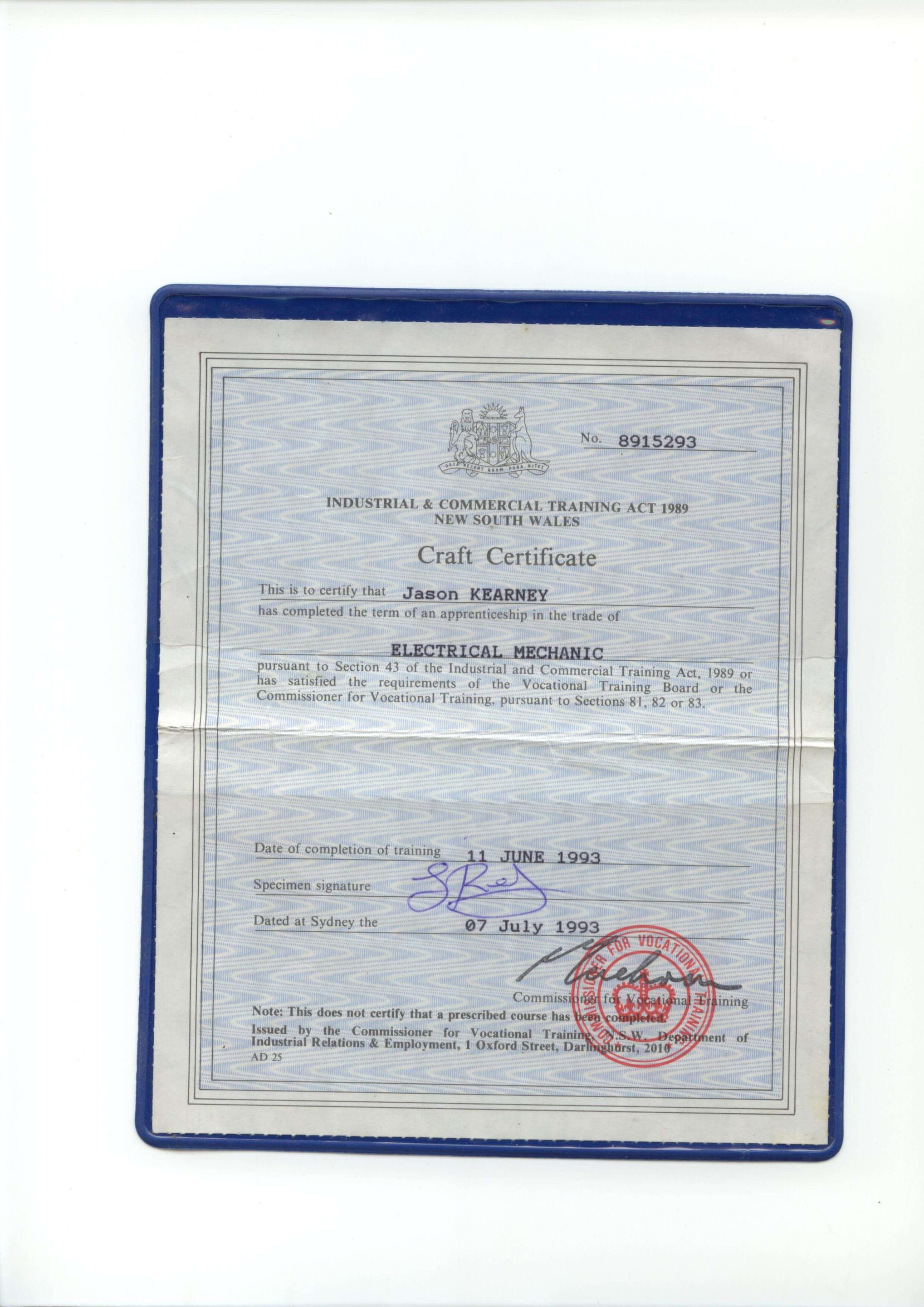
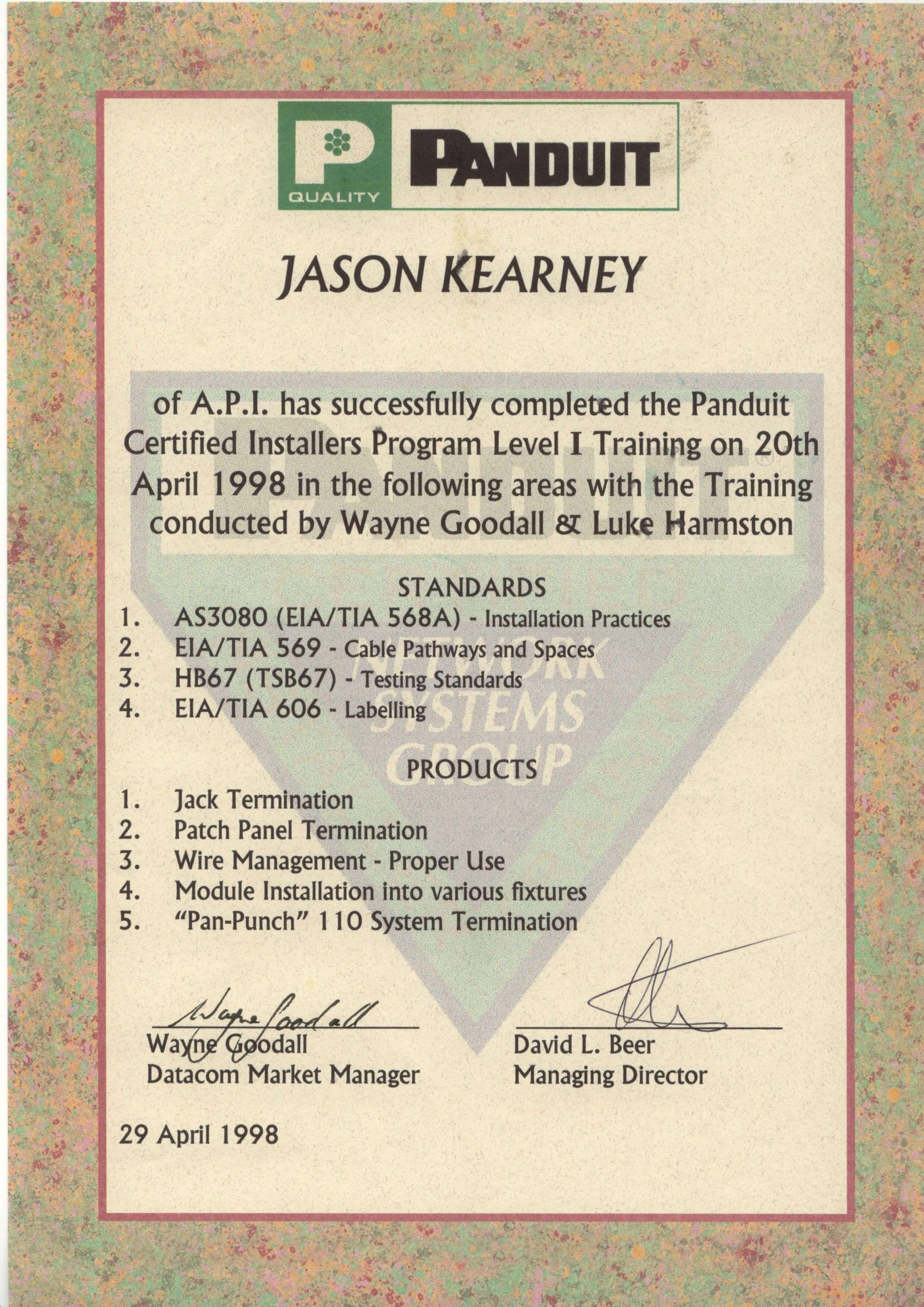
Secure A Com holds every licence and certification required to legally work on NBN and telecommunications infrastructure in Australia. Our master technicians are fully registered with ASIAL, an official national cabling registrar accredited by the Australian Communications and Media Authority (ACMA). When you book with us, you're engaging a properly registered cabler — not an unlicensed contractor. Click any certificate to view it in full.

JASON KEARNEY
Founder Jason Kearney is an Open Registered Cabler with 29 years of industry experience. In 1997, he was a manager for one of the first private contracting companies to work in the Telstra network following privatisation, leading the landmark CAN 2000 Project. Since establishing SECURE A COM in 2008, Jason has provided Sydney with independent, expert fault diagnosis and telecommunications solutions.




WHAT SYDNEY CUSTOMERS SAY
COMPANIES WE'VE WORKED FOR
From national banks to fast food chains — Sydney's biggest organisations trust us with their telecommunications infrastructure.


NBN · Data Cabling · Fibre · WiFi · Network Infrastructure











COMMON
MESH WI-FI
QUESTIONS
Everything Sydney homeowners and businesses ask before booking a mesh Wi-Fi assessment with SECURE A COM. If your question isn't here, call us directly.
answered below
A regular router broadcasts a single Wi-Fi signal from one location. As you move away from it, signal strength reduces. Where the signal becomes too weak, you get a dead zone. A Wi-Fi extender picks up that signal and rebroadcasts it — but it creates a separate network with a different name, your devices do not automatically roam between them, and extenders typically halve bandwidth because they must receive and retransmit on the same channel.
A mesh Wi-Fi system uses multiple nodes — typically two to four — that all broadcast the same network name (SSID) and use intelligent protocols to hand your device off to the closest, strongest node as you move through the property, without you noticing. Done correctly, mesh Wi-Fi delivers consistent signal strength throughout the entire building — not just near the router. The key word is "correctly" — mesh systems still require the right number of nodes, placed in the right positions, with the right backhaul configuration. A mesh system set up incorrectly will underperform a single router.
The correct number depends on floor area, number of levels, wall construction materials, building layout, and whether nodes will use wired ethernet backhaul or wireless backhaul. Product packaging often states that a two-node system covers a certain square meterage — but those figures are measured in open-space conditions, not concrete or brick homes.
A standard single-storey brick home of around 200 square metres might need two or three nodes. A double-storey home with a concrete slab between levels may need three or four, depending on layout. A multi-level commercial office with glass partitions and high device density is different again. We do not estimate based on floor area alone. We measure your actual property, take signal readings throughout every zone, and specify the correct number of nodes and their exact placement based on real data from your specific building.
Yes — wired ethernet backhaul is significantly better in most cases. When mesh nodes communicate with each other wirelessly (wireless backhaul), they consume a portion of the available wireless bandwidth on the backhaul band just to carry traffic between nodes. This leaves less bandwidth available for your devices. In buildings with thick walls or poor inter-node signal, wireless backhaul can reduce throughput dramatically.
With wired ethernet backhaul, each node is connected directly to the router (or to each other in a daisy chain) via ethernet cable. The backhaul connection is reliable, high-speed, and doesn't consume any wireless spectrum. For most multi-storey homes, apartments in concrete buildings, and any property where the inter-node wireless signal path is poor, wired ethernet backhaul is the right choice. Whether cabling is needed is one of the key things we assess and specify in the written quote after the inspection.
App status showing "all nodes connected" only tells you that the nodes are communicating with each other — it says nothing about signal quality, throughput, or whether coverage is actually reaching the areas where your devices are. A node can be "connected" to the mesh while providing −85 dBm signal to your devices, which is effectively unusable.
Common causes of dropouts despite connected nodes include: nodes placed too far apart with poor wireless backhaul signal between them, your ISP modem running in routing mode (causing double NAT conflicts), channel congestion from neighbouring networks on the same frequencies, and a primary node positioned in a location that blocks its backhaul signal to secondary nodes. The mesh management app is a status dashboard, not a diagnostic tool. A professional network analyser measures what the app cannot — the actual signal strength at the points where your devices are trying to connect.
Generally, no. Most mesh systems are proprietary — the seamless roaming and backhaul protocols are specific to a single brand's ecosystem and often to a specific generation within that brand. Mixing nodes from different brands will result in two separate networks that your devices treat as different Wi-Fi points, not a seamless mesh. You lose the intelligent handoff that makes mesh Wi-Fi work.
Mixing generations within the same brand is sometimes supported but often results in the entire system operating at the performance level of the oldest node — negating the benefit of upgrading some nodes. We recommend against mixing nodes from different brands or generations. If you are expanding an existing mesh system, we will assess compatibility and advise whether the existing equipment should be replaced entirely or whether additional matching nodes can be added.
This is a classic symptom of nodes placed too far apart relative to the building construction between them. When you are near a node, it delivers strong signal. As you move to the midpoint between two nodes, you are at the weakest point in both nodes' coverage areas — your device is connected to whichever node it first associated with, and that node's signal may now be marginal where you are standing.
The solution is not always to add another node — it may be that the existing nodes need to be repositioned closer together, or that the wall or floor construction between them requires wired ethernet backhaul rather than wireless. Adding another node in the wrong position can actually make this worse by introducing a third handoff point that your device's roaming algorithm gets confused by. The right fix depends on a measurement-based assessment of your specific building — which is what the inspection provides.
Most mesh systems are designed to replace your existing router — one of the mesh nodes takes on the router role and connects directly to your modem. Your existing router should be removed from the network or disabled. Leaving it active while the mesh system also handles routing creates a double NAT situation — both devices are performing network address translation, which causes routing conflicts, slower throughput, and unpredictable handoff behaviour between nodes.
Your ISP-supplied modem (the box that connects to the NBN) should be configured in bridge mode so it passes the internet connection directly to the mesh router node without any additional routing layer. ISP modems are often left in routing mode by default — this is one of the most common causes of mesh Wi-Fi problems we find at inspection. Configuring bridge mode correctly is part of what we do during the installation.
NAT stands for Network Address Translation — it's the process your router uses to manage communication between your internal network and the internet. Double NAT occurs when two devices on your network are both performing this routing function simultaneously — typically your ISP modem and your mesh router node.
When both devices are routing, data traversing your network has to be translated twice, which adds latency and can cause issues with certain applications, gaming, VoIP calls, and network-connected devices that rely on consistent IP addressing. It can also cause problems with the mesh system's own node-to-node communication protocols, leading to unstable handoff between nodes and intermittent drop-outs. The fix is to put the ISP modem in bridge mode, which disables its routing function and allows the mesh router node to handle all routing cleanly. We check and configure this as part of every mesh Wi-Fi installation. Call us on 02 9188 1577 or book an inspection online.
STOP GUESSING ON NODES
START WITH AN ASSESSMENT
Don't spend money on mesh equipment that may be the wrong product, the wrong quantity, or placed in the wrong positions. Book a professional mesh Wi-Fi inspection first — we attend your property, take real signal measurements, design the right system, and only install once you've approved the written quote.
Mon–Fri · After-hours by request · Sydney-wide coverage