
SMART TV SETUP
SYDNEY
Turn It On. We Handle
Everything Else.
We connect your Smart TV to WiFi, install all your free-to-air streaming apps, tune your channels, and walk you through how to use it — step by step, at your own pace. Patient service for seniors and families across Sydney.
WHY YOUR SMART TV ISN'T WORKING —
AND WHAT WE DO ABOUT IT
Most Smart TV problems aren't hardware faults — they're setup issues that technology manuals don't explain clearly. Here's what our technicians find in Sydney homes every week, and exactly how we fix them.
TV Won't Connect to WiFi or Keeps Dropping Out
Free-to-Air Apps Missing or Showing Errors
Streaming Apps Buffering, Crashing or Showing Error Codes
Remote Is Confusing and Too Hard to Use
Poor Picture, No Sound or HDMI Inputs Not Working
ONE VISIT.
EVERYTHING
CONNECTED & WORKING.
We handle your complete Smart TV setup from start to finish — WiFi, apps, channels, devices, and a patient walkthrough so every member of your household feels confident using it.
ONE VISIT. YOUR ENTIRE TV SORTED.
From streaming accounts and free-to-air apps to every HDMI device in your rack — we set up your complete home entertainment ecosystem in a single visit, then walk you through it in plain English.
Netflix
Account login, 4K profile setup & display mode matching
Disney+
Login, parental controls & streaming quality settings
Binge
Foxtel account link, HD quality & auto-play preferences
Stan
Account setup, resolution & auto-play preferences
Prime Video
Amazon login, subtitles & watchlist restore
YouTube
Google account pair, recommendations & history sync
Apple TV+
Apple ID pairing, AirPlay 2 & picture settings
Foxtel Now
Channel guide, recording prefs & remote pairing
7plus
App install, auto-scan linked & account login
9Now
Account config, HD quality & on-demand access
10play
Login, catch-up TV & streaming quality preferences
ABC iview
App install, playback verified & kids mode setup
SBS On Demand
Account link, subtitles & language preferences
Channel Scan
Full antenna scan — all channels found, sorted & labelled
Chromecast
Google Home pair, HDMI input & casting test
Apple TV Box
Siri Remote, AirPlay 2 & HomeKit pairing
Soundbar
ARC or optical cable, volume sync & audio mode
Blu-ray / DVD
HDMI port assignment, picture calibration & remote code
Gaming Console
HDMI 2.1 port, display mode & HDR enable
Set-Top Box
IQ / Fetch guide, remote pairing & channel order
Average setup time
Settings configured per TV
Confirmed working before we leave
SMART TV & HOME ENTERTAINMENT SERVICES
From a simple WiFi connection to a full home entertainment setup — SECURE A COM provides on-site, licensed technician services for Sydney homes and apartments. We handle Smart TVs, streaming devices, WiFi, and network cabling.
Smart TV Setup Sydney
WiFi pairing, free-to-air app configuration, streaming setup, and a plain-English walkthrough. Patient, senior-friendly service across all of Sydney.
Smart TV setup SydneyWiFi Solutions Sydney
If your Smart TV is in a room with weak WiFi signal, we assess and optimise wireless coverage throughout your home — eliminating dead zones and streaming interruptions.
Fix WiFi coverage problemsMesh WiFi Installation
Large homes often need a mesh network to ensure reliable Smart TV streaming in every room. We source, install, and configure the right mesh system for your property size and layout.
Mesh WiFi installationInternet Technician Sydney
If your Smart TV setup is being affected by a slow or unreliable internet connection, our licensed internet technicians diagnose and fix the underlying NBN or network fault.
Book an internet technicianNBN Fault Repair Sydney
Streaming problems caused by an NBN fault in your line — not a Smart TV issue? We diagnose and repair NBN faults including bridge taps, damaged cabling, and socket replacements.
NBN fault repair servicesData Cabling Installation
For the most reliable Smart TV streaming, a hardwired ethernet connection to your TV eliminates WiFi dropouts entirely. We run Cat6 data cabling discreetly through your home.
Structured data cabling installationComputer Setup & Installation
Need help setting up a new computer or laptop alongside your Smart TV? We connect, configure, and network all your home technology in a single visit — senior-friendly service available.
Computer setup and installationIT Tech Support Sydney
Ongoing tech support for homes and families. From printer setup to email configuration and home network management — patient, reliable tech help without jargon or condescension.
IT tech support servicesFROM BOOKING TO READY TO WATCH
Here's exactly what happens when you book a Smart TV setup visit with SECURE A COM. No guesswork — just a clear, step-by-step process that gets your TV working properly from the start.
Book Online in 60 Seconds
Use our online booking form to choose a date and time that suits you. Tell us your TV brand, what you need set up, and any specific concerns — senior residents, multiple devices, weak WiFi signal. Your technician reviews the job before arrival so there are no surprises on the day.
We Arrive On Time With Everything Needed
Your technician arrives at your Sydney home ready to work. We bring HDMI cables, adapters, and any equipment typically needed for a complete Smart TV setup. We call ahead with an estimated arrival time — no sitting at home all day waiting for a vague window like you would with an ISP.
We Assess Your TV and Network Setup
Before touching anything, we check your TV model and firmware version, measure the WiFi signal strength at the TV location, inspect all wall sockets and HDMI connections, and identify every device that needs to be connected. Nothing is assumed — we gather the facts first so everything is done right first time.
Connect, Configure and Test Everything
We pair your TV to your WiFi network, install and log into all free-to-air streaming apps (7plus, 9Now, 10 play, ABC iview, SBS On Demand), configure your paid streaming services (Netflix, Stan, Prime Video), run a full channel scan, connect your HDMI devices, and set up your sound and display settings. Every service is tested for playback before we move to the next step.
Plain-English Walkthrough — At Your Pace
We walk every member of the household through the remote control, how to switch between inputs and apps, how to search for programs, adjust volume, and access subtitles. Senior residents get as much time as they need — we never rush, never talk down, and never leave until everyone feels comfortable using the TV independently.
Confirmed Working — We Don't Leave Until It Is
Before we pack up, every app is launched, every channel is checked, and every connected device is confirmed working. We answer any final questions, leave our contact number, and the job is done. Your Smart TV is ready to use — and you know exactly how to use it.
// Ready to get set up?
BOOK YOUR SMART TV SETUP Prefer to call? 02 9188 1577 — we'll talk you through it.ONE PRICE. NO SURPRISES.
You know exactly what you're paying before we arrive — and exactly what's included. No hidden call-out fees, no surprises when we leave.
GST inclusive. Includes up to 1 hour on-site and up to 40km travel from our Sutherland Shire office. Additional time or travel is always disclosed before charges apply. See Terms & Conditions →
PRICING FAQ
LICENSED. CERTIFIED. ACCOUNTABLE.
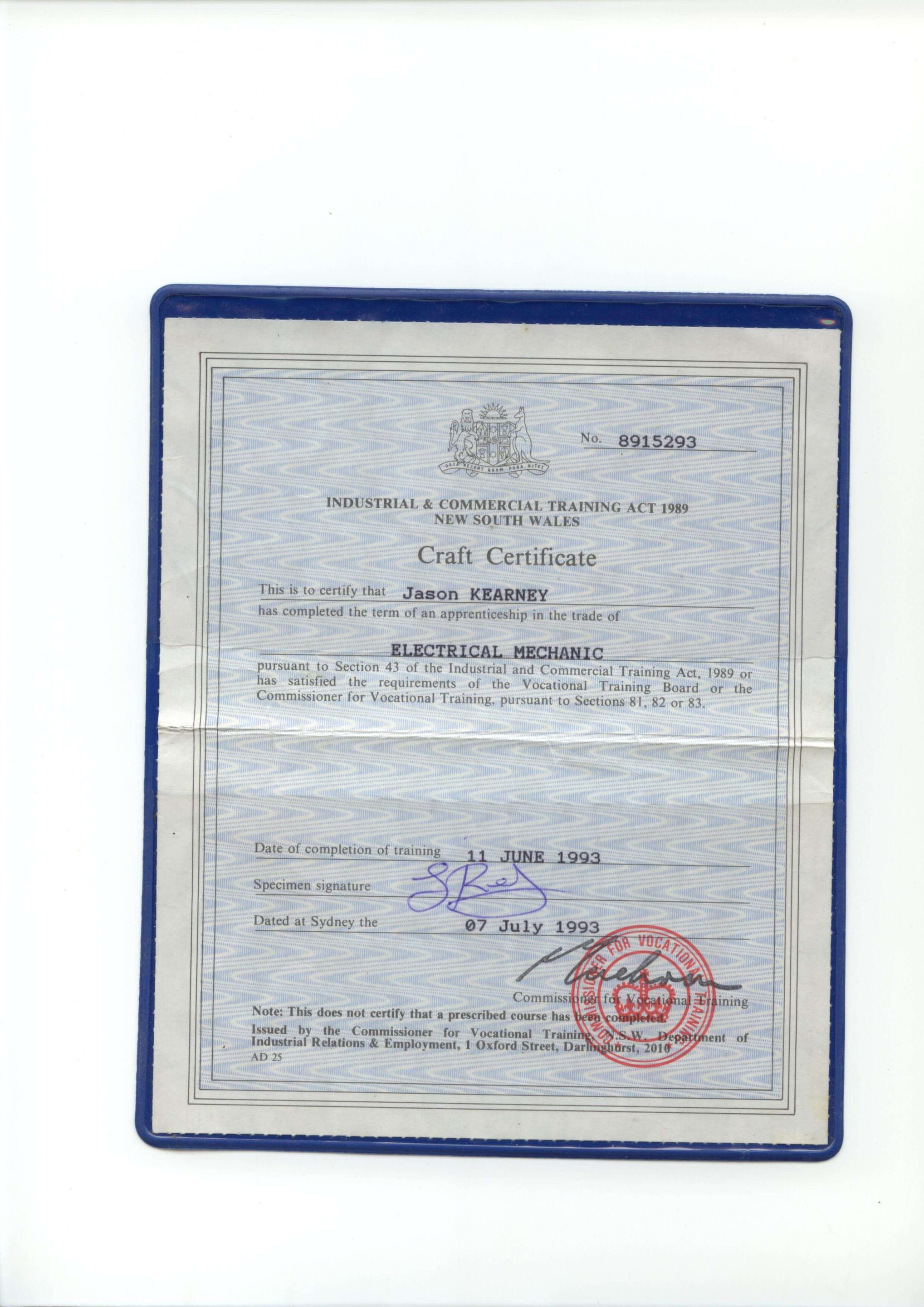
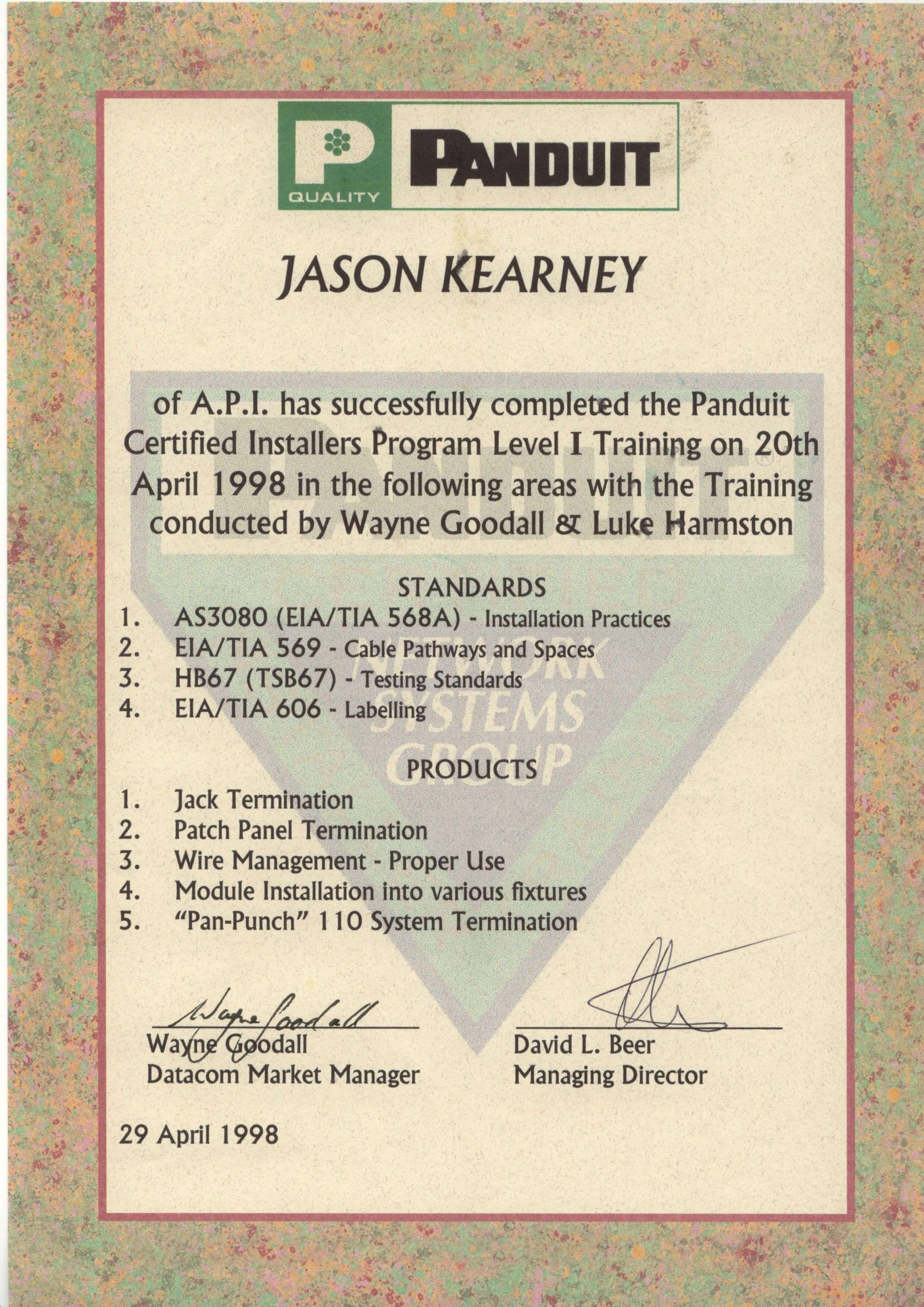
Secure A Com holds every licence and certification required to legally work on NBN and telecommunications infrastructure in Australia. Our master technicians are fully registered with ASIAL, an official national cabling registrar accredited by the Australian Communications and Media Authority (ACMA). When you book with us, you're engaging a properly registered cabler — not an unlicensed contractor. Click any certificate to view it in full.

JASON KEARNEY
Founder Jason Kearney is an Open Registered Cabler with 29 years of industry experience. In 1997, he was a manager for one of the first private contracting companies to work in the Telstra network following privatisation, leading the landmark CAN 2000 Project. Since establishing SECURE A COM in 2008, Jason has provided Sydney with independent, expert fault diagnosis and telecommunications solutions.




WHAT SYDNEY CUSTOMERS SAY


COMPANIES WE'VE WORKED FOR
From national banks to fast food chains — Sydney's biggest organisations trust us with their telecommunications infrastructure.


NBN · Data Cabling · Fibre · WiFi · Network Infrastructure
SMART TV
SETUP
QUESTIONS
Common questions from Sydney homeowners — especially seniors — before booking a Smart TV setup. If your question isn't here, call us directly and we'll talk you through it.
answered below
We set up all major smart TV brands including Samsung, LG, Sony, TCL, Hisense, Panasonic, Philips, and Kogan across all screen sizes. Our service covers all Android TV, Google TV, Tizen, webOS, and proprietary smart TV operating systems.
It doesn't matter whether your TV is brand new or a few years old — the process is the same. We connect it to WiFi, install all your apps, run a channel scan, and walk you through how to use it. If you're not sure whether your TV model is compatible with certain apps or streaming services, call us before booking and we'll advise.
Yes — installing and configuring free-to-air streaming apps is one of the most common reasons people book our Smart TV setup service. We install and configure 7plus, 9Now, 10 play, ABC iview, and SBS On Demand on your TV, confirm each app launches correctly, and verify streaming quality before moving on.
Firmware updates and factory resets often wipe free-to-air apps without warning — particularly on older Samsung and LG models. If your apps have disappeared or stopped working after a TV update, we can restore them. We also run a full antenna channel scan alongside app installation so both free-to-air broadcast channels and on-demand apps are working together.
Yes — this is a very common situation, particularly for seniors who set up their internet years ago and haven't needed the password since. Your WiFi password is usually printed on a sticker on the back or underside of your router. We can find it there together if you can't locate it.
If you can't find the password at all, we can also log into your router's settings page and retrieve or reset the WiFi password. We carry all the tools needed to access most common home routers. Just mention this when booking and we'll make sure we have everything needed before arrival.
Yes — we configure all major paid streaming apps including Netflix, Stan, Binge, Prime Video, Disney+, Apple TV+, Foxtel Now, and YouTube. To log into paid streaming accounts, you'll need your account username and password for each service — please have these ready before we arrive.
If you haven't subscribed to a streaming service yet and aren't sure which one is right for you, we're happy to explain the options in plain English so you can make an informed choice. We don't recommend products we don't personally stand behind, and we'll never push unnecessary subscriptions.
Yes — in fact, helping seniors and their families is one of the most rewarding parts of our work. We provide a completely judgment-free service. We explain everything in plain English, take as long as is needed for the walkthrough, and repeat anything that needs repeating until everyone feels confident.
We can also simplify your TV interface where possible — hiding apps you don't need, setting up favourite channels, configuring larger text, adjusting remote sensitivity, and programming a universal remote with fewer buttons if needed. Many senior clients tell us we're the first tech person who's ever taken the time to explain things properly. That's the experience we aim for on every visit.
Yes — we set up Chromecast with Google TV, Apple TV 4K, Roku Streaming Stick, Amazon Fire TV Stick, and similar streaming devices. These are often a better solution than an older Smart TV's built-in apps, as they receive more regular software updates and support newer streaming services.
If you're not sure whether to use your TV's built-in apps or add a streaming device, we'll assess your current setup and TV model during the visit and give you an honest recommendation. Adding a Chromecast or Apple TV to an older television is often a more cost-effective solution than buying a new TV just for better app support.
Yes — we can program a universal remote to control your TV, set-top box, soundbar, or DVD player with a single device. Universal remotes with fewer buttons are particularly useful for seniors who find standard smart TV remotes confusing or difficult to navigate.
We recommend confirming which devices you'd like to control before we arrive so we can source the most appropriate remote if you don't have one. If you already own a universal remote that isn't working properly, bring it out and we'll troubleshoot and reprogram it during the visit. Universal remote programming is included in the service call fee where time allows.
SECURE A COM is based in the Sutherland Shire and provides Smart TV setup services across all of Greater Sydney — including the Eastern Suburbs, Inner West, North Shore, Northern Beaches, Western Sydney, Parramatta, Hills District, St George area, and South-Western Sydney.
Travel up to 40km from our Sutherland Shire office is included in the $250 service call. For homes beyond 40km, a travel supplement applies — calculated at the ATO cents-per-kilometre rate for the return distance over 40km. This is confirmed with you before booking so there are no surprises. See our Terms & Conditions for full details on travel charges.
READY TO ENJOY YOUR SMART TV
WITHOUT THE FRUSTRATION?
We come to your Sydney home, connect your TV to WiFi, install your apps, tune your channels, and walk you through everything — in plain English, at your pace. One visit. Everything working.
Mon–Fri · Seniors welcome · All of Greater Sydney