
COMPUTER SETUP
SUTHERLAND SHIRE
Local Technician.
Based in Miranda.
We visit your Sutherland Shire home, unbox your new Windows PC, install antivirus, configure all your software and apps, connect your peripherals, and walk you through how to use it — step by step, in plain English. Patient, senior-friendly service across Miranda, Cronulla, Caringbah, Gymea and the whole Shire. No travel charge.
WHY SETTING UP YOUR NEW WINDOWS PC
IS HARDER THAN IT LOOKS
Most Windows setup problems aren't hardware faults — they're configuration steps that get skipped, security gaps that go unnoticed, or software that installs without proper guidance. Here's what our Sutherland Shire technician finds every week.
New PC Still in the Box — Not Sure Where to Start
Windows Demands a Microsoft Account — Before Anything Else
Antivirus Expired or Was Never Set Up Correctly
Printer, Monitor or Bluetooth Device Won't Connect
No One to Explain How to Use It Day to Day
ONE VISIT.
FULLY CONFIGURED
& READY TO USE.
We handle your complete Windows PC setup from start to finish — unboxing at your Shire home, configuration, antivirus, software, peripherals, WiFi, and a patient plain-English walkthrough for every household member.
WHAT WE HANDLE — EVERY SETUP, EVERY TIME
From brand-new laptops to older desktops needing a refresh — all major Windows versions, antivirus brands, software, peripherals, and connectivity. Your local Sutherland Shire technician brings the expertise. You supply the coffee.
Windows Versions
Antivirus & Protection
Apps & Software
Printers & Devices
Network & Internet
Plain-English Sessions
HOME COMPUTER SETUP & IT SERVICES
Your Miranda-based technician covers computer setup, antivirus, printers, WiFi, data cabling, and smart TV installation — all services for Sutherland Shire homes. On-site, licensed, senior-friendly.
Home Computer Setup
Our main computer setup service hub — Windows PC configuration, antivirus, Microsoft 365 and full user training for homes across Sydney and NSW.
Home computer setup hubHome Computer Setup NSW
State-wide Windows PC setup across New South Wales. PC unboxing, antivirus, software and user training — Greater Sydney and regional NSW locations serviced.
Computer setup across NSWHome Computer Setup Sydney
Windows PC setup, antivirus installation, software configuration, and a plain-English walkthrough for Sydney homes. Patient, senior-friendly service across all suburbs.
Computer setup in SydneyHome Computer Setup Sutherland Shire
Local Windows PC technician based in Miranda. Fastest response times, no travel charge within the Shire. All brands, all ages, senior-friendly — you are here.
// You are on this pageHome IT Tech Support
Ongoing tech support for homes and families — troubleshooting, printer faults, network management, and more. Patient, reliable help without jargon or condescension.
Home IT tech supportSmart TV Setup Sutherland Shire
Local smart TV technician in Sutherland Shire. WiFi pairing, streaming apps, and a plain-English walkthrough for your entire household. All brands, all ages.
Smart TV setup in Sutherland ShireWiFi Solutions Sydney
Slow or unreliable WiFi affecting your home office or PC? We assess and optimise wireless coverage — eliminating dead zones and connection drops across your home.
Fix WiFi coverage problemsMesh WiFi Installation
Larger homes often need a mesh network for reliable internet in every room — home office included. We source, install, and configure the right mesh system for your property.
Mesh WiFi installationData Cabling Installation
For the most reliable home office connection, a hardwired ethernet cable eliminates WiFi dropouts entirely. We run Cat6 cabling discreetly through your home to your PC location.
Structured data cabling installationSmart TV Setup Sydney
Just got a new smart TV? We pair it to WiFi, install all free-to-air and streaming apps, run a channel scan, and walk you through how to use it — in plain English.
Smart TV setup serviceBOOKED TODAY. RUNNING TONIGHT.
Here's exactly what happens when you book a professional Windows PC setup with SECURE A COM in the Sutherland Shire. A clear six-step process — from your first call to sitting back at a fully configured, secure and ready-to-use computer.
Book Online or Call in 60 Seconds
Use our online booking form or call 02 9188 1577. Tell us about your new or existing Windows PC, what software and peripherals you need set up, and whether senior residents are at home. We confirm your booking and review the job details before arrival — no guesswork on the day.
Your Miranda-Based Technician Arrives On Time
Your Miranda-based technician arrives at the confirmed time carrying USB drives, installer media and the tools needed for a complete Windows PC setup. We call ahead with an ETA so you're not waiting in a wide window. No travel supplement applies — virtually every Sutherland Shire suburb is well within our 40km no-charge zone.
Unbox, Position and Connect Your Hardware
We carefully unbox and position your computer, monitor and all peripherals — keyboard, mouse, printer, webcam and external drives. Everything is connected cleanly with cables managed and out of the way before Windows setup even begins. No guesswork — we check every port first.
Configure Windows, Security and All Your Apps
Windows is fully updated and configured. We create your user account, set privacy options and power settings, then install and activate your antivirus. Microsoft 365, Outlook, Chrome and any other apps you need are installed, signed in and ready — all done in a single visit.
Test Every Peripheral — Until Everything Works
Every peripheral is tested before we move on — printer, monitor, keyboard, mouse, webcam, external drives and Bluetooth devices. WiFi and Ethernet connections are verified. We don't consider the setup complete until every piece of hardware is confirmed working and functional.
Plain-English Walkthrough — Guaranteed 12 Months
We walk you through everything — opening apps, checking emails, browsing the web, printing documents and using your antivirus. Shire seniors get as much time as they need — no rushing, no jargon. We leave our contact number and back all our work with a 12-month workmanship guarantee.
// Ready to get set up properly in the Shire?
BOOK YOUR SHIRE COMPUTER SETUP Prefer to call? 02 9188 1577 — we'll talk you through it first.ONE PRICE. NO SURPRISES.
You know exactly what you're paying before we arrive — and exactly what's included. No hidden call-out fees, no travel surprises for Sutherland Shire homes.
GST inclusive. Covers up to 1 hour on-site and up to 40km travel from our Sutherland Shire office. Virtually every Shire suburb is within this zone — no travel supplement for Miranda, Cronulla, Caringbah, Gymea, Kirrawee or Sutherland. See Terms & Conditions →
PRICING FAQ
LICENSED. CERTIFIED. ACCOUNTABLE.
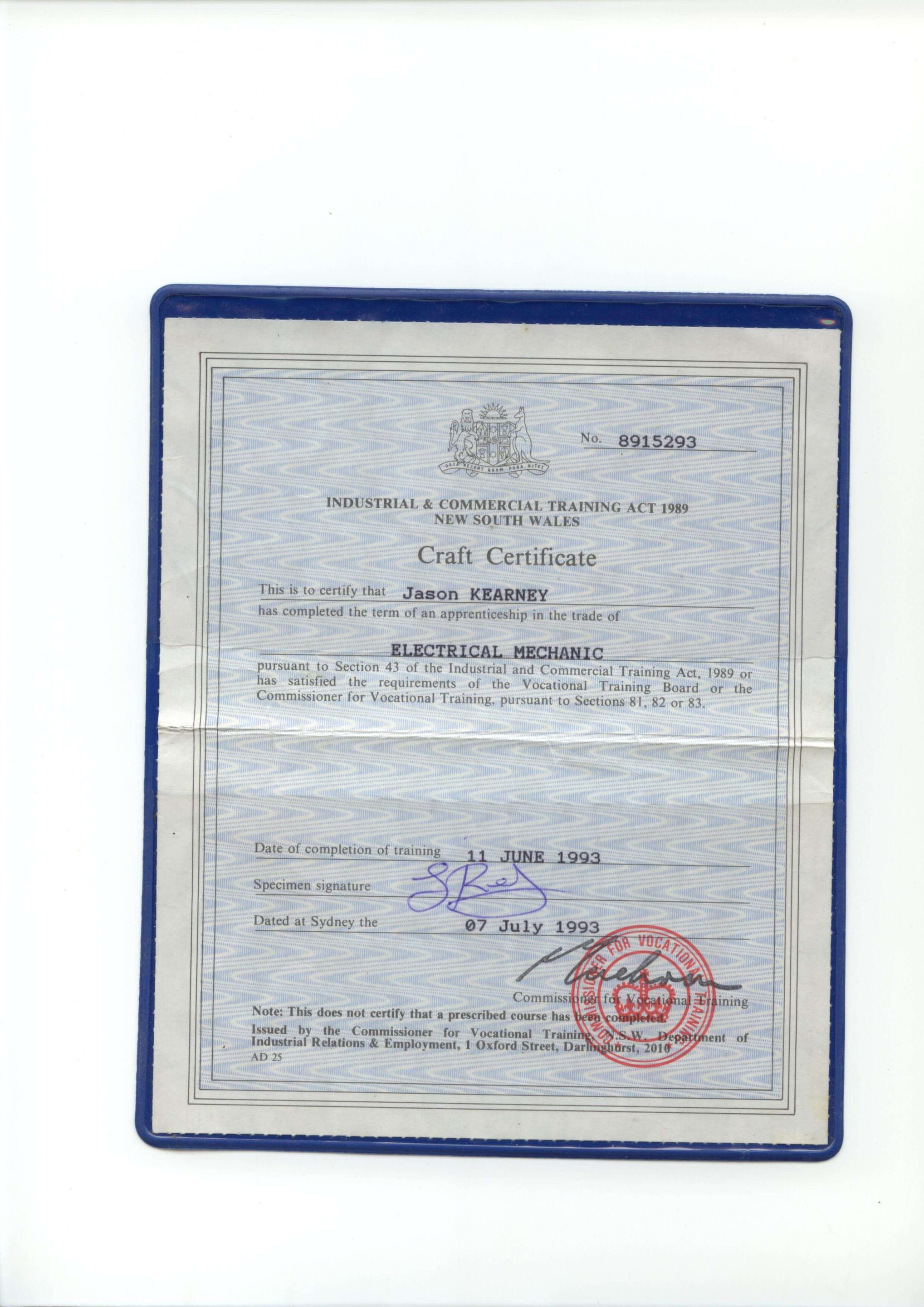
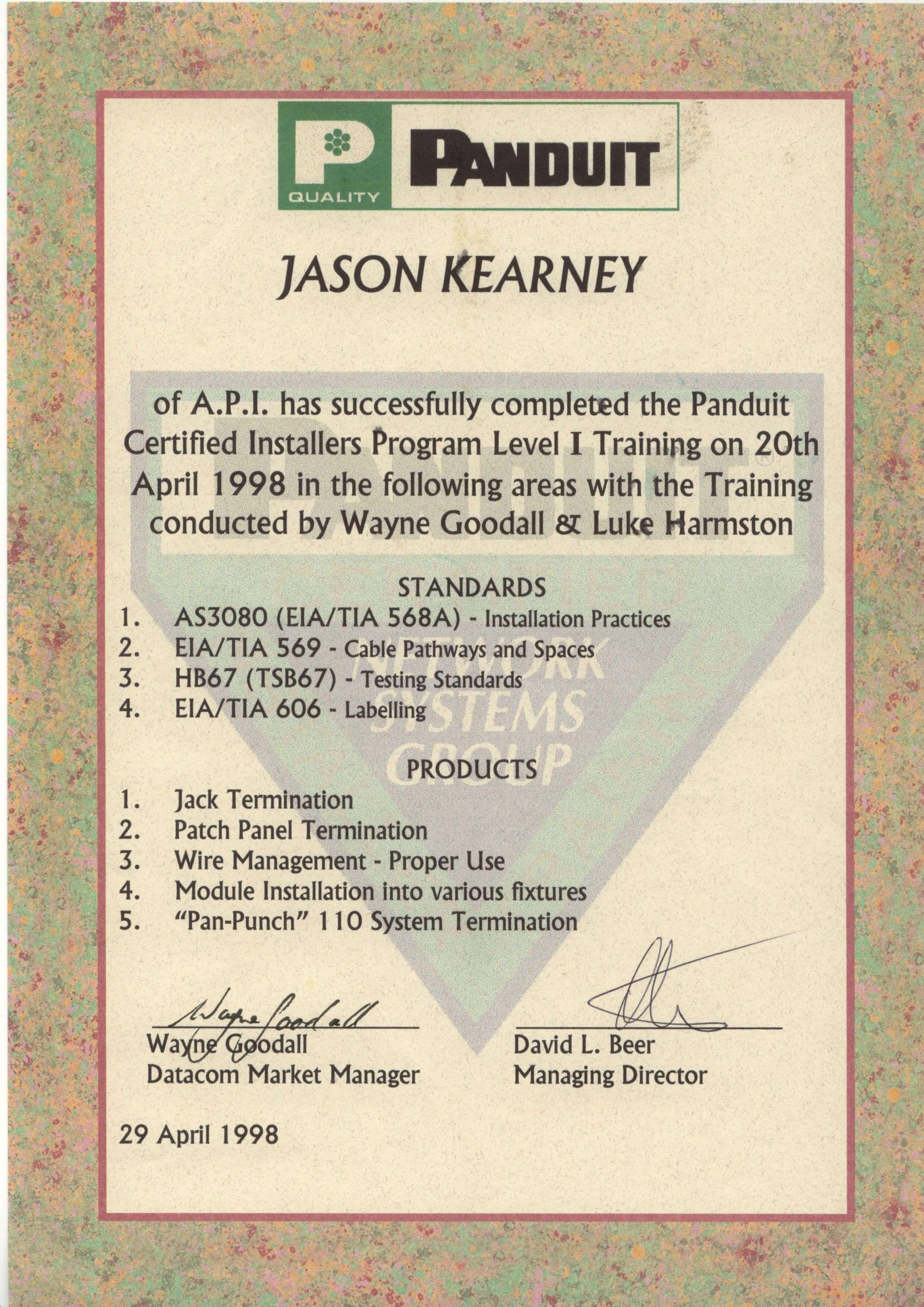
Secure A Com holds every licence and certification required to legally work on NBN and telecommunications infrastructure in Australia. Our master technicians are fully registered with ASIAL, an official national cabling registrar accredited by the Australian Communications and Media Authority (ACMA). When you book with us, you're engaging a properly registered cabler — not an unlicensed contractor. Click any certificate to view it in full.

JASON KEARNEY
Founder Jason Kearney is an Open Registered Cabler with 29 years of industry experience. In 1997, he was a manager for one of the first private contracting companies to work in the Telstra network following privatisation, leading the landmark CAN 2000 Project. Since establishing SECURE A COM in 2008, Jason has provided Sydney with independent, expert fault diagnosis and telecommunications solutions.




WHAT CUSTOMERS SAY


COMPANIES WE'VE WORKED FOR
From national banks to fast food chains — Sydney's biggest organisations trust us with their telecommunications infrastructure.


NBN · Data Cabling · Fibre · WiFi · Network Infrastructure











SUTHERLAND
SHIRE
SETUP
QUESTIONS
Common questions from Sutherland Shire residents before booking a computer setup. If your question isn't here, call us on 02 9188 1577 and we'll talk you through it.
answered below
We cover all suburbs in the Sutherland Shire — including Miranda, Cronulla, Caringbah, Gymea, Gymea Bay, Kirrawee, Sutherland, Engadine, Jannali, Como, Bonnet Bay, Loftus, Heathcote, Waterfall, Bundeena and all surrounding areas. Our office is based in Miranda, which puts virtually every Shire suburb within our 40km no-charge travel zone.
We also cover the St George area — including Hurstville, Kogarah, Rockdale, Beverly Hills and nearby suburbs — though these fall slightly outside the Shire boundary. A small travel supplement may apply for St George addresses beyond 40km; we confirm the exact amount before booking. No surprises.
No — there is no travel charge for Sutherland Shire homes. Our service call fee of $250 (GST inclusive) covers up to 40km travel from our Miranda office, and virtually every Shire suburb falls comfortably within that zone. Miranda, Cronulla, Caringbah, Gymea, Kirrawee, Sutherland, and Engadine are all included at no extra cost.
If you're unsure whether your address is within the zone, just call us on 02 9188 1577 — we'll confirm on the spot and there'll be no surprises on the day. See our Terms & Conditions for the full travel policy.
Because our technician is based in Miranda, Sutherland Shire bookings are typically our fastest to service. We operate Monday to Friday and generally have availability within a few business days — often sooner. When you book online or call 02 9188 1577, we'll confirm the earliest available date that suits you.
Shire residents have a geographic advantage — we're not driving from the CBD or another part of Sydney. If you've just brought home a new PC and want it set up quickly, give us a call and we'll do our best to accommodate you promptly.
Absolutely — working with seniors is one of the most important parts of what we do in the Shire, and we've been doing it since 2008. We use completely plain English throughout the visit — no jargon, no rushed explanations, and no making you feel like you should already know something. The walkthrough takes as long as it takes. There is no time pressure.
We can also make Windows easier to use for seniors — increasing text size and icon size, simplifying the Start menu, setting up large desktop shortcuts to commonly used apps, and showing exactly how to check emails, video call family, print documents, and stay safe online. Many of our Shire senior clients say it's the first time technology has felt manageable. That's what we aim for.
Yes — we see this regularly with Sutherland Shire clients who've had their PC for several years. Slow PCs are rarely beyond help. Common causes include a cluttered startup, outdated drivers, an overfull hard drive, accumulated malware, or simply an OS that has never been properly optimised. In most cases, a cleanup and tune-up makes a significant difference.
We'll assess the PC during the visit and give you an honest assessment of whether a tune-up is the right call — or whether the hardware is too old to be worth investing in. If a new PC is the better option, we can advise on what to buy and then set it up for you in the same booking. No upselling, just honest advice.
Yes — we regularly visit retirement villages and independent living facilities throughout the Sutherland Shire. Most residential retirement villages allow service technician visits during business hours; just let the front desk know you've booked a tech visit. We're experienced with the process and know how to make residents comfortable with technology, often for the first time.
Aged care facilities with stricter access requirements — including registration, inductions or staff supervision requirements — may involve additional logistics. Call us on 02 9188 1577 before booking so we can discuss the access requirements at your specific facility and confirm whether a visit is straightforward or needs advance coordination.
We get this question a lot from Sutherland Shire clients with existing PCs. The honest answer: it depends on your hardware. Windows 11 requires specific hardware — particularly TPM 2.0 and a compatible processor. Older PCs (generally pre-2018) may not meet the requirements and cannot be upgraded. For those machines, we keep Windows 10 properly configured and secured; Microsoft supports Windows 10 until October 2025.
For newer PCs that support Windows 11, we'll walk you through the differences and help you decide. Most home users find Windows 11 perfectly comfortable once it's properly set up. New PCs purchased today ship with Windows 11 pre-installed. We configure whichever version you have and make sure it's fully updated, secured, and easy for you to use.
Our standard service hours are Monday to Friday. Saturday is a phone-answering day — you can call 02 9188 1577 and speak with us, but on-site visits are not part of our standard roster. For Shire residents who genuinely cannot accommodate a weekday visit, Saturday on-site bookings are sometimes available by special request as after-hours appointments.
If you need a weekend visit, call us on 02 9188 1577 and we'll discuss your situation. We'd rather work something out for a genuine need than lose a client — especially for local Shire residents. Sunday visits are not available. Note that after-hours and weekend work is not bookable online; it must be arranged by phone.
YOUR SHIRE WINDOWS PC.
FULLY SET UP. TODAY.
Your Miranda-based technician comes to your Shire home, unboxes your PC, configures Windows, installs antivirus and all your apps, connects your printer and peripherals, and walks you through everything — in plain English, at your pace. One visit. Everything working. No travel charge.
Miranda-based · Mon–Fri · Seniors welcome · Shire-wide coverage