
Independent internet technician · Not NBN Co, not an ISP
Your provider says it's not them. An independent internet technician looks at all of it.
Your internet keeps dropping out. Your provider says it's not them, and so does the NBN tech. One visit tests the whole path, line, box, cabling, router and wifi, and finds the broken part: fixed on the spot when it's yours, written up for whoever has to fix it when it's not. $250 inc. GST service call, first hour on site and travel up to 40 km included.
Book a technicianContact us Play the 2 min SECURE A COM film (opens in a new tab)


Trusted by 1,000+ businesses
-
Marty Lawson
★★★★★Jason identified an issue we'd had for some time on our network and hadn't been able to resolve. He also fixed up some other issues we had. He did this in a professional and friendly manner. Would definitely recommend.
Read more Show less
-
Leo Murray
★★★★★Jason did an amazing job troubleshooting my home internet, efficient and professional. If you’re having any internet issues, then I highly recommend
-
Tom Hargreaves
★★★★★Punctual, considerate, and thorough in identifying problems in my existing home networks and providing solutions.
-
Murali shekar
★★★★★Very helpful, Sorted the problem within no time, very happy with the service, if any one asks i will recommend Secure A com for all internet related problems
Read more Show less
-
Patrick Fiddler
★★★★★Jason was extremely helpfull. He is experienced and friendly and meticulous in tracking down the cause of the problem. I would happily recommend him to anyone with internet or data cabling issues. Patrick
Read more Show less
-
Crash Avenue
★★★★★Highly recommend these guys, Great communication, arrived on time and fixed my connection issue. Thanks guys.
-
Alison Henderson
★★★★★Could not have asked for a better service. On time, professional and did not stop until we had internet service up and running. Thank you.
-
Kerry Els
★★★★★I am so impressed with Secure A Com. After dealing with my service provider for weeks & weeks & still getting no where, it was such a pleasant experience to work with Secure A Com. I was able to book in a day & time that suited me, the technician arrived on time and the issue was sorted quickly and easily without any fuss. Highly recommended.
Read more Show less
Sound familiar?
You’ve had the provider, the NBN tech, maybe a sparky. Now you want someone who looks at all of it
You've had the provider, the NBN tech, maybe a sparky. It still drops out, and everyone says it's not them.
We're an independent internet technician working across Sydney, and we test the whole path in one visit: the line, the NBN box, the cabling, the router and the wifi. Then we tell you which part is broken.
Read moreShow less
Most people who ring have been on the phone with their provider for an hour and a half, have plugged two modems in, and have had someone out who fixed their part and left. It works and it doesn’t. The internet is not really connecting properly, your provider says it is not them, and you do not know who else to call.
Someone who looks at everything between the street and the device in your hand is who: the line, the NBN box, the cabling in the walls, the router and the wifi, tested as one path by a technician who works for you and nobody else. Most people who ring are guessing at which of those it is, and the promise of this page is that you do not have to. If you already know it is the NBN line and you have been told the fault is yours, the NBN Technician page is written for that standoff. We work across Sydney from the Sutherland Shire, and we go further too: the Central Coast, Wollongong, the Blue Mountains. Past the distance the service call includes, the extra travel is charged, and the rates are in our terms and conditions.
Free advice
Before you book: the checks that are often the whole answer
Each of these is something we tell people on the phone, for free. On this page they are more often the whole answer.
Keep this list handy
Get all seven checks as a one-page PDF for the next time your provider says it's not them.
Send me the free guide- Plug a laptop straight into the router with a cable. Run a speed test while the problem is happening. Fast on the cable and slow on wifi: it is the wifi, and the WiFi Technician page is the one you want. Slow, or dropping out, on the cable too: keep reading, it is the connection.
- Look at the lights on the box on the wall. The NBN box, sometimes called the NTD, tells you which part of the connection is alive. Only the power light on is not a wiring problem in the house. What the lights on the NBN box mean explains each one.
- Reset the box and the router properly, once. Hold the reset on the box until every light flashes, then let it come back. Router off for thirty seconds, then on; if it was ever factory reset, it needs its settings put back before it will connect.
- Ask next door. If the neighbours are down too, it is the street, not your house, and nothing inside will fix it. Ring your provider and wait for them.
- If your provider says it is your wiring, ask for that in writing. Then ring us. If our testing shows the fault is not in your house, the full escalation report is what you send them.
- In a unit, ask your provider for your cable pair details first. They save an hour at the MDF, the frame in the basement where the street cables meet the building’s, and they tell us which pair is yours.
- If an NBN technician is already booked, let them come first. They test to the boundary at no charge. If they say it is not theirs, that is when to book us.
Recognise it?
Internet keeps dropping out, or it’s not really connecting properly
It works and it doesn't. Really temperamental.
Fine at nine, gone at ten. It's as often the router or the wifi as the line. If a laptop on a cable drops out too, it's the line, the box or the wiring, and the timing says which.
Usually points to: the router or the wifi as often as the line.
Read moreShow less
Fine at nine, gone at ten. Mini freezes while you teach online, the line dropping while you are on the phone with patients, and a provider who has reset the modem from their end and found nothing.
On this page, internet that keeps dropping out is as often the router or the wifi as the line: a router shut in a cupboard cooking itself, an extender that drops every device when it loses the router, a mesh unit on the wrong port. Only when a laptop on a cable drops out too is it the line, the box or the wiring, and the timing says which: heat points at copper, rain at a joint or the isolator.
What it usually points to. The router or the wifi as often as the line. A cable that drops out too is the line, the box or the wiring.
Is it the internet or the wifi? The WiFi technician page ›How dropping out is repaired ›
No internet for a week. Nothing at all.
Nothing on any device, and two modems tried. Only the power light on the box means it can't hear the network: the lead-in, the box or the street. Box lit and the modem dead? It's the modem.
Usually points to: power light only, the line or the box. Box lit, the modem.
Read moreShow less
Nothing on any device for a week, two modems plugged in and neither works, a replacement from your provider that made no difference.
A dead service looks the same from inside on every kind of NBN, and the box on the wall says where to look. Only the power light lit means the box is not hearing the network: the lead-in, the box or the network behind it, not the modem and not a cable in a wall. A box lit normally with a modem that gets nothing points at the modem, its port or its settings. In a unit, your pair at the frame in the basement can be sitting on somebody else's apartment, which looks exactly like this.
What it usually points to. Power light only: the lead-in, the box or the network. Box lit, modem dead: the modem. In a unit: the pair at the frame.
What the lights on the box mean ›How a dead service is repaired ›
Slow on the laptop, fine on the phone: internet or wifi?
Fast on a cable into the router and slow on wifi is the signal, not the internet. Slow on the cable too is the router, the socket, the wiring or the line.
Usually points to: slow on wifi only, the signal. Slow on a cable, the connection.
Read moreShow less
The speed test on the phone beside the modem says everything is fine. The laptop three rooms away crawls, and the extender bought to fix it made it worse.
One test separates the two. Fast on a cable into the router and slow on wifi from the same spot is the signal, not the internet: the router at one end of a brick house, an extender halving the speed on the way through. Slow on the cable as well is the connection: a router whose wired speed has collapsed while wifi looks normal, a cheap socket, old phone sockets still on the copper, or the line itself. Fast down with almost no up is the line, not the plan.
What it usually points to. Slow on wifi only: the signal, not this page. Slow on a cable too: the router, the socket, the wiring or the line.
Slow on wifi only: the WiFi technician page ›How a slow line is repaired ›
The cameras and the doorbell went offline, but the internet works
The cameras and the doorbell are gone and the internet's fine, often the week after a solar or battery install. Usually a surge took the devices, not the connection. We test the network first so you know.
Usually points to: the devices after a surge, not the connection.
Read moreShow less
The wifi is up and the laptops are fine, but the cameras or the doorbell have dropped off and will not come back, sometimes the week after a new solar or battery system went in.
Usually this is not the internet at all. A surge, or a spike from the new installation, can kill the devices while the connection carries on: they still show power and a wifi signal, and the network they sit on tests clean. On HFC the same surge can take the isolator and the NBN box with it, which looks like a dead service instead. The network is tested first so you know it is not that, then the devices; one that is gone is a replacement, not a repair.
What it usually points to. The devices, after a surge, not the connection. On HFC, the isolator and the box can go with them.
What we actually do: the network is tested first ›A surge, and the other things that are not the line ›
The usual suspects
What’s usually wrong, and it is often not the NBN line
From the diagnoses we give on the phone, led by the ones that are not the NBN line at all.
- The router.
Cooking in a cupboard, tired, in the wrong port, or reset and never set up again. A laptop on a cable proves it.
Read moreShow less
In a cupboard with no air, cooking itself; three or four years old and tired; plugged into the wrong port (WAN, not DSL); or factory reset and never set up again, so it has forgotten the account. Proven with a laptop on a cable, then set up properly and moved out of the cupboard, or replaced.
- The extender.
It repeats a weak signal, halves the speed and drops everything each time it loses the router.
Read moreShow less
Bought to reach the back room, it repeats a signal that is already weak, halves the speed on the way through, and drops every device each time it loses the router. It comes out; what replaces it is the WiFi Technician page’s job.
- A surge.
Lightning, or a new solar or battery system, killed the cameras and left the internet running.
Read moreShow less
Lightning, or a spike from a new solar or battery system, that killed the cameras and the doorbell and left the internet running. The devices still show power and wifi, so nobody suspects them. On HFC the same surge can take the isolator and the box.
- A cheap or damaged socket.
A cheap socket, a brittle termination, a plate ripped off, a cable flattened under the carpet.
Read moreShow less
One the installer swapped for a worse one, a brittle copper termination, a wall plate ripped off, a cable flattened under the carpet by the kitchen. Replaced: see NBN wall socket repair.
- Old phone sockets.
On fibre to the curb and the node, old phone sockets still on the line split the signal.
Read moreShow less
On fibre to the curb and fibre to the node, the sockets left from the old phone line, still wired to the copper and splitting the signal: a bridge tap, and a copper problem only. They come off the line, which then runs direct to the one socket you use.
- The MDF.
In a unit or an office, your pair sits on the wrong apartment, or a jumper got knocked out next door.
Read moreShow less
In a unit or an office: your pair sitting on the wrong apartment, a break between the frame and your socket, a jumper knocked out while someone worked on the next line. Traced and re-jumpered at the frame: see MDF jumpering.
- The lead-in.
Water, a rodent or a contractor's shovel in the lead-in, or indoor cable buried in the ground where it doesn't belong.
Read moreShow less
Water in the conduit, a rodent, a contractor’s shovel, the dog. Internal-grade cable buried where gel-filled cable should have been, so water got in over the years and took the signal with it. From the street to the boundary it is NBN’s; from the boundary in, it is replaced.
- The isolator or splitter on HFC.
A surge or a corroded tap. We bypass the isolator to prove it, then swap it.
Read moreShow less
A surge, lightning, corrosion at the tap in the street, and rain makes it worse; a splitter left from the pay TV days. Bypassed to prove it, then swapped.
Not the line?
If it’s the modem or the router, not the line
Your provider swears the modem's fine, and a lot of the time that's exactly where the fault is: cooking in a cupboard, losing its wired speed, the cable in the wrong port. A laptop on a cable into the box, then the router, proves it either way.
Read moreShow less
Your provider swears the modem is fine, and a lot of the time the modem or the router is exactly where the fault ends up. A router shut in a cupboard with no air cooks itself and drops out on hot afternoons. A modem three or four years old can lose its wired speed while the wifi still looks normal, so a phone beside it says everything is fine and a laptop on a cable says otherwise. The cable in the wrong port, a factory reset nobody finished, a mesh unit not plugged into the yellow port it was meant for: none of these is a cabling fault, and no wall gets opened for them. We prove it the same way every time, a laptop on a cable straight into the box and then into the router, and compare. If it is the router, we set it up properly, put it where the house needs it rather than where the NBN box happened to land, and tell you what to replace it with if it is past saving; our guide to the best modem for NBN is where to start. If the real problem is that the box landed somewhere useless, that is NBN box relocation, a different job.
Units and offices
In a unit or an office, the fault is often at the frame
In a unit or an office, the fault has one more place to hide: the MDF, where the street cable meets the building. Your pair on someone else's apartment looks exactly like a dead service. We test at the frame, trace the pair, and fix the jumper or the run.
Read moreShow less
A tenant or an office manager is who types internet technician, and in a unit block or a commercial building the fault has one more place to hide. The street cable lands on the MDF, the main distribution frame in the basement or a fire cupboard, and a jumper wire connects your pair to your apartment or your suite. NBN’s side is one side of that frame; the owner’s, strata’s or the building’s side is the other. Your pair sitting on someone else’s apartment, a break between the frame and your socket, a jumper knocked out during work on the next line, rodents in the cabinet through copper as old as the building: all of them look like a dead service from inside. In an office the fault is as often at a patch panel or in the run from the comms room to the desk, a cable not clipped properly or wired in the wrong order, and access is what takes the time: tell us in the form if there is a building manager, an induction or a security escort to arrange. We test at the frame, trace the pair, and fix the jumper or the run; the detail is on the MDF jumpering page.
How it works
What we actually do, from the street to the device in your hand
We look at the whole path, from the pit in the street to the device in your hand, and we tell you which part is broken before we touch it. The one place we stop is the network boundary: past it the cable is NBN’s and we do not test inside their network, because we are not NBN, and that stop is what makes an independent technician independent.
-
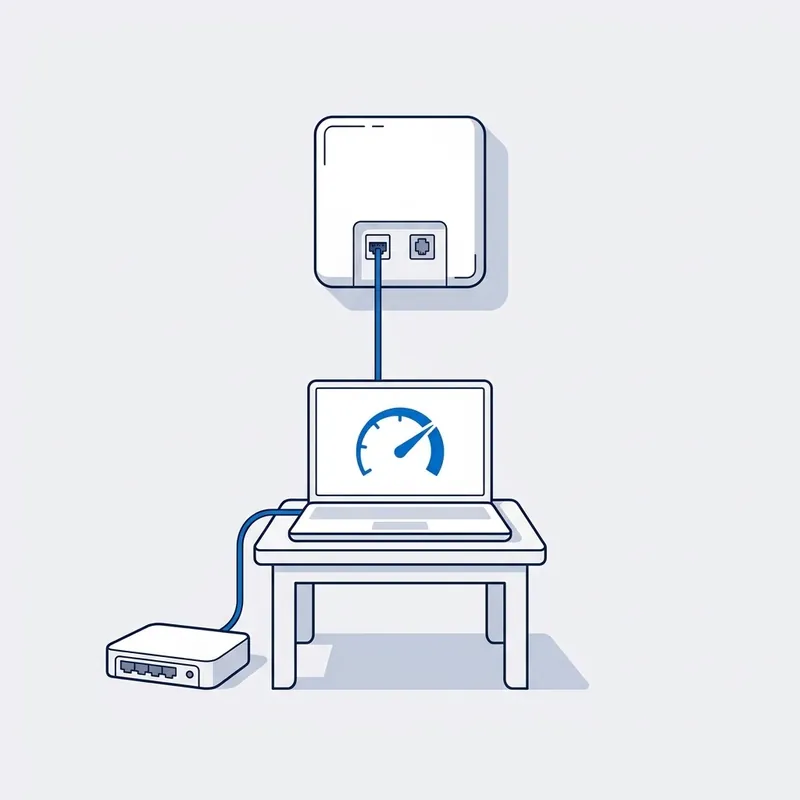
Test at the boundary.
The lead-in point, the MDF pair, or the NBN box, depending on your technology. That one measurement settles whether the fault is inside the property or not.
-

Isolate.
Disconnect everything but one socket, or bypass the isolator, or plug direct into the box. Compare. The router and the wifi are tested the same way, one thing at a time.
-
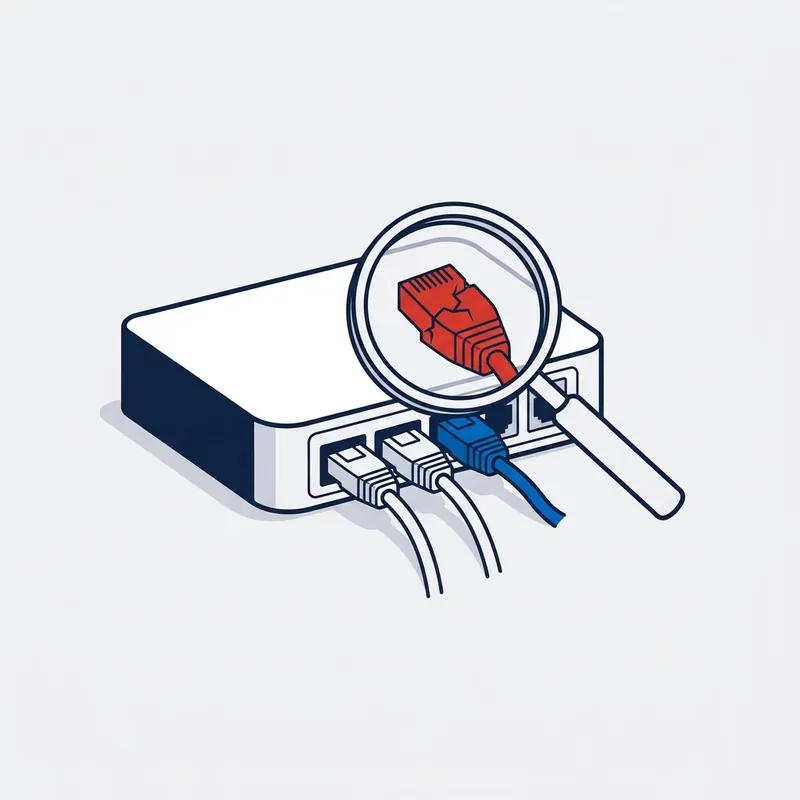
Find it.
The cabling toned and tested, bridge taps removed, the pair traced, the socket replaced, the router set up properly and put where the house needs it.
-
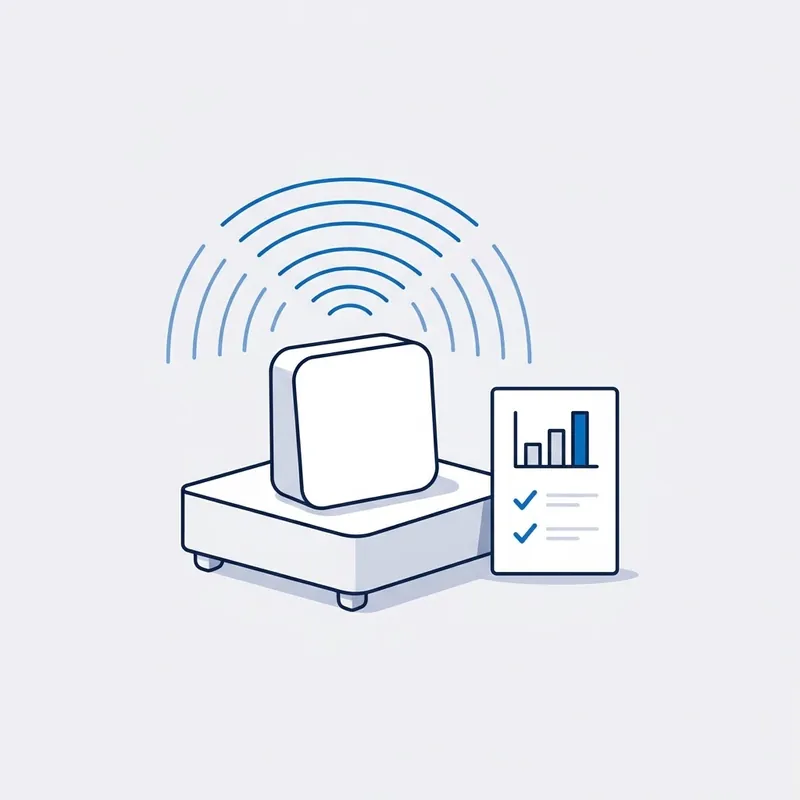
Fix it or report it.
Your side, fixed on the spot where the first hour allows. NBN's side, a written report for your provider.
Read moreShow less
On your side it is fixed on the spot where the first hour allows: the router set up, the socket replaced, the old sockets off the line; a cable run is quoted through data cabling and you decide. On NBN's side you get the written report for your provider, with video in the full escalation report. We cannot make them fix their side, but if you want us with you all the way, we do everything in our power to get you a result.


Written by customers on Google. None are paid for, and every word here is theirs.
Read all reviews on Google › (opens in a new tab) Leave a review (opens in a new tab)
Reviews
What people say after the job.
“Had problems with my Telstra modem for ages. Telstra were no help at all. They said the modem was fine, but we couldn’t get internet. Jason came out and identified the issue. Telstra finally acknowledged the fault & is sending a replacement modem & also refunding Jason’s fee.”
A real job from the field
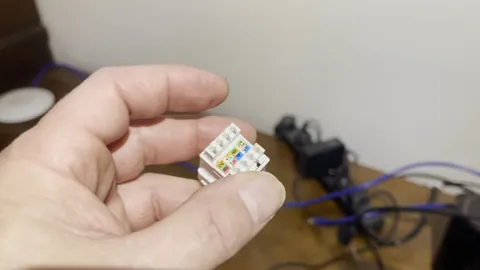
Windsor, NSW · Home network · Filmed on site, 3 min
A gigabit plan, 80 megabits in the lounge. The NBN was fine.
Electricians had already been out and the fault hadn't been found. A laptop on the lounge's wall socket wouldn't connect at all, and the tester showed two open circuits on that run. Behind the plate was a cheap socket with a loose connection. New sockets at both ends, and the line pulled a full gigabit.
Read moreShow less
Windsor, a house on a gigabit plan getting about 80 megabits in the lounge room. Electricians had already been out to look at the data cabling and the fault had not been found.
Bypassing the wifi settled where to look. A laptop plugged straight into the wall socket that feeds the lounge would not connect at all, and the tester showed two open circuits on that run, two of the wires not making contact. So the question was the cable or the socket. Behind the wall plate it was the socket, a cheap one with a loose connection, and the Cat6 cable behind it tested clean.
New sockets at the lounge end and at the patch panel, a retest, and the line pulled a full gigabit. The NBN side had been right all along.
Price
What does an internet technician cost?
$250 inc. GST
What's included
- First hour on site
- Travel up to 40 km
- Testing and diagnosis
- Free basic report by email
- Free speed test on the day
- 90-day warranty on the fix
Free Spaces account with every job, if you want one. What's Spaces?
Extra, only if you need it: more time on site, travel past 40 km, parts, and the $55 and $185 reports.
You're paying for the testing and the answer: which part of the path is broken. So it's payable whether that turns out to be your side or the network's.
Read moreShow less
Past the first hour, our hourly rate applies, and you are told before it starts.
We are a specialised service, so we may not be local to you. If you are outside Sydney or more than 40 km from our office, we can still come to you, but the extra travel means an extra travel charge. All travel charges are set out in our terms and conditions.
Fault work is diagnostic. You are paying for the testing and the answer, not for a repair that may not be needed, so the fee is payable whether the fault is inside the premises or on the network side.
What you get in writing
| Report | Price | What it contains |
|---|---|---|
| Basic report | Free | A short written summary by email: what we tested, what we found, and whose side of the boundary it is on. |
| Standard report | $55 | A detailed PDF with the findings, the test results and our recommendations. No photos or video. |
| Escalation report | $185 | Everything in the standard report, plus photos and video of the testing. The report for proving the fault is on NBN's side: written for escalation to your provider or the carrier, a refund claim, or a TIO complaint. |
Trusted on site by
Commercial fault and cabling work, done by the same technician who comes to your house.











Your options
Modem, router, wiring or line: which part is broken, and how the visit tells
| What it does | How it usually fails | How the visit settles it | |
|---|---|---|---|
| The modem | Turns what arrives from the street into a connection the house can use. On fibre to the premises, HFC and fibre to the curb it plugs into the NBN box; on fibre to the node and fibre to the building the copper line comes straight into it from the wall socket. | Three or four years old and tired; the cable in the wrong port (WAN, not DSL, on fibre to the curb); a factory reset that was never set up again, so it has forgotten the account; a replacement that arrived with the wrong settings for the service. | A laptop on a cable straight into the NBN box, then into the modem, while the fault is happening. Works through the box and not through the modem: the modem. The port and the settings are checked before anything is replaced, and a modem that is gone is replaced with the right one. |
| The router | Shares the connection around the house, over wifi and through the yellow ports. Often the same unit as the modem; often a second box, a mesh system or an extender plugged into it. | Shut in a cupboard with no air, cooking itself; circuitry breaking down so wired speeds fall while wifi looks normal; an extender halving the speed and dropping devices; a mesh unit not plugged into the yellow port it was meant for. | The same laptop on a cable into the router, then on wifi from the same spot. Fast on the cable and slow on wifi is the signal; slow on both is the router or what feeds it. Set up properly, moved out of the cupboard, or replaced. The signal is the WiFi technician's job, not a fault call. |
| The wiring in the house | Everything from the boundary to the socket the modem plugs into: the copper of the old phone line on fibre to the curb and fibre to the node, the lead between the outside box and the inside box on fibre to the premises, the run from the frame in the basement to a unit. | Old phone sockets still connected to the copper and splitting the signal; a cheap socket the installer fitted, a brittle termination, a wall plate pulled off, a cable flattened under carpet; in a unit, your pair jumpered to someone else's apartment at the MDF. | The line measured at the boundary, then measured again with everything but one socket disconnected; the difference between the two readings is the wiring. The old sockets come off the line, the socket or the run is replaced, the pair is re-jumpered: repaired on the spot where the first hour allows. |
| The line from the street | The lead-in from the pit or the pole to the network boundary, and the network behind it: NBN's, on every technology. On HFC the isolator on the outside wall is where NBN's cable meets the house. | Water in the conduit, a rodent, a contractor's shovel; a corroded joint at the tap or in the pit, worse in rain; an isolator hit by a surge or lightning; NBN's records holding the wrong address, or the wrong pair for a unit. | Tested to the boundary and not past it, because the network is NBN's. What arrives at the boundary is compared with what the house delivers. A fault before the boundary goes to your provider in writing, with the readings, and the full escalation report adds photos and video. |
SourcesHide sources
Sources: the network boundary point in the Telecommunications Act 1997 (Cth), which is where the line stops being the house's; our own call records, 2015 to 2026. Our own fees and reports are in our terms and conditions.
Whoever your provider is, the answer is the same.













Questions
Frequently asked questions
Something not covered? Call 02 9188 1577 and ask, or send it through the contact form and you get the answer in writing.
My internet's broken and I don't know who to call. Is this the right place?
Yes, if you are in Sydney. We are an independent technician who looks at the whole connection: the line from the street, the NBN box, the cabling in the walls, the router and the wifi. You do not need to know what sort of NBN you have or whose fault it is. Your address tells us the first, and testing tells us the second.
Is it my internet or my wifi?
Plug a laptop into the router with a cable and run a speed test while the problem is happening. Fast on the cable and slow on wifi means the wifi, and that is the WiFi technician page. Slow, or dropping out, on the cable as well means the connection: the line, the box, the cabling or the router, and that is this page.
My provider says the problem is inside my house. What does that mean?
It means their remote test reached the edge of their network and looked normal, so they are pointing at the cabling on your side: the wall socket, the wiring in the walls, the router. Sometimes they are right. Often nobody has actually tested inside. Get it in writing, then book us: we test your side and compare it with what is arriving at the boundary.
Do I need an NBN technician or an internet technician?
Same person here. If you already know the fault is on the NBN line and you have been told it is your wiring, the NBN technician page explains that standoff. If you only know the internet is broken, start here: we work out whether it is the line, the box, the cabling, the router or the wifi, and then deal with the right one.
Can you fix my router or modem?
We find out whether it is the router first, which is where a lot of faults end up: a router cooking in a cupboard, a modem three years past its best, the cable in the wrong port, a factory reset that never got reconfigured. If it is the router, we set it up properly, tell you what to replace it with, and put it where the house needs it.
Someone has already been out and it's still broken. Why?
Because each of them tested their own part and stopped at its edge. Your provider tests remotely to the boundary; an NBN technician tests to the boundary from the street; an electrician looks at power. Nobody tested the whole path. We test at the boundary and inside, compare the two, and the part that fails is the part that gets fixed or reported.
My cameras and devices went offline but the internet works. Can you help?
Yes, and it is usually not the internet. A power surge, or a spike from a new solar or battery installation, can kill the cameras and the doorbell while the connection carries on, and the devices still show power and wifi. We test the network first so you know it is not that, then the devices. If they are gone, it is a replacement, not a repair.
Do you come to businesses and shops?
Yes. Shops, offices and small businesses across Sydney, on the same service call as a house. Tell us in the form if there is a comms room, a building manager or an induction to arrange, because in a commercial building the fault is often at the MDF or a patch panel rather than at the desk, and access is what takes the time.
I'm renting. Can I book you, or does my landlord have to?
You can book us. The service call is paid by whoever books, and if the report shows the fault is in the landlord's cabling, you claim it back through the agent with the report attached. If it is NBN's, some providers refund the call-out when you send them the full escalation report; that is their decision, so we cannot promise it. Cabling inside the place is the owner's; between the MDF and a unit it is usually strata's; MDF to the street is NBN's.
What does the service call fee cover?
The first hour on site, travel from the Sutherland Shire up to the distance set in our terms, and the testing and diagnosis, with a short written summary by email at no charge. It is payable whether the fault is inside or on the network side, because the work is the diagnosis. Time beyond the first hour is at the hourly rate in the terms, and you are told before it starts.
Dig deeper
Guides for this fault
5 guides
- 27Aug
Guide
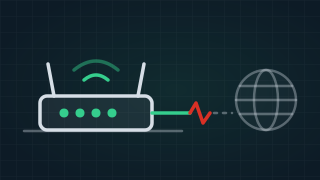
Why Modem Lights Are On But No Internet [SOLVED]
Modem lights on but no internet? What the WAN, Internet, WiFi and Ethernet lights mean, what flashing or red tells you, and what to try before you ring.
Read the guide › - 20Aug
Guide
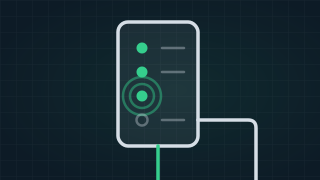
NBN Box Lights Explained: Flashing Blue, Red or Clicking
What the lights on your NBN box mean on fibre, HFC and fibre to the curb: why it clicks, flashes blue or shows red, and what to do before you ring anyone.
Read the guide › - 14Nov
Guide
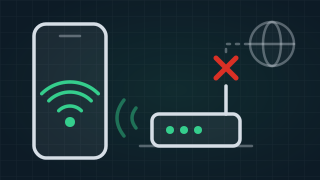
Connected Without Internet? WiFi Works, Internet Doesn't
Connected without internet means your phone is on your home WiFi but the internet into the house is out. The printer still prints. What to check first.
Read the guide › - 12Aug

Guide
Why Is My NBN So Slow? Four Causes, and How to Tell
Why your NBN is slow: how to tell WiFi from evening congestion from a line fault, what your provider controls, and what to do when it slows suddenly.
Read the guide › - 16Oct
Guide
What Is an Internet Technician, and Who Tests What?
What an internet technician does, the cabling registration they need, and what your provider, NBN's technician and an electrician each test.
Read the guide ›
Internet Technician
Trusted by 1,000+ businesses